Multi Point Gradient

다중 포인트 그라디언트

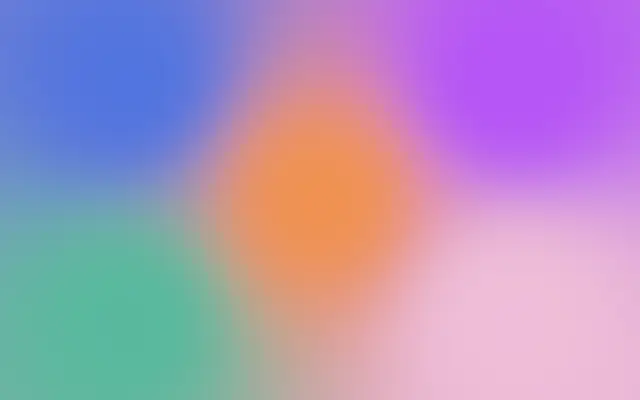
Five individually placed color points blend together by proximity.

Also known as: MultiPointGradientMulti-point color gradient

Moves in browsers that support WebGPU

This device could not render the demo — showing a still

React
// Renders only in browsers with WebGPU.
import { Shader, MultiPointGradient } from 'shaders/react'

export default function ShaderEffect() {
  return (
    <Shader style={{ width: '100%', height: 320 }} disableTelemetry>
      <MultiPointGradient />
    </Shader>
  )
}
Vue
<!-- Renders only in browsers with WebGPU. -->
<script setup lang="ts">
import { Shader, MultiPointGradient } from 'shaders/vue'
</script>

<template>
  <Shader style="width: 100%; height: 320px" :disable-telemetry="true">
    <MultiPointGradient/>
  </Shader>
</template>
Svelte
<!-- Renders only in browsers with WebGPU. -->
<script>
  import { Shader, MultiPointGradient } from 'shaders/svelte'
</script>

<Shader style="width: 100%; height: 320px" disableTelemetry>
  <MultiPointGradient />
</Shader>
Solid
// Renders only in browsers with WebGPU.
import { Shader, MultiPointGradient } from 'shaders/solid'

export default function ShaderEffect() {
  return (
    <Shader style={{ width: '100%', height: '320px' }} disableTelemetry>
      <MultiPointGradient />
    </Shader>
  )
}
JavaScript
// Renders only in browsers with WebGPU.
// expects <canvas id="canvas" style="width:100%;height:320px"></canvas> on the page
import { createShader } from 'shaders/js'

const shader = await createShader(document.getElementById("canvas"), {
  components: [
    {
      type: 'MultiPointGradient',
    }
  ]
}, { disableTelemetry: true })

Props · MultiPointGradient

Changes apply to the demo above and to the code tabs. Descriptions come from the library registry (MIT).

NameValueDefaultRange / optionsDescription
colorAColor A#4776E6—Color of control point A
positionAPosition A
x0.2y0.2
{"x":0.2,"y":0.2}x, y: 0 – 1Position of control point A
colorBColor B#C44DFF—Color of control point B
positionBPosition B
x0.8y0.2
{"x":0.8,"y":0.2}x, y: 0 – 1Position of control point B
colorCColor C#1ABC9C—Color of control point C
positionCPosition C
x0.2y0.8
{"x":0.2,"y":0.8}x, y: 0 – 1Position of control point C
colorDColor D#F8BBD9—Color of control point D
positionDPosition D
x0.8y0.8
{"x":0.8,"y":0.8}x, y: 0 – 1Position of control point D
colorEColor E#FF8C42—Color of control point E
positionEPosition E
x0.5y0.5
{"x":0.5,"y":0.5}x, y: 0 – 1Position of control point E
colorSpaceColor Spacelinearlinear · oklch · oklab · hsl · hsv · lchColor space for color interpolation
smoothnessSmoothness20 – 5 (step 0.01)Controls how smoothly colors blend.

Every component also takes blendMode · opacity · visible · maskSource/maskType · boundingBox · id

Imagine five drops of paint placed on a canvas, each bleeding into the colors around it. Use it when you want to decide where separate color areas gather.

`colorA` and `positionA` set the color and position of the first point; `colorB` and `positionB` do the same for the second. Increase `smoothness` to blend the area around each point more softly (default 2, range 0–5). The other three points use the same color-and-position pattern.

This generator fills the canvas by itself and needs no input. Points placed close together can make their color areas overlap; spread them apart when you want clearer regions. If text sits over the result, check how the colors blend behind the letters.

When to use

Use it to place brand colors at several positions, shape soft color regions, or control where colors gather. Avoid it when a simple two-color transition is enough.

Open as page ↗