Flowing Gradient

흐르는 그라디언트

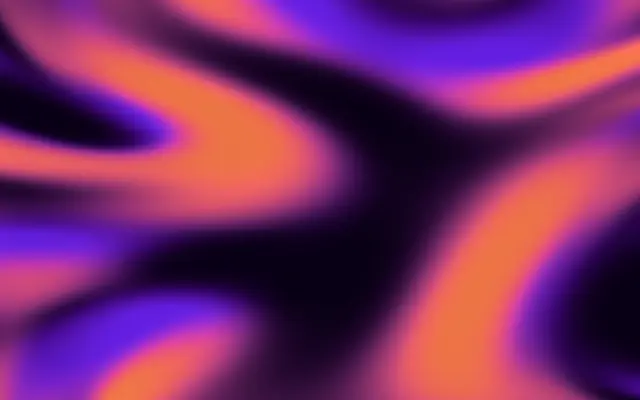
A liquid-silk gradient with organic, flowing color bands.

Also known as: FlowingGradientLiquid silk gradient

Moves in browsers that support WebGPU

This device could not render the demo — showing a still

React
// Renders only in browsers with WebGPU.
import { Shader, FlowingGradient } from 'shaders/react'

export default function ShaderEffect() {
  return (
    <Shader style={{ width: '100%', height: 320 }} disableTelemetry>
      <FlowingGradient />
    </Shader>
  )
}
Vue
<!-- Renders only in browsers with WebGPU. -->
<script setup lang="ts">
import { Shader, FlowingGradient } from 'shaders/vue'
</script>

<template>
  <Shader style="width: 100%; height: 320px" :disable-telemetry="true">
    <FlowingGradient/>
  </Shader>
</template>
Svelte
<!-- Renders only in browsers with WebGPU. -->
<script>
  import { Shader, FlowingGradient } from 'shaders/svelte'
</script>

<Shader style="width: 100%; height: 320px" disableTelemetry>
  <FlowingGradient />
</Shader>
Solid
// Renders only in browsers with WebGPU.
import { Shader, FlowingGradient } from 'shaders/solid'

export default function ShaderEffect() {
  return (
    <Shader style={{ width: '100%', height: '320px' }} disableTelemetry>
      <FlowingGradient />
    </Shader>
  )
}
JavaScript
// Renders only in browsers with WebGPU.
// expects <canvas id="canvas" style="width:100%;height:320px"></canvas> on the page
import { createShader } from 'shaders/js'

const shader = await createShader(document.getElementById("canvas"), {
  components: [
    {
      type: 'FlowingGradient',
    }
  ]
}, { disableTelemetry: true })

Props · FlowingGradient

Changes apply to the demo above and to the code tabs. Descriptions come from the library registry (MIT).

NameValueDefaultRange / optionsDescription
colorAColor A#0a0015—Deep background color
colorBColor B#6b17e6—Primary accent color
colorCColor C#ff4d6a—Secondary accent color
colorDColor D#ff6b35—Tertiary accent color
colorSpaceColor Spaceoklchlinear · oklch · oklab · hsl · hsv · lchColor space for color interpolation
speedSpeed10 – 10 (step 0.1)Animation speed
distortionDistortion0.50 – 2 (step 0.1)Organic distortion intensity
seedSeed00 – 100 (step 1)Random seed for variation

Every component also takes blendMode · opacity · visible · maskSource/maskType · boundingBox · id

Think of illuminated silk rippling in water: color bands bend and flow across the screen. Use it to add organic motion to an otherwise fixed color field.

`colorA` is the deep background color and `colorB` the primary accent. Increase `distortion` to bend the bands more organically (default 0.5, range 0–2). More `speed` makes the flow faster (default 1, range 0–10), while changing `seed` gives you another variation (default 0, range 0–100).

This layer fills the canvas without an input beneath it. Moving bands can make text and image edges harder to follow, so keep speed and distortion low behind text and leave a clear area for reading. Check the contrast of anything layered over a strong color field.

When to use

Use it for a moving hero background, liquid-like color bands, or subtle motion on a static cover. Avoid it behind long text or fine detail.

Open as page ↗