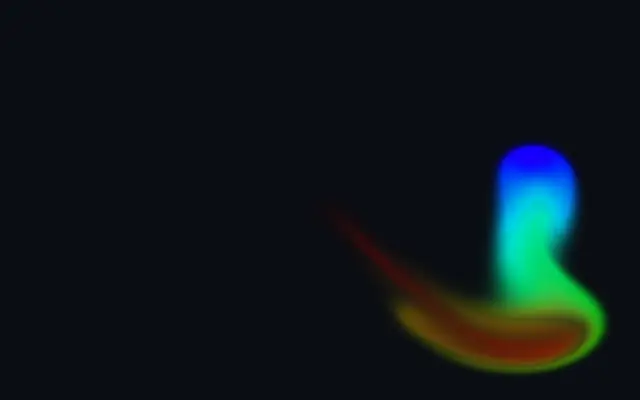
The pointer stretches and releases the image beneath it like soft fabric.
Also known as: Liquifyliquify distortion
Moves in browsers that support WebGPU
This device could not render the demo — showing a still
Code reflects the control values
React
// Renders only in browsers with WebGPU.
// /samples/… are this site’s sample files — point them at your own image or video.
import { Shader, ImageTexture, Liquify } from 'shaders/react'

export default function ShaderEffect() {
  return (
    <Shader style={{ width: '100%', height: 320 }} disableTelemetry>
      <ImageTexture
        objectFit="cover"
        url="/samples/photo.jpg" />
      <Liquify />
    </Shader>
  )
}
Vue
<!-- Renders only in browsers with WebGPU. -->
<!-- /samples/… are this site’s sample files — point them at your own image or video. -->
<script setup lang="ts">
import { Shader, ImageTexture, Liquify } from 'shaders/vue'
</script>

<template>
  <Shader style="width: 100%; height: 320px" :disable-telemetry="true">
    <ImageTexture
      object-fit="cover"
      url="/samples/photo.jpg"/>
    <Liquify/>
  </Shader>
</template>
Svelte
<!-- Renders only in browsers with WebGPU. -->
<!-- /samples/… are this site’s sample files — point them at your own image or video. -->
<script>
  import { Shader, ImageTexture, Liquify } from 'shaders/svelte'
</script>

<Shader style="width: 100%; height: 320px" disableTelemetry>
  <ImageTexture
    objectFit="cover"
    url="/samples/photo.jpg" />
  <Liquify />
</Shader>
Solid
// Renders only in browsers with WebGPU.
// /samples/… are this site’s sample files — point them at your own image or video.
import { Shader, ImageTexture, Liquify } from 'shaders/solid'

export default function ShaderEffect() {
  return (
    <Shader style={{ width: '100%', height: '320px' }} disableTelemetry>
      <ImageTexture
        objectFit="cover"
        url="/samples/photo.jpg" />
      <Liquify />
    </Shader>
  )
}
JavaScript
// Renders only in browsers with WebGPU.
// /samples/… are this site’s sample files — point them at your own image or video.
// expects <canvas id="canvas" style="width:100%;height:320px"></canvas> on the page
import { createShader } from 'shaders/js'

const shader = await createShader(document.getElementById("canvas"), {
  components: [
    {
      type: 'ImageTexture',
      props: {
        objectFit: 'cover',
        url: '/samples/photo.jpg',
      },
    },
    {
      type: 'Liquify',
    }
  ]
}, { disableTelemetry: true })
Props · Liquify
Changes apply to the demo above and to the code tabs. Descriptions come from the library registry (MIT).
The area under the pointer stretches like a soft surface, then settles back. Think of pushing and releasing a piece of jelly or fabric to reshape a photo.
`intensity` sets how far the surface moves (default 10, range 0–20), `stiffness` sets how firm it feels (default 3, range 1–30), and `damping` controls how quickly motion settles (default 3, range 0–10). `radius` sets the pointer’s influence area (default 1, range 0.1–1.5).
This effect needs a photo or another visual layer underneath to deform. Use it on large images or decorative shapes, and keep it subtle on faces, logos, or small text whose shape needs to stay recognizable.
When to use
Use it for a tactile hero interaction, a brief response on product imagery, or organic movement in decorative shapes. Avoid it on logos and text that must retain their exact shape.