Diamond Gradient

다이아몬드 그라디언트

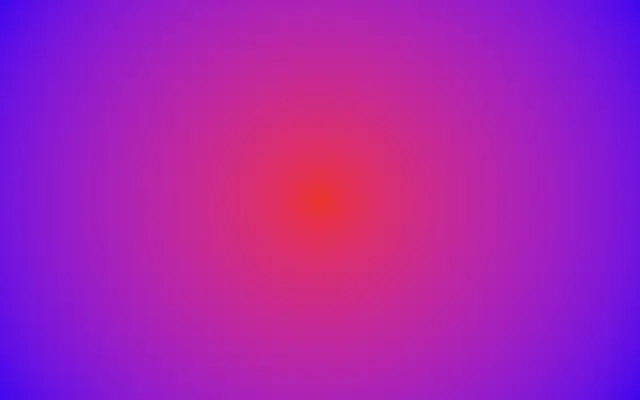
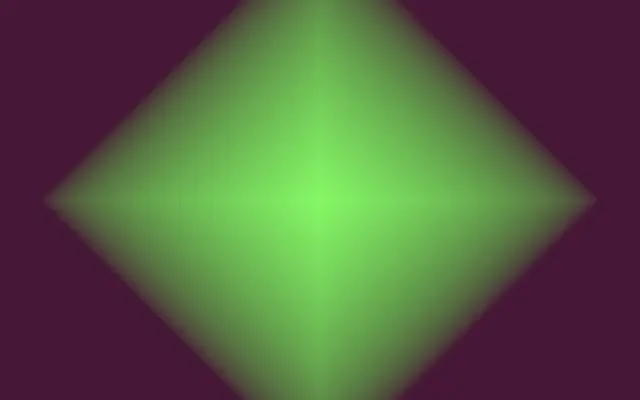
A gradient radiates from a center point in a diamond shape.

Also known as: DiamondGradientDiamond-shaped gradient

Moves in browsers that support WebGPU

This device could not render the demo — showing a still

React
// Renders only in browsers with WebGPU.
import { Shader, DiamondGradient } from 'shaders/react'

export default function ShaderEffect() {
  return (
    <Shader style={{ width: '100%', height: 320 }} disableTelemetry>
      <DiamondGradient />
    </Shader>
  )
}
Vue
<!-- Renders only in browsers with WebGPU. -->
<script setup lang="ts">
import { Shader, DiamondGradient } from 'shaders/vue'
</script>

<template>
  <Shader style="width: 100%; height: 320px" :disable-telemetry="true">
    <DiamondGradient/>
  </Shader>
</template>
Svelte
<!-- Renders only in browsers with WebGPU. -->
<script>
  import { Shader, DiamondGradient } from 'shaders/svelte'
</script>

<Shader style="width: 100%; height: 320px" disableTelemetry>
  <DiamondGradient />
</Shader>
Solid
// Renders only in browsers with WebGPU.
import { Shader, DiamondGradient } from 'shaders/solid'

export default function ShaderEffect() {
  return (
    <Shader style={{ width: '100%', height: '320px' }} disableTelemetry>
      <DiamondGradient />
    </Shader>
  )
}
JavaScript
// Renders only in browsers with WebGPU.
// expects <canvas id="canvas" style="width:100%;height:320px"></canvas> on the page
import { createShader } from 'shaders/js'

const shader = await createShader(document.getElementById("canvas"), {
  components: [
    {
      type: 'DiamondGradient',
    }
  ]
}, { disableTelemetry: true })

Props · DiamondGradient

Changes apply to the demo above and to the code tabs. Descriptions come from the library registry (MIT).

NameValueDefaultRange / optionsDescription
colorAColor A (Center)#4ffb4a—Color at the center of the diamond
colorBColor B (Edge)#4f1238—Color at the outer edges of the diamond
stopsColorsSet in codenull—Multi-stop gradient colors (overrides Color A / Color B when set)
centerCenter
x0.5y0.5
{"x":0.5,"y":0.5}x, y: 0 – 1Center point of the diamond
sizeSize0.70.01 – 2 (step 0.01)Extent of the gradient — controls how far Color A reaches before transitioning to Color B
rotationRotation00 – 360 (step 1)Rotation in degrees — tilts the diamond into a rhombus
repeatRepeat11 – 16 (step 0.5)Number of times the gradient repeats outward. Values above 1 create concentric diamond or square bands.
roundnessRoundness00 – 1 (step 0.01)Morphs from a sharp diamond (0) to a square (1)
colorSpaceColor Spacelinearlinear · oklch · oklab · hsl · hsv · lchColor space for color interpolation

Every component also takes blendMode · opacity · visible · maskSource/maskType · boundingBox · id

It looks like a diamond-shaped glow spreading in four directions from a center. Compared with a radial gradient, it gives the background more defined straight edges and corners.

`colorA` is the center color and `colorB` the outer color. Increase `size` to let the center color cover more area (default 0.7, range 0.01–2). Raise `roundness` from 0 toward 1 to morph the sharp diamond toward a square (default 0, range 0–1). Set `repeat` above 1 to repeat diamond or square bands outward (default 1, range 1–16).

This layer fills the canvas on its own and needs no image input. Its crisp edges can visually compete with thin lines or text above it, so check contrast and spacing when using it as decoration. Too many repeated bands can make the pattern compete with the content.

When to use

Use it for geometric backgrounds, a center-to-corner color field, or a square-like glow. Avoid it when the content needs a very quiet, unobtrusive background.

Open as page ↗