Linear Gradient

선형 그라디언트

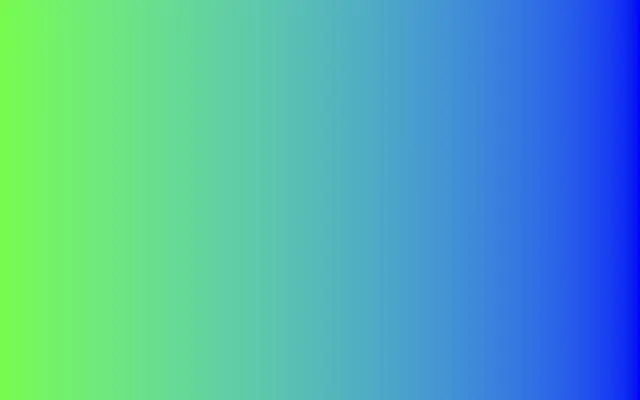
Fill a canvas with a smooth color transition along a direction.

Also known as: LinearGradientLinear color gradient

Moves in browsers that support WebGPU

This device could not render the demo — showing a still

React
// Renders only in browsers with WebGPU.
import { Shader, LinearGradient } from 'shaders/react'

export default function ShaderEffect() {
  return (
    <Shader style={{ width: '100%', height: 320 }} disableTelemetry>
      <LinearGradient />
    </Shader>
  )
}
Vue
<!-- Renders only in browsers with WebGPU. -->
<script setup lang="ts">
import { Shader, LinearGradient } from 'shaders/vue'
</script>

<template>
  <Shader style="width: 100%; height: 320px" :disable-telemetry="true">
    <LinearGradient/>
  </Shader>
</template>
Svelte
<!-- Renders only in browsers with WebGPU. -->
<script>
  import { Shader, LinearGradient } from 'shaders/svelte'
</script>

<Shader style="width: 100%; height: 320px" disableTelemetry>
  <LinearGradient />
</Shader>
Solid
// Renders only in browsers with WebGPU.
import { Shader, LinearGradient } from 'shaders/solid'

export default function ShaderEffect() {
  return (
    <Shader style={{ width: '100%', height: '320px' }} disableTelemetry>
      <LinearGradient />
    </Shader>
  )
}
JavaScript
// Renders only in browsers with WebGPU.
// expects <canvas id="canvas" style="width:100%;height:320px"></canvas> on the page
import { createShader } from 'shaders/js'

const shader = await createShader(document.getElementById("canvas"), {
  components: [
    {
      type: 'LinearGradient',
    }
  ]
}, { disableTelemetry: true })

Props · LinearGradient

Changes apply to the demo above and to the code tabs. Descriptions come from the library registry (MIT).

NameValueDefaultRange / optionsDescription
colorAColor A#1aff00—The starting color of the gradient
colorBColor B#0000ff—The ending color of the gradient
stopsColorsSet in codenull—Multi-stop gradient colors (overrides Color A / Color B when set)
startStart
x0y0.5
{"x":0,"y":0.5}x, y: 0 – 1The starting point of the gradient
endEnd
x1y0.5
{"x":1,"y":0.5}x, y: 0 – 1The ending point of the gradient
angleAngle00 – 360 (step 1)Additional rotation angle of the gradient (in degrees)
edgesEdgesstretchstretch · transparent · mirror · wrapHow to handle areas beyond the gradient endpoints
colorSpaceColor Spacelinearlinear · oklch · oklab · hsl · hsv · lchColor space for color interpolation

Every component also takes blendMode · opacity · visible · maskSource/maskType · boundingBox · id

Think of a beam of light crossing the screen: one color gradually gives way to another. It adds a directional color sweep to buttons, cards, or a hero area.

`colorA` and `colorB` are the two endpoint colors by default; setting `stops` replaces that pair with a multicolor sequence. Increasing `angle` rotates the gradient (default 0°, range 0–360°). `edges` controls what happens beyond the endpoints: stretch, transparency, mirroring, or wrapping.

This layer fills the canvas on its own, so it needs no input beneath it. When placing text or shapes over it, check the contrast against the changing colors; many color stops can make small text harder to read.

When to use

Use it to add depth to buttons or cards, draw attention to a hero area, or blend two brand colors. Avoid placing small text over a strong color transition.

Open as page ↗