Cursor Trail

커서 트레일

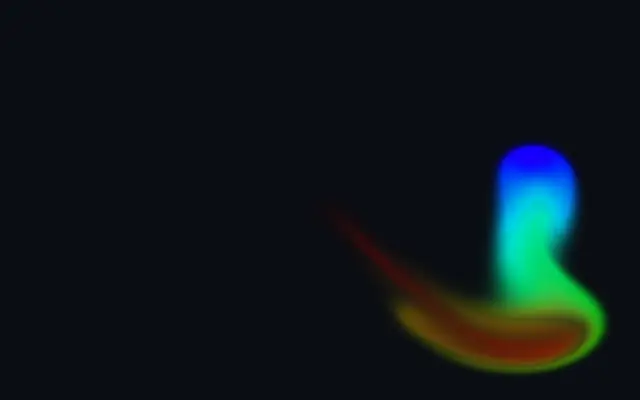
A colored stroke briefly lingers along the pointer’s path.

Also known as: CursorTrailcursor trailpointer trail

Moves in browsers that support WebGPU

This device could not render the demo — showing a still

React
// Renders only in browsers with WebGPU.
import { Shader, CursorTrail } from 'shaders/react'

export default function ShaderEffect() {
  return (
    <Shader style={{ width: '100%', height: 320 }} disableTelemetry>
      <CursorTrail />
    </Shader>
  )
}
Vue
<!-- Renders only in browsers with WebGPU. -->
<script setup lang="ts">
import { Shader, CursorTrail } from 'shaders/vue'
</script>

<template>
  <Shader style="width: 100%; height: 320px" :disable-telemetry="true">
    <CursorTrail/>
  </Shader>
</template>
Svelte
<!-- Renders only in browsers with WebGPU. -->
<script>
  import { Shader, CursorTrail } from 'shaders/svelte'
</script>

<Shader style="width: 100%; height: 320px" disableTelemetry>
  <CursorTrail />
</Shader>
Solid
// Renders only in browsers with WebGPU.
import { Shader, CursorTrail } from 'shaders/solid'

export default function ShaderEffect() {
  return (
    <Shader style={{ width: '100%', height: '320px' }} disableTelemetry>
      <CursorTrail />
    </Shader>
  )
}
JavaScript
// Renders only in browsers with WebGPU.
// expects <canvas id="canvas" style="width:100%;height:320px"></canvas> on the page
import { createShader } from 'shaders/js'

const shader = await createShader(document.getElementById("canvas"), {
  components: [
    {
      type: 'CursorTrail',
    }
  ]
}, { disableTelemetry: true })

Props · CursorTrail

Changes apply to the demo above and to the code tabs. Descriptions come from the library registry (MIT).

NameValueDefaultRange / optionsDescription
colorAStart Color#00aaff—Color of fresh trails
colorBEnd Color#ff00aa—Color trails transition to as they fade
stopsColorsSet in codenull—Multi-stop gradient colors (overrides Color A / Color B when set)
radiusRadius0.50.5 – 2 (step 0.1)Base radius of the trail stroke
lengthTrail Length0.50.1 – 2 (step 0.1)How long the trail persists (in seconds)
shrinkShrink Amount10 – 1 (step 0.1)How much the stroke tapers as it fades out (0 = no taper, 1 = full taper)
softnessSoftness00 – 1 (step 0.01)Edge softness of the trail (0 = crisp paint edge, 1 = very soft)
colorSpaceColor Spacelinearlinear · oklch · oklab · hsl · hsv · lchColor space for color interpolation

Every component also takes blendMode · opacity · visible · maskSource/maskType · boundingBox · id

A colored stroke briefly follows the pointer. It is like sweeping a flashlight through a dark room and seeing its path linger across the screen.

`colorA` and `colorB` set the fresh and fading colors; their defaults are `#00aaff` and `#ff00aa`. `radius` controls stroke width (default 0.5, range 0.5–2), `length` controls how long it remains (default 0.5 seconds, range 0.1–2), and `shrink` controls how much it tapers (default 1, range 0–1).

This layer draws on its own and needs no image underneath. It reads clearly over a dark background; keep it away from long passages of text, where a moving stroke can distract.

When to use

Use it for pointer decoration, a responsive hero area, or drawing and exploration feedback. Avoid it over dense content that people need to read for a while.


Open as page ↗