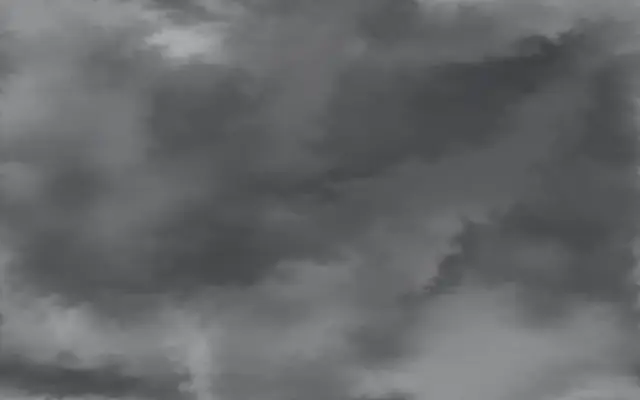
Fog fills the screen and parts around the pointer.
Also known as: Foginteractive fog
Moves in browsers that support WebGPU
This device could not render the demo — showing a still
Code reflects the control values
React
// Renders only in browsers with WebGPU.
import { Shader, Fog } from 'shaders/react'

export default function ShaderEffect() {
  return (
    <Shader style={{ width: '100%', height: 320 }} disableTelemetry>
      <Fog />
    </Shader>
  )
}
Vue
<!-- Renders only in browsers with WebGPU. -->
<script setup lang="ts">
import { Shader, Fog } from 'shaders/vue'
</script>

<template>
  <Shader style="width: 100%; height: 320px" :disable-telemetry="true">
    <Fog/>
  </Shader>
</template>
Svelte
<!-- Renders only in browsers with WebGPU. -->
<script>
  import { Shader, Fog } from 'shaders/svelte'
</script>

<Shader style="width: 100%; height: 320px" disableTelemetry>
  <Fog />
</Shader>
Solid
// Renders only in browsers with WebGPU.
import { Shader, Fog } from 'shaders/solid'

export default function ShaderEffect() {
  return (
    <Shader style={{ width: '100%', height: '320px' }} disableTelemetry>
      <Fog />
    </Shader>
  )
}
JavaScript
// Renders only in browsers with WebGPU.
// expects <canvas id="canvas" style="width:100%;height:320px"></canvas> on the page
import { createShader } from 'shaders/js'

const shader = await createShader(document.getElementById("canvas"), {
  components: [
    {
      type: 'Fog',
    }
  ]
}, { disableTelemetry: true })
Props · Fog
Changes apply to the demo above and to the code tabs. Descriptions come from the library registry (MIT).
Name
Value
Default
Range / options
Description
colorAColor A
#e0e0e0
—
Primary fog color
colorBColor B
#888888
—
Secondary fog color — creates variation across the field
seedSeed
0
0 – 999 (step 1)
Deterministic starting pattern — different seeds produce different fog configurations
speedSpeed
1
0.1 – 3 (step 0.1)
Simulation speed multiplier
turbulenceTurbulence
1
0 – 3 (step 0.01)
Ambient motion strength
detailDetail
15
0 – 50 (step 1)
Fine-scale swirling structure — higher values produce more intricate wisps and vortices
blendingBlending
0.3
0 – 1 (step 0.01)
How much the two colors blend together — 0 behaves like oil & water (colors stay distinct with sharp boundaries), 1 behaves like food coloring (colors fully mix)
mouseInfluenceCursor Influence
0.1
0 – 2 (step 0.01)
Strength of cursor influence — move the cursor to push fog
mouseRadiusCursor Radius
0.1
0.02 – 0.5 (step 0.01)
Radius of cursor influence area
colorSpaceColor Space
linear
linear · oklch · oklab · hsl · hsv · lch
Color space for color interpolation
Every component also takes blendMode · opacity · visible · maskSource/maskType · boundingBox · id
Translucent fog fills the screen and parts around the pointer. It resembles wiping a clear gap into a lightly fogged window.
`speed` controls overall motion (default 1, range 0.1–3), `turbulence` sets how strongly it swirls (default 1, range 0–3), and `detail` sets the amount of fine wisps (default 15, range 0–50). `blending` controls how much the two colors mix (default 0.3, range 0–1), while `mouseInfluence` sets how strongly the pointer pushes the fog (default 0.1, range 0–2).
This generator covers the screen and needs no input image. It works over a spacious background; fog can obscure important text or information that depends on clear contrast.
When to use
Use it for a spacious hero background, a scene revealed by the pointer, or atmosphere between sections. Avoid placing low-contrast text or essential information beneath it.