Aurora

오로라

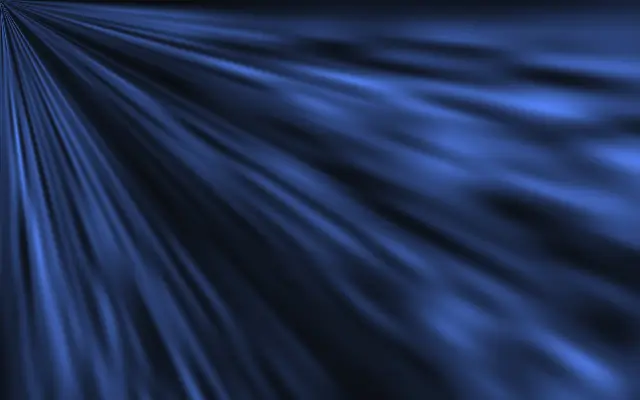
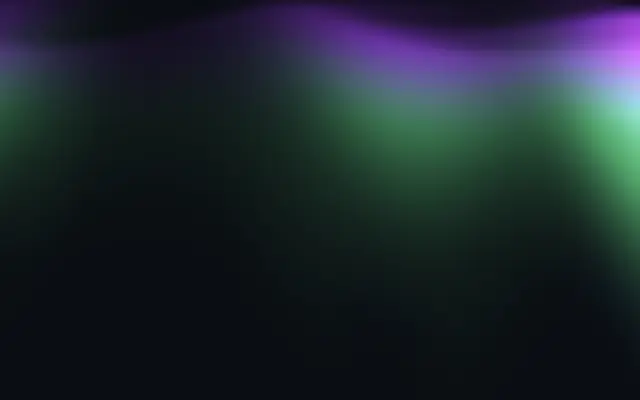
Mesmerizing aurora borealis with layered curtains, vertical rays, and flowing light.

Also known as: AuroraNorthern lights

Moves in browsers that support WebGPU

This device could not render the demo — showing a still

React
// Renders only in browsers with WebGPU.
import { Shader, Aurora } from 'shaders/react'

export default function ShaderEffect() {
  return (
    <Shader style={{ width: '100%', height: 320 }} disableTelemetry>
      <Aurora />
    </Shader>
  )
}
Vue
<!-- Renders only in browsers with WebGPU. -->
<script setup lang="ts">
import { Shader, Aurora } from 'shaders/vue'
</script>

<template>
  <Shader style="width: 100%; height: 320px" :disable-telemetry="true">
    <Aurora/>
  </Shader>
</template>
Svelte
<!-- Renders only in browsers with WebGPU. -->
<script>
  import { Shader, Aurora } from 'shaders/svelte'
</script>

<Shader style="width: 100%; height: 320px" disableTelemetry>
  <Aurora />
</Shader>
Solid
// Renders only in browsers with WebGPU.
import { Shader, Aurora } from 'shaders/solid'

export default function ShaderEffect() {
  return (
    <Shader style={{ width: '100%', height: '320px' }} disableTelemetry>
      <Aurora />
    </Shader>
  )
}
JavaScript
// Renders only in browsers with WebGPU.
// expects <canvas id="canvas" style="width:100%;height:320px"></canvas> on the page
import { createShader } from 'shaders/js'

const shader = await createShader(document.getElementById("canvas"), {
  components: [
    {
      type: 'Aurora',
    }
  ]
}, { disableTelemetry: true })

Props · Aurora

Changes apply to the demo above and to the code tabs. Descriptions come from the library registry (MIT).

NameValueDefaultRange / optionsDescription
colorAColor A#a533f8—Edge color at the curtain base
colorBColor B#22ee88—Core color in the bright center
colorCColor C#1694e8—Tip color at the ray ends
colorSpaceColor Spacelinearlinear · oklch · oklab · hsl · hsv · lchColor space for color interpolation
balanceBalance500 – 100 (step 1)Shifts color distribution across the curtain height
intensityIntensity800 – 100 (step 1)Overall aurora brightness
curtainCountCurtains41 – 4 (step 1)Number of aurora curtain layers
speedSpeed5-10 – 10 (step 0.1)Animation speed
wavinessWaviness500 – 200 (step 1)How much the curtains undulate
rayDensityRay Detail200 – 100 (step 1)Density of vertical ray structures
heightHeight12010 – 200 (step 1)How tall the aurora extends
centerCenter
x0.5y0
{"x":0.5,"y":0}x, y: 0 – 1Center position of the aurora
seedSeed00 – 100 (step 1)Random seed for variation

Every component also takes blendMode · opacity · visible · maskSource/maskType · boundingBox · id

Like a thin curtain over a night sky, bands of color sway in layers while fine vertical streaks move through them.

`colorA`, `colorB`, and `colorC` set the colors at the curtain base, core, and tips. Increase `curtainCount` from 1 to 4 for more layers, or raise `waviness` within 0–200 for stronger bends. `rayDensity` controls vertical streaks from 0–100, while `intensity` sets overall brightness from 0–100.

Aurora draws its own background and needs no image input. Place it over a dark gradient for clear color, and lower `intensity` behind text so lettering stays readable.

When to use

Use it for a night-sky hero, nature or space themed decoration, or a gently moving color field. Avoid it behind dense small text, where bright curtains can compete with the content.

Open as page ↗