
파형 시각화

Waveform

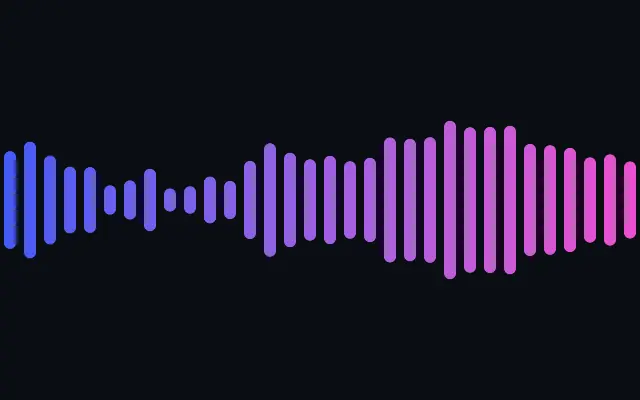
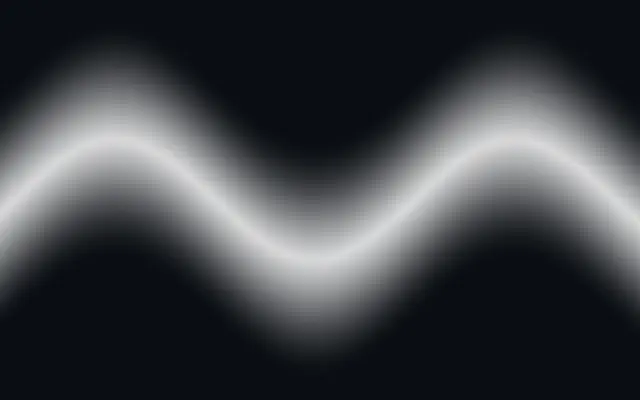
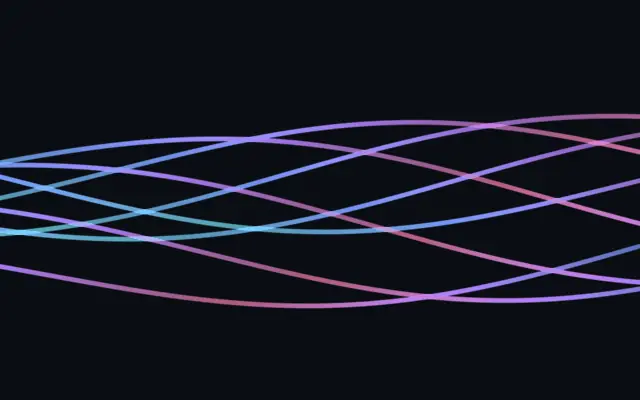
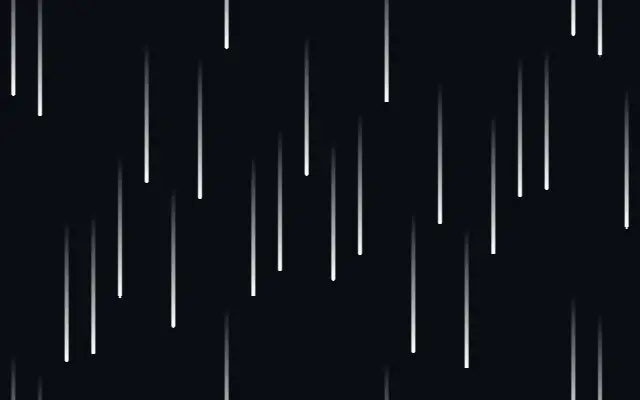
막대·채운 파형·선·점 행렬로 표현하는 오디오 시각화이며, 진폭을 실제 오디오 레벨에 연결할 수 있습니다.

다른 이름: WaveformAudio waveformAudio visualizer

WebGPU 를 지원하는 브라우저에서 움직입니다

이 기기에서는 데모를 그리지 못해 정지 화면을 보여 줍니다

React
// WebGPU 를 지원하는 브라우저에서만 그립니다.
import { Shader, Waveform } from 'shaders/react'

export default function ShaderEffect() {
  return (
    <Shader style={{ width: '100%', height: 320 }} disableTelemetry>
      <Waveform />
    </Shader>
  )
}
Vue
<!-- WebGPU 를 지원하는 브라우저에서만 그립니다. -->
<script setup lang="ts">
import { Shader, Waveform } from 'shaders/vue'
</script>

<template>
  <Shader style="width: 100%; height: 320px" :disable-telemetry="true">
    <Waveform/>
  </Shader>
</template>
Svelte
<!-- WebGPU 를 지원하는 브라우저에서만 그립니다. -->
<script>
  import { Shader, Waveform } from 'shaders/svelte'
</script>

<Shader style="width: 100%; height: 320px" disableTelemetry>
  <Waveform />
</Shader>
Solid
// WebGPU 를 지원하는 브라우저에서만 그립니다.
import { Shader, Waveform } from 'shaders/solid'

export default function ShaderEffect() {
  return (
    <Shader style={{ width: '100%', height: '320px' }} disableTelemetry>
      <Waveform />
    </Shader>
  )
}
JavaScript
// WebGPU 를 지원하는 브라우저에서만 그립니다.
// <canvas id="canvas" style="width:100%;height:320px"></canvas> 가 페이지에 있어야 한다
import { createShader } from 'shaders/js'

const shader = await createShader(document.getElementById("canvas"), {
  components: [
    {
      type: 'Waveform',
    }
  ]
}, { disableTelemetry: true })

속성(props) · Waveform

값을 바꾸면 위 데모와 코드 탭에 바로 반영됩니다. 설명은 라이브러리 레지스트리의 영어 원문(MIT)입니다.

이름값기본값범위·선택지설명(원문)
styleStylebarsbars · wave · line · dotsVisualizer style: equalizer bars, a filled wave envelope, an oscilloscope line, or a dot matrix
colorAColor A#3b5bff—Color at the start
colorBColor B#ff3bd4—Color at the end
stopsColors코드에서 지정null—Multi-stop gradient colors (overrides Color A / Color B when set)
colorSpaceColor Spaceoklablinear · oklch · oklab · hsl · hsv · lchColor space for the start→end gradient
fromStart
x0y0.5
{"x":0,"y":0.5}x, y: 0 – 1Where the waveform starts (Color A end)
toEnd
x1y0.5
{"x":1,"y":0.5}x, y: 0 – 1Where the waveform ends (Color B end)
amplitudeAmplitude10 – 2 (step 0.01)Overall signal level (0 = silence). Map this to your own audio level to make the waveform react to real sound.
frequencyFrequency10.2 – 3 (step 0.01)How busy the signal is across the width (higher = more peaks)
heightHeight0.60.05 – 1 (step 0.01)Maximum vertical extent of the waveform as a fraction of the canvas height
alignAlignmirroredmirrored · top · bottomWhich side of the start→end baseline the waveform grows on: mirrored around it, above it (top), or below it (bottom)
countCount324 – 128 (step 1)Number of bars (or dot columns) across the width
barWidthBar Width0.60.1 – 1 (step 0.01)Bar thickness as a fraction of its column (1 = bars touch)
roundingRounding10 – 1 (step 0.01)Rounds the bar ends (0 = square, 1 = fully rounded caps)
dotSizeDot Size0.70.2 – 1 (step 0.01)Dot diameter as a fraction of its cell
lineWidthLine Width0.0060.001 – 0.05 (step 0.001)Stroke thickness of the line. A value of one (1) matches the canvas height.
softnessSoftness00 – 1 (step 0.01)Feathers the wave's edge into a glow
speedSpeed10 – 3 (step 0.01)Animation speed of the simulated signal
seedSeed10 – 100 (step 1)Adjusts the starting state, useful for variation

모든 컴포넌트 공통: blendMode · opacity · visible · maskSource/maskType · boundingBox · id

이퀄라이저 막대나 오실로스코프의 선처럼, 움직이는 신호를 파형 모양으로 보여 줍니다. 실제 오디오 분석기라기보다 값을 받아 모양을 그리는 시각화 요소입니다.

`style`에서 `bars`, `wave`, `line`, `dots` 중 표현을 고릅니다. `amplitude`(0~2)는 전체 신호 높이, `frequency`(0.2~3)는 봉우리의 수와 복잡도, `height`(0.05~1)는 캔버스에서 차지하는 세로 범위를 정합니다. `count`(4~128)는 막대나 점 열의 개수입니다.

기본 신호는 시뮬레이션되므로 마이크나 오디오를 자동으로 읽지 않습니다. 앱의 오디오 레벨을 `amplitude`에 연결해 반응하게 하고, 배경과 형태가 겹치지 않도록 높이와 개수를 조절하세요.

언제 쓰나

음악 플레이어의 시각화, 오디오 기능을 소개하는 히어로, 재생 상태를 보여 주는 장식에 적합합니다. 실제 분석값 연결 없이 오디오가 자동 감지될 것으로 기대하는 경우에는 피하세요.

페이지로 열기 ↗