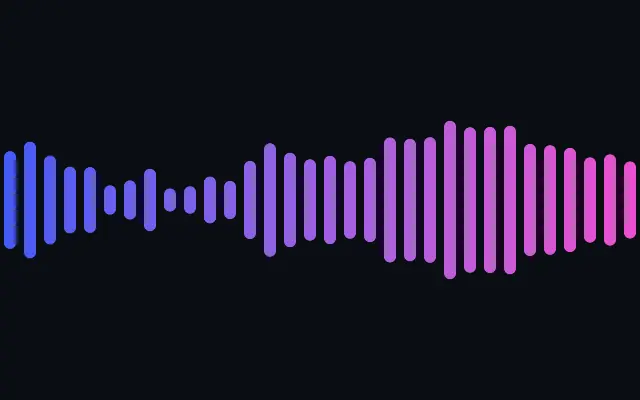
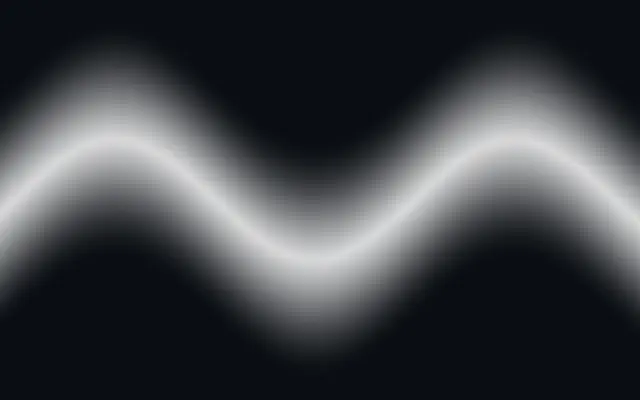
Audio-visualizer waveform — equalizer bars, a filled wave, an oscilloscope line, or a dot matrix — driven by a simulated signal whose amplitude you can map to your own audio level.
Also known as: WaveformAudio waveformAudio visualizer
Moves in browsers that support WebGPU
This device could not render the demo — showing a still
Code reflects the control values
React
// Renders only in browsers with WebGPU.
import { Shader, Waveform } from 'shaders/react'

export default function ShaderEffect() {
  return (
    <Shader style={{ width: '100%', height: 320 }} disableTelemetry>
      <Waveform />
    </Shader>
  )
}
Vue
<!-- Renders only in browsers with WebGPU. -->
<script setup lang="ts">
import { Shader, Waveform } from 'shaders/vue'
</script>

<template>
  <Shader style="width: 100%; height: 320px" :disable-telemetry="true">
    <Waveform/>
  </Shader>
</template>
Svelte
<!-- Renders only in browsers with WebGPU. -->
<script>
  import { Shader, Waveform } from 'shaders/svelte'
</script>

<Shader style="width: 100%; height: 320px" disableTelemetry>
  <Waveform />
</Shader>
Solid
// Renders only in browsers with WebGPU.
import { Shader, Waveform } from 'shaders/solid'

export default function ShaderEffect() {
  return (
    <Shader style={{ width: '100%', height: '320px' }} disableTelemetry>
      <Waveform />
    </Shader>
  )
}
JavaScript
// Renders only in browsers with WebGPU.
// expects <canvas id="canvas" style="width:100%;height:320px"></canvas> on the page
import { createShader } from 'shaders/js'

const shader = await createShader(document.getElementById("canvas"), {
  components: [
    {
      type: 'Waveform',
    }
  ]
}, { disableTelemetry: true })
Props · Waveform
Changes apply to the demo above and to the code tabs. Descriptions come from the library registry (MIT).
Name
Value
Default
Range / options
Description
styleStyle
bars
bars · wave · line · dots
Visualizer style: equalizer bars, a filled wave envelope, an oscilloscope line, or a dot matrix
colorAColor A
#3b5bff
—
Color at the start
colorBColor B
#ff3bd4
—
Color at the end
stopsColors
Set in code
null
—
Multi-stop gradient colors (overrides Color A / Color B when set)
colorSpaceColor Space
oklab
linear · oklch · oklab · hsl · hsv · lch
Color space for the start→end gradient
fromStart
xy
{"x":0,"y":0.5}
x, y: 0 – 1
Where the waveform starts (Color A end)
toEnd
xy
{"x":1,"y":0.5}
x, y: 0 – 1
Where the waveform ends (Color B end)
amplitudeAmplitude
1
0 – 2 (step 0.01)
Overall signal level (0 = silence). Map this to your own audio level to make the waveform react to real sound.
frequencyFrequency
1
0.2 – 3 (step 0.01)
How busy the signal is across the width (higher = more peaks)
heightHeight
0.6
0.05 – 1 (step 0.01)
Maximum vertical extent of the waveform as a fraction of the canvas height
alignAlign
mirrored
mirrored · top · bottom
Which side of the start→end baseline the waveform grows on: mirrored around it, above it (top), or below it (bottom)
countCount
32
4 – 128 (step 1)
Number of bars (or dot columns) across the width
barWidthBar Width
0.6
0.1 – 1 (step 0.01)
Bar thickness as a fraction of its column (1 = bars touch)
roundingRounding
1
0 – 1 (step 0.01)
Rounds the bar ends (0 = square, 1 = fully rounded caps)
dotSizeDot Size
0.7
0.2 – 1 (step 0.01)
Dot diameter as a fraction of its cell
lineWidthLine Width
0.006
0.001 – 0.05 (step 0.001)
Stroke thickness of the line. A value of one (1) matches the canvas height.
softnessSoftness
0
0 – 1 (step 0.01)
Feathers the wave's edge into a glow
speedSpeed
1
0 – 3 (step 0.01)
Animation speed of the simulated signal
seedSeed
1
0 – 100 (step 1)
Adjusts the starting state, useful for variation
Every component also takes blendMode · opacity · visible · maskSource/maskType · boundingBox · id
Like an equalizer or oscilloscope, it turns a moving signal into a visible waveform. Treat it as a visualizer that accepts a value, not as an audio analyzer by itself.
Choose `bars`, `wave`, `line`, or `dots` with `style`. `amplitude` from 0–2 sets overall signal height, `frequency` from 0.2–3 changes how busy it looks, and `height` from 0.05–1 limits its vertical extent. `count` from 4–128 sets the number of bar or dot columns.
The built-in signal is simulated, so the component does not listen to a microphone or audio track automatically. Connect your app audio level to `amplitude` when it should react, and tune height and count so the shape remains distinct from its background.
When to use
Use it in a music player visualizer, an audio feature hero, or a decorative playback indicator. Avoid it when you expect audio to be detected automatically without connecting an analysis value.