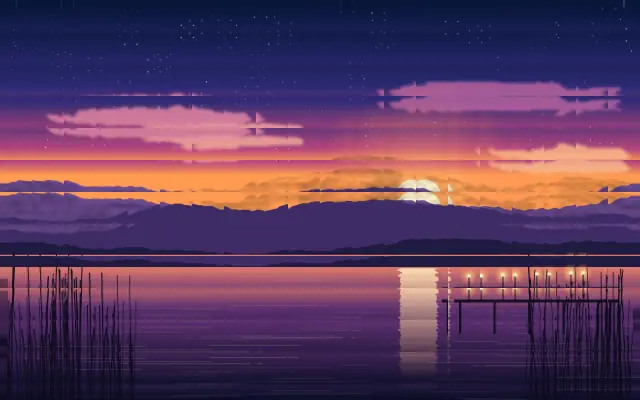
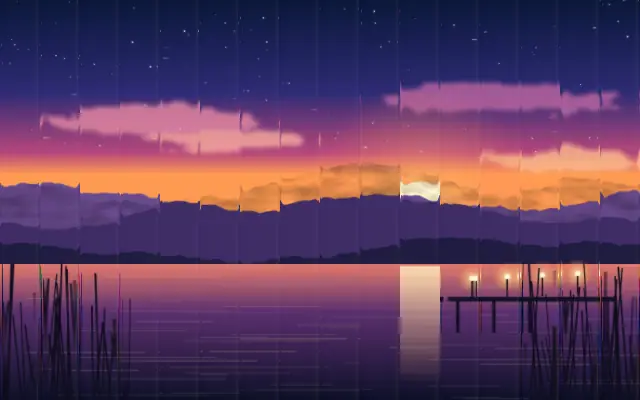
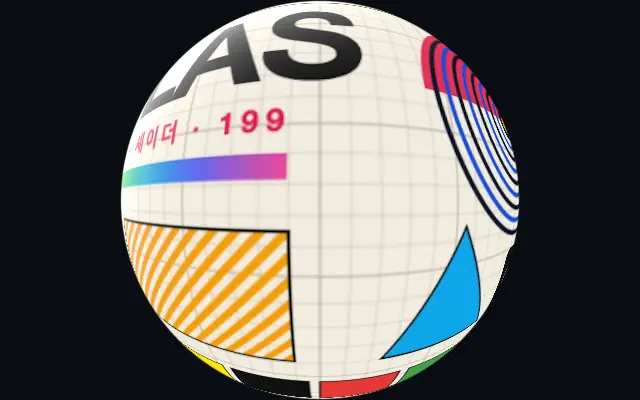
A grid of glass-like tiles refracts the input into a segmented mosaic.
Also known as: GlassTilesGlass tile refraction
Moves in browsers that support WebGPU
This device could not render the demo — showing a still
Code reflects the control values
React
// Renders only in browsers with WebGPU.
// /samples/… are this site’s sample files — point them at your own image or video.
import { Shader, GlassTiles, ImageTexture } from 'shaders/react'

export default function ShaderEffect() {
  return (
    <Shader style={{ width: '100%', height: 320 }} disableTelemetry>
      <ImageTexture
        objectFit="cover"
        url="/samples/photo.jpg" />
      <GlassTiles />
    </Shader>
  )
}
Vue
<!-- Renders only in browsers with WebGPU. -->
<!-- /samples/… are this site’s sample files — point them at your own image or video. -->
<script setup lang="ts">
import { Shader, GlassTiles, ImageTexture } from 'shaders/vue'
</script>

<template>
  <Shader style="width: 100%; height: 320px" :disable-telemetry="true">
    <ImageTexture
      object-fit="cover"
      url="/samples/photo.jpg"/>
    <GlassTiles/>
  </Shader>
</template>
Svelte
<!-- Renders only in browsers with WebGPU. -->
<!-- /samples/… are this site’s sample files — point them at your own image or video. -->
<script>
  import { Shader, GlassTiles, ImageTexture } from 'shaders/svelte'
</script>

<Shader style="width: 100%; height: 320px" disableTelemetry>
  <ImageTexture
    objectFit="cover"
    url="/samples/photo.jpg" />
  <GlassTiles />
</Shader>
Solid
// Renders only in browsers with WebGPU.
// /samples/… are this site’s sample files — point them at your own image or video.
import { Shader, GlassTiles, ImageTexture } from 'shaders/solid'

export default function ShaderEffect() {
  return (
    <Shader style={{ width: '100%', height: '320px' }} disableTelemetry>
      <ImageTexture
        objectFit="cover"
        url="/samples/photo.jpg" />
      <GlassTiles />
    </Shader>
  )
}
JavaScript
// Renders only in browsers with WebGPU.
// /samples/… are this site’s sample files — point them at your own image or video.
// expects <canvas id="canvas" style="width:100%;height:320px"></canvas> on the page
import { createShader } from 'shaders/js'

const shader = await createShader(document.getElementById("canvas"), {
  components: [
    {
      type: 'ImageTexture',
      props: {
        objectFit: 'cover',
        url: '/samples/photo.jpg',
      },
    },
    {
      type: 'GlassTiles',
    }
  ]
}, { disableTelemetry: true })
Props · GlassTiles
Changes apply to the demo above and to the code tabs. Descriptions come from the library registry (MIT).
Name
Value
Default
Range / options
Description
intensityIntensity
2
0 – 10 (step 0.1)
The intensity of the glass tiles effect
tileCountTile Count
20
5 – 50 (step 1)
Number of tiles across the longest dimension
rotationRotation
0
0 – 360 (step 1)
Rotation angle of the tile grid in degrees
roundnessRoundness
0
0 – 1 (step 0.1)
Makes tiles more circular instead of square
Every component also takes blendMode · opacity · visible · maskSource/maskType · boundingBox · id
Like a mosaic made from small glass pieces, each tile bends the image beneath it and separates the frame into facets.
Increase `tileCount` for more tiles and turn `rotation` to change the grid direction. `intensity` controls the strength of the refraction, while `roundness` changes square tiles toward round ones.
Apply it above an image or color layer. Pair it with `FlutedGlass` to combine tile facets and ribbed refraction. Tile boundaries cut through text and straight lines, so use it on backgrounds or decoration rather than copy or tables.
When to use
Use it for mosaic backgrounds, glass-fragment transitions, and sparkling abstract patterns. Avoid it when copy or continuous straight lines must remain intact.