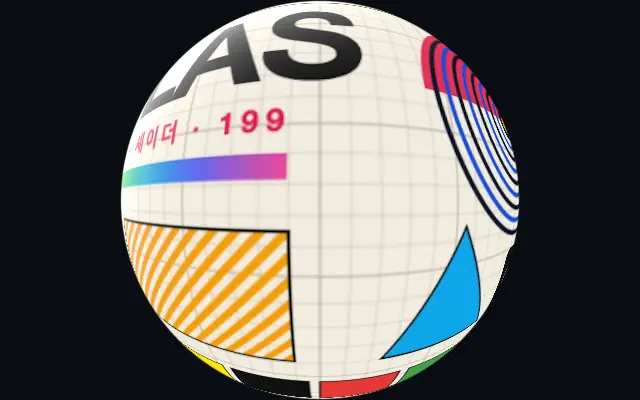
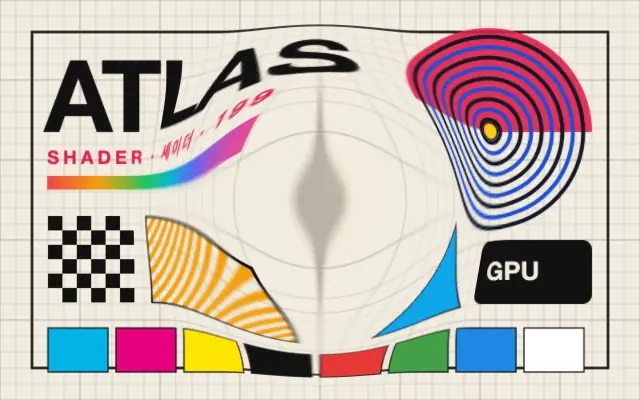
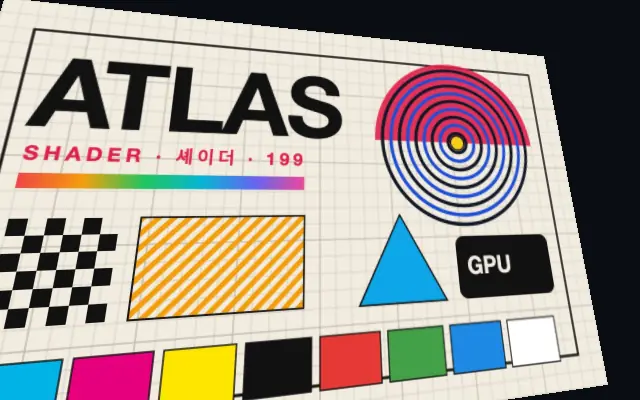
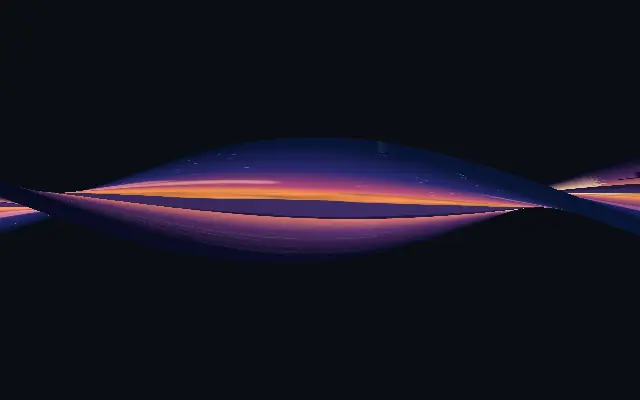
The image curves over a sphere, giving the center and edges a rounded sense of depth.
Also known as: SpherizeSphere mapping
Moves in browsers that support WebGPU
This device could not render the demo — showing a still
Code reflects the control values
React
// Renders only in browsers with WebGPU.
// /samples/… are this site’s sample files — point them at your own image or video.
import { Shader, ImageTexture, Spherize } from 'shaders/react'

export default function ShaderEffect() {
  return (
    <Shader style={{ width: '100%', height: 320 }} disableTelemetry>
      <ImageTexture
        objectFit="cover"
        url="/samples/poster.jpg" />
      <Spherize />
    </Shader>
  )
}
Vue
<!-- Renders only in browsers with WebGPU. -->
<!-- /samples/… are this site’s sample files — point them at your own image or video. -->
<script setup lang="ts">
import { Shader, ImageTexture, Spherize } from 'shaders/vue'
</script>

<template>
  <Shader style="width: 100%; height: 320px" :disable-telemetry="true">
    <ImageTexture
      object-fit="cover"
      url="/samples/poster.jpg"/>
    <Spherize/>
  </Shader>
</template>
Svelte
<!-- Renders only in browsers with WebGPU. -->
<!-- /samples/… are this site’s sample files — point them at your own image or video. -->
<script>
  import { Shader, ImageTexture, Spherize } from 'shaders/svelte'
</script>

<Shader style="width: 100%; height: 320px" disableTelemetry>
  <ImageTexture
    objectFit="cover"
    url="/samples/poster.jpg" />
  <Spherize />
</Shader>
Solid
// Renders only in browsers with WebGPU.
// /samples/… are this site’s sample files — point them at your own image or video.
import { Shader, ImageTexture, Spherize } from 'shaders/solid'

export default function ShaderEffect() {
  return (
    <Shader style={{ width: '100%', height: '320px' }} disableTelemetry>
      <ImageTexture
        objectFit="cover"
        url="/samples/poster.jpg" />
      <Spherize />
    </Shader>
  )
}
JavaScript
// Renders only in browsers with WebGPU.
// /samples/… are this site’s sample files — point them at your own image or video.
// expects <canvas id="canvas" style="width:100%;height:320px"></canvas> on the page
import { createShader } from 'shaders/js'

const shader = await createShader(document.getElementById("canvas"), {
  components: [
    {
      type: 'ImageTexture',
      props: {
        objectFit: 'cover',
        url: '/samples/poster.jpg',
      },
    },
    {
      type: 'Spherize',
    }
  ]
}, { disableTelemetry: true })
Props · Spherize
Changes apply to the demo above and to the code tabs. Descriptions come from the library registry (MIT).
Name
Value
Default
Range / options
Description
radiusRadius
1
0.1 – 3 (step 0.1)
Radius of the sphere (1 = half viewport height)
depthDepth
1
0 – 3 (step 0.1)
How much the sphere bulges toward viewer (0 = flat, higher = more bulge)
centerCenter
xy
{"x":0.5,"y":0.5}
x, y: 0 – 1
The center point of the sphere
lightPositionLight Position
xy
{"x":0.3,"y":0.3}
x, y: 0 – 1
Position of the specular light source
lightIntensityLight Intensity
0.5
0 – 1 (step 0.1)
Intensity of the rim light (0 = off)
lightSoftnessLight Softness
0.5
0 – 1 (step 0.1)
Softness of the rim light falloff (0 = hard edge, 1 = soft glow)
lightColorLight Color
#ffffff
—
Color of the specular highlight
Every component also takes blendMode · opacity · visible · maskSource/maskType · boundingBox · id
Like a flat sticker wrapped over a glass marble, the image curves across a rounded surface and appears to bulge toward the viewer.
Increase `radius` to make the sphere larger and `depth` to make its surface bulge further. Move `center` to reposition it; `lightIntensity` and `lightSoftness` change the strength and spread of the rim light.
Apply it above an image layer. Compared with `Bulge`, it reads more like a marble or lens, with a rounded surface and rim light. Empty space around the input can become noticeable, so choose an image with suitable edges and keep small text separate.
When to use
Use it for marble or lens effects, circular badges, and emphasizing a rounded image. Avoid it when a wide frame must stay flat or small text must remain readable.