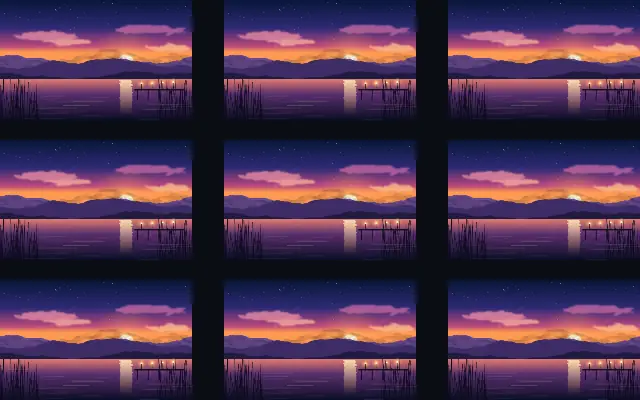
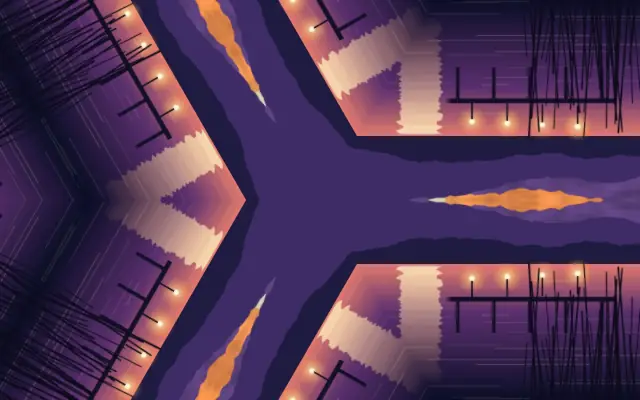
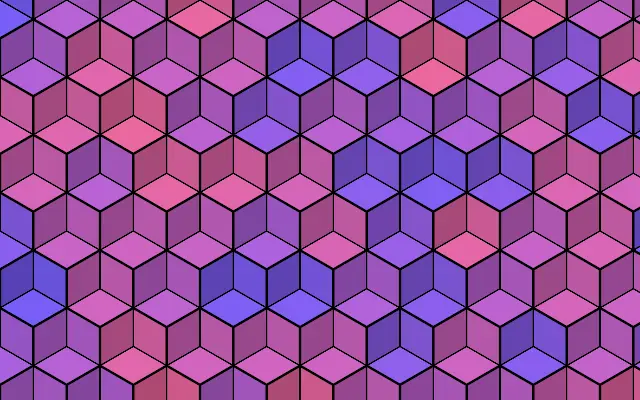
One input repeats in a grid, circle, or line, with optional variation between copies.
Also known as: RepeaterInstance repeater
Moves in browsers that support WebGPU
This device could not render the demo — showing a still
Code reflects the control values
React
// Renders only in browsers with WebGPU.
// /samples/… are this site’s sample files — point them at your own image or video.
import { Shader, ImageTexture, Repeater } from 'shaders/react'

export default function ShaderEffect() {
  return (
    <Shader style={{ width: '100%', height: 320 }} disableTelemetry>
      <ImageTexture
        objectFit="cover"
        url="/samples/photo.jpg" />
      <Repeater />
    </Shader>
  )
}
Vue
<!-- Renders only in browsers with WebGPU. -->
<!-- /samples/… are this site’s sample files — point them at your own image or video. -->
<script setup lang="ts">
import { Shader, ImageTexture, Repeater } from 'shaders/vue'
</script>

<template>
  <Shader style="width: 100%; height: 320px" :disable-telemetry="true">
    <ImageTexture
      object-fit="cover"
      url="/samples/photo.jpg"/>
    <Repeater/>
  </Shader>
</template>
Svelte
<!-- Renders only in browsers with WebGPU. -->
<!-- /samples/… are this site’s sample files — point them at your own image or video. -->
<script>
  import { Shader, ImageTexture, Repeater } from 'shaders/svelte'
</script>

<Shader style="width: 100%; height: 320px" disableTelemetry>
  <ImageTexture
    objectFit="cover"
    url="/samples/photo.jpg" />
  <Repeater />
</Shader>
Solid
// Renders only in browsers with WebGPU.
// /samples/… are this site’s sample files — point them at your own image or video.
import { Shader, ImageTexture, Repeater } from 'shaders/solid'

export default function ShaderEffect() {
  return (
    <Shader style={{ width: '100%', height: '320px' }} disableTelemetry>
      <ImageTexture
        objectFit="cover"
        url="/samples/photo.jpg" />
      <Repeater />
    </Shader>
  )
}
JavaScript
// Renders only in browsers with WebGPU.
// /samples/… are this site’s sample files — point them at your own image or video.
// expects <canvas id="canvas" style="width:100%;height:320px"></canvas> on the page
import { createShader } from 'shaders/js'

const shader = await createShader(document.getElementById("canvas"), {
  components: [
    {
      type: 'ImageTexture',
      props: {
        objectFit: 'cover',
        url: '/samples/photo.jpg',
      },
    },
    {
      type: 'Repeater',
    }
  ]
}, { disableTelemetry: true })
Props · Repeater
Changes apply to the demo above and to the code tabs. Descriptions come from the library registry (MIT).
Name
Value
Default
Range / options
Description
modeMode
grid
grid · radial · linear
Layout used to place the repeated instances
cropLeftCrop Left
0
0 – 0.49 (step 0.005)
Crop inset from the left edge of the source element (fraction of its width)
cropRightCrop Right
0
0 – 0.49 (step 0.005)
Crop inset from the right edge of the source element (fraction of its width)
cropTopCrop Top
0
0 – 0.49 (step 0.005)
Crop inset from the top edge of the source element (fraction of its height)
cropBottomCrop Bottom
0
0 – 0.49 (step 0.005)
Crop inset from the bottom edge of the source element (fraction of its height)
columnsColumns
3
1 – 12 (step 1)
Number of grid columns
rowsRows
3
1 – 12 (step 1)
Number of grid rows
gapXGap X
0.05
0 – 0.5 (step 0.005)
Horizontal gap between grid cells
gapYGap Y
0.05
0 – 0.5 (step 0.005)
Vertical gap between grid cells
staggerStagger
0
0 – 1 (step 0.01)
Horizontal offset applied to every other row (brick layout)
flipFlip
none
none · alternate-flip-x · alternate-flip-y · both
Mirror alternating columns/rows for seamless tiling patterns
countCount
8
1 – 64 (step 1)
Number of repeated instances
radiusRadius
0.3
0 – 1 (step 0.005)
Orbit radius of the radial layout
startAngleStart Angle
0
0 – 360 (step 1)
Angle of the first instance on the orbit
sweepSweep
360
0 – 360 (step 1)
Angular span the instances are distributed across
faceCenterFace Center
false
—
Rotate each instance to face the orbit center
directionDirection
0
0 – 360 (step 1)
Direction of the linear layout in degrees (0 = rightward)
spacingSpacing
0.2
0 – 1 (step 0.005)
Distance between consecutive instances
instanceScaleScale
1
0.5 – 2 (step 0.005)
Progressive scale multiplier applied per instance (compounds with each copy)
instanceRotationRotation
0
-180 – 180 (step 1)
Additional rotation in degrees applied per instance (accumulates with each copy)
instanceOpacityOpacity
1
0 – 1 (step 0.005)
Progressive opacity falloff applied per instance (compounds with each copy)
hueShiftHue Shift
0
0 – 360 (step 1)
Hue rotation in degrees added per instance
phasePhase
0
0 – 1 (step 0.001)
Seamless layout animation phase (0-1 wraps to the identical layout)
zOrderZ-Order
forward
forward · backward
Stacking order of overlapping instances
jitterPositionPosition
0
0 – 1 (step 0.005)
Random per-instance position offset
jitterRotationRotation
0
0 – 1 (step 0.005)
Random per-instance rotation
jitterScaleScale
0
0 – 1 (step 0.005)
Random per-instance scale variation
jitterOpacityOpacity
0
0 – 1 (step 0.005)
Random per-instance opacity variation
seedSeed
0
0 – 100 (step 1)
Random seed for the jitter values
Every component also takes blendMode · opacity · visible · maskSource/maskType · boundingBox · id
Like stamping one sticker into a grid or circle, a single input is copied into a repeated layout.
Choose a grid, radial, or linear arrangement with `mode`. In grid mode, `columns` and `rows` set the number of cells; in radial and linear modes, `count` sets the number of copies. `spacing` changes the distance between copies in a linear layout.
Put the image or shape to repeat inside the Repeater. Available controls depend on the selected layout, and copies can also vary in scale, rotation, and opacity. Too many copies can merge into visual noise, so use simple shapes or patterns rather than tiny icons.
When to use
Use it for background patterns, icon arrays, and radial decoration. Avoid it when each copy must remain individually readable at high density.