Isometric Cubes

아이소메트릭 큐브 패턴

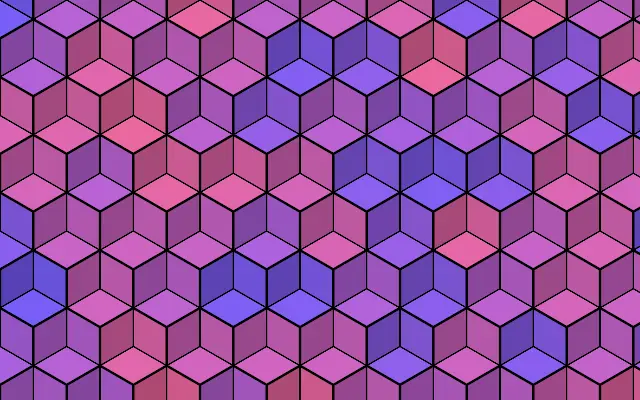
Repeated rhombus faces form a tiled pattern that looks like 3D cubes.

Also known as: IsometricCubes아이소메트릭 큐브 타일

Moves in browsers that support WebGPU

This device could not render the demo — showing a still

React
// Renders only in browsers with WebGPU.
import { Shader, IsometricCubes } from 'shaders/react'

export default function ShaderEffect() {
  return (
    <Shader style={{ width: '100%', height: 320 }} disableTelemetry>
      <IsometricCubes />
    </Shader>
  )
}
Vue
<!-- Renders only in browsers with WebGPU. -->
<script setup lang="ts">
import { Shader, IsometricCubes } from 'shaders/vue'
</script>

<template>
  <Shader style="width: 100%; height: 320px" :disable-telemetry="true">
    <IsometricCubes/>
  </Shader>
</template>
Svelte
<!-- Renders only in browsers with WebGPU. -->
<script>
  import { Shader, IsometricCubes } from 'shaders/svelte'
</script>

<Shader style="width: 100%; height: 320px" disableTelemetry>
  <IsometricCubes />
</Shader>
Solid
// Renders only in browsers with WebGPU.
import { Shader, IsometricCubes } from 'shaders/solid'

export default function ShaderEffect() {
  return (
    <Shader style={{ width: '100%', height: '320px' }} disableTelemetry>
      <IsometricCubes />
    </Shader>
  )
}
JavaScript
// Renders only in browsers with WebGPU.
// expects <canvas id="canvas" style="width:100%;height:320px"></canvas> on the page
import { createShader } from 'shaders/js'

const shader = await createShader(document.getElementById("canvas"), {
  components: [
    {
      type: 'IsometricCubes',
    }
  ]
}, { disableTelemetry: true })

Props · IsometricCubes

Changes apply to the demo above and to the code tabs. Descriptions come from the library registry (MIT).

NameValueDefaultRange / optionsDescription
colorAColor A#7c5cff—Base cube color
colorBColor B#ff5c9d—Second cube color, mixed in per-cube for variation
lineColorEdges#000000—Color of the cube edge lines
cellsCells61 – 30 (step 1)Number of cubes across the shortest canvas edge
thicknessThickness10 – 10 (step 0.1)Thickness of the cube edge lines (0 = no edges)
rotationRotation00 – 360 (step 1)Rotation of the tiling in degrees
softnessSoftness00 – 1 (step 0.01)Softness of the edge lines (0 = crisp, 1 = very soft)
colorVariationVariation10 – 1 (step 0.01)Per-cube random blend between the two colors (0 = uniform cubes, the clean 3D look)
colorSpaceColor Spacelinearlinear · oklch · oklab · hsl · hsv · lchColor space for color interpolation

Every component also takes blendMode · opacity · visible · maskSource/maskType · boundingBox · id

It looks like cubes stacked across a flat game map or isometric illustration. Differently colored faces and edge lines suggest depth without requiring a 3D model.

Increase `cells` for smaller cube tiles. The two colors supply the cube faces; set `colorVariation` to 0 for uniform cubes, or raise it to vary them more from cube to cube. `thickness` changes the edge lines, and `rotation` turns the tiling.

The tile pattern fills the canvas without an input layer. `colorVariation` defaults to 1, so cube colors can vary. Dense faces and edges can compete with text; use a lower cell count or softer color contrast for a background.

When to use

Use it for isometric game maps, product or technology illustrations, and geometric backgrounds with a sense of depth. Avoid it when small labels or body copy would disappear among the lines and faces.

Open as page ↗