Particle Flow

파티클 플로

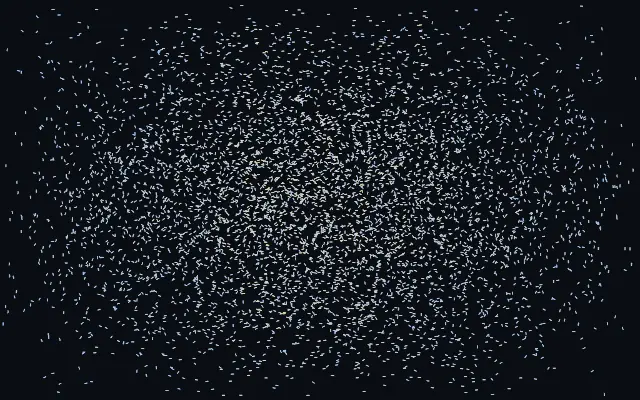
Small particles drift like dust, following cursor-stirred currents and eddies.

Also known as: ParticleFlowflow-field particlesfluid particles

Moves in browsers that support WebGPU

This device could not render the demo — showing a still

React
// Renders only in browsers with WebGPU.
import { Shader, ParticleFlow } from 'shaders/react'

export default function ShaderEffect() {
  return (
    <Shader style={{ width: '100%', height: 320 }} disableTelemetry>
      <ParticleFlow />
    </Shader>
  )
}
Vue
<!-- Renders only in browsers with WebGPU. -->
<script setup lang="ts">
import { Shader, ParticleFlow } from 'shaders/vue'
</script>

<template>
  <Shader style="width: 100%; height: 320px" :disable-telemetry="true">
    <ParticleFlow/>
  </Shader>
</template>
Svelte
<!-- Renders only in browsers with WebGPU. -->
<script>
  import { Shader, ParticleFlow } from 'shaders/svelte'
</script>

<Shader style="width: 100%; height: 320px" disableTelemetry>
  <ParticleFlow />
</Shader>
Solid
// Renders only in browsers with WebGPU.
import { Shader, ParticleFlow } from 'shaders/solid'

export default function ShaderEffect() {
  return (
    <Shader style={{ width: '100%', height: '320px' }} disableTelemetry>
      <ParticleFlow />
    </Shader>
  )
}
JavaScript
// Renders only in browsers with WebGPU.
// expects <canvas id="canvas" style="width:100%;height:320px"></canvas> on the page
import { createShader } from 'shaders/js'

const shader = await createShader(document.getElementById("canvas"), {
  components: [
    {
      type: 'ParticleFlow',
    }
  ]
}, { disableTelemetry: true })

Props · ParticleFlow

Changes apply to the demo above and to the code tabs. Descriptions come from the library registry (MIT).

NameValueDefaultRange / optionsDescription
colorARest Color#8ec5ff—Color of particles drifting slowly with the flow
colorBExcited Color#ffd98e—Color particles flash toward as they speed up in the fast jets and wakes
colorSpaceColor Spaceoklablinear · oklch · oklab · hsl · hsv · lchColor space for the rest→excited color ramp
shapeShapestreakarrow · streak · dot · square · glowWhat each particle is drawn as — a streak or arrow that stretches along the flow, a plain dot, a square, or a soft glowing comet
countCount60001000 – 16000 (step 500)Number of drifting particles
sizeSize1.20.3 – 3 (step 0.05)Size of each particle
trailsTrails00 – 1 (step 0.01)How long each particle's motion trail persists — 0 draws crisp dust, 1 leaves long flowing ribbons
speedFlow Speed10.2 – 3 (step 0.05)How strongly the fluid carries the particles — higher makes the dust ride the flow faster
forceCursor Force10 – 3 (step 0.05)How hard the cursor's motion pushes the fluid — higher plows faster, more violent wakes and jets
swirlSwirl250 – 60 (step 1)Vorticity confinement — swirl energy that spins the flow into persistent eddies and vortices the dust orbits
momentumMomentum0.60 – 1 (step 0.01)How long the fluid keeps flowing after you stop dragging — high momentum lets the eddies carry the dust on and on
ambientAmbient0.150 – 1 (step 0.01)A gentle, ever-evolving breeze that keeps the dust drifting even without the cursor — set to 0 for a field that only moves when you stir it

Every component also takes blendMode · opacity · visible · maskSource/maskType · boundingBox · id

Small particles drift across the screen and follow currents and eddies stirred by the pointer. Like dust in a sunbeam revealing air movement, their paths make an invisible flow visible.

`count` sets the number of particles (default 6000, range 1000–16000), `size` sets their size (default 1.2, range 0.3–3), and `speed` sets how quickly they follow the flow (default 1, range 0.2–3). `force` controls how strongly the pointer stirs the field (default 1, range 0–3); `momentum` controls how long it continues after the pointer lifts (default 0.6, range 0–1).

This generator fills the screen without an input image. A plain background makes the paths readable; many particles or long trails can crowd the scene, so avoid placing them behind text.

When to use

Use it for a flow-focused hero background, pointer-responsive decoration, or drifting dust. Avoid it on text-heavy screens or where a crisp shape needs to remain the focus.

Open as page ↗