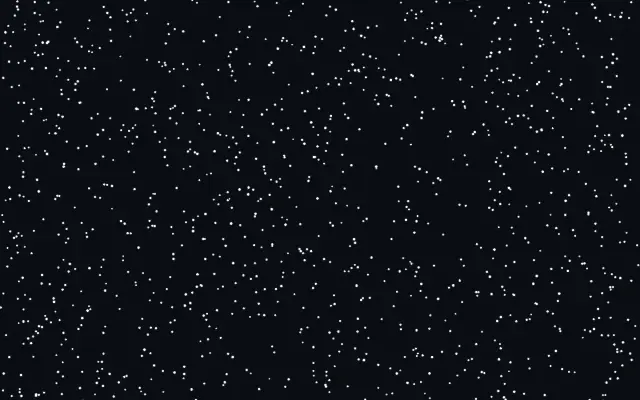
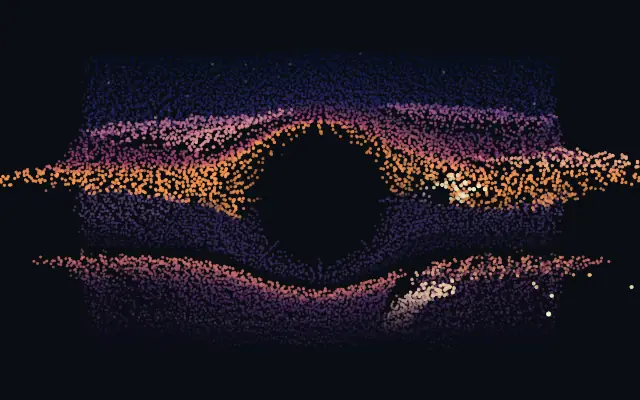
Drifting, twinkling motes — thousands of real simulated particles floating in a shared heading with per-particle wander and variance, and a cursor that stirs the field with a gust that settles back into the drift.
Also known as: FloatingParticlesMotesFloating motes
Moves in browsers that support WebGPU
This device could not render the demo — showing a still
Code reflects the control values
React
// Renders only in browsers with WebGPU.
import { Shader, FloatingParticles } from 'shaders/react'

export default function ShaderEffect() {
  return (
    <Shader style={{ width: '100%', height: 320 }} disableTelemetry>
      <FloatingParticles />
    </Shader>
  )
}
Vue
<!-- Renders only in browsers with WebGPU. -->
<script setup lang="ts">
import { Shader, FloatingParticles } from 'shaders/vue'
</script>

<template>
  <Shader style="width: 100%; height: 320px" :disable-telemetry="true">
    <FloatingParticles/>
  </Shader>
</template>
Svelte
<!-- Renders only in browsers with WebGPU. -->
<script>
  import { Shader, FloatingParticles } from 'shaders/svelte'
</script>

<Shader style="width: 100%; height: 320px" disableTelemetry>
  <FloatingParticles />
</Shader>
Solid
// Renders only in browsers with WebGPU.
import { Shader, FloatingParticles } from 'shaders/solid'

export default function ShaderEffect() {
  return (
    <Shader style={{ width: '100%', height: '320px' }} disableTelemetry>
      <FloatingParticles />
    </Shader>
  )
}
JavaScript
// Renders only in browsers with WebGPU.
// expects <canvas id="canvas" style="width:100%;height:320px"></canvas> on the page
import { createShader } from 'shaders/js'

const shader = await createShader(document.getElementById("canvas"), {
  components: [
    {
      type: 'FloatingParticles',
    }
  ]
}, { disableTelemetry: true })
Props · FloatingParticles
Changes apply to the demo above and to the code tabs. Descriptions come from the library registry (MIT).
Name
Value
Default
Range / options
Description
particleColorParticle Color
#ffffff
—
Color of the particles
shapeShape
dot
dot · square · glow
What each particle is drawn as — a crisp dot or square (softness still feathers them), or a soft glow puff
countCount
1200
100 – 8192 (step 100)
Number of particles
particleSizeParticle Size
1.2
0.3 – 4 (step 0.05)
Size of the particles (each also varies slightly for depth)
softnessSoftness
0.1
0 – 1 (step 0.01)
Edge softness of each particle — 0 is a crisp shape, 1 a soft glow puff
speedSpeed
0.25
0 – 1 (step 0.01)
Speed of the shared drift
angleAngle
90
0 – 360 (step 1)
Drift heading in degrees (0 = left, 90 = up, 180 = right, 270 = down — the classic default floats upward)
speedVarianceSpeed Variance
0.3
0 – 1 (step 0.05)
Per-particle speed variance around the shared drift (0 = everything moves in lockstep)
angleVarianceAngle Variance
30
0 – 180 (step 1)
Per-particle heading variance in degrees (0 = one shared direction, 180 = every which way)
randomnessRandomness
0.25
0 – 1 (step 0.05)
Orbital wander — each particle circles lazily around its drift path instead of gliding straight
twinkleTwinkle
0.5
0 – 1 (step 0.05)
Intensity of the twinkle (0 = steady, 1 = full shimmer)
cursorStrengthCursor Gust
0
0 – 1 (step 0.01)
How strongly the cursor stirs the field — 0 (default) leaves the drift undisturbed
Every component also takes blendMode · opacity · visible · maskSource/maskType · boundingBox · id
It feels like dust or fireflies drifting through a dim room: small motes move slowly, twinkle, and shift when the cursor stirs them.
`count` from 100–8192 sets the number of particles and `particleSize` from 0.3–4 sets their size. `speed` from 0–1 controls the shared drift, `twinkle` from 0–1 changes their shimmer, and `cursorStrength` from 0–1 sets how much the cursor stirs the field.
This is a simulated particle generator and needs no image input. Use it as a background and stop increasing `count` once the density is sufficient, since more particles mean more to draw. Keep text readable by adjusting particle color or size, or leaving clear space around the text.
When to use
Use it for a space or night themed background, a hero that needs depth, or a subtle cursor response. Avoid it behind dense copy or in areas where static information must stay easy to read.