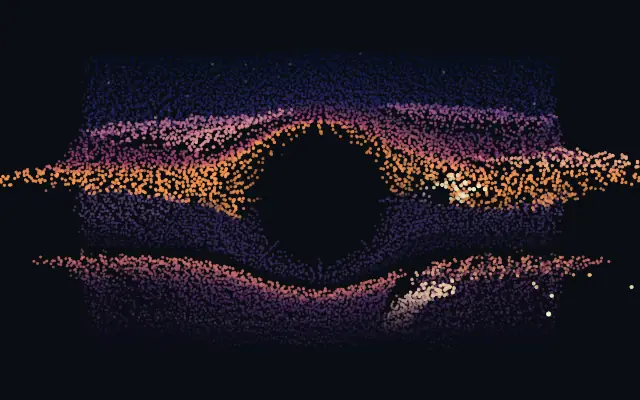
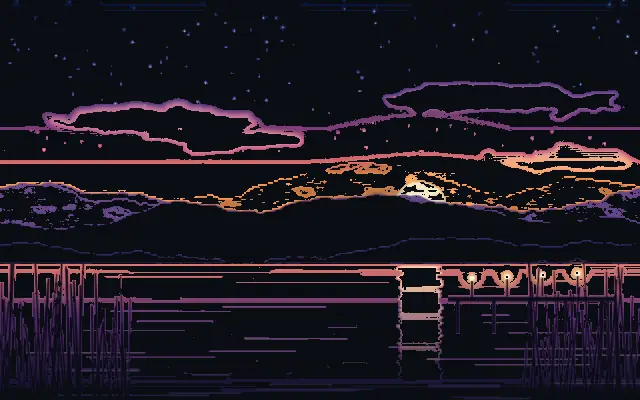
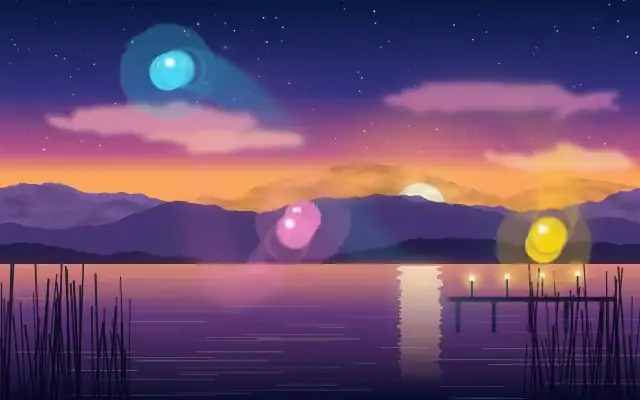
Turns the source into a breathing 3D particle field whose depth follows its brightness.
Also known as: ParticleFieldParticle reliefPoint cloud
Moves in browsers that support WebGPU
This device could not render the demo — showing a still
Code reflects the control values
React
// Renders only in browsers with WebGPU.
// /samples/… are this site’s sample files — point them at your own image or video.
import { Shader, ImageTexture, ParticleField } from 'shaders/react'

export default function ShaderEffect() {
  return (
    <Shader style={{ width: '100%', height: 320 }} disableTelemetry>
      <ImageTexture
        objectFit="cover"
        url="/samples/photo.jpg" />
      <ParticleField />
    </Shader>
  )
}
Vue
<!-- Renders only in browsers with WebGPU. -->
<!-- /samples/… are this site’s sample files — point them at your own image or video. -->
<script setup lang="ts">
import { Shader, ImageTexture, ParticleField } from 'shaders/vue'
</script>

<template>
  <Shader style="width: 100%; height: 320px" :disable-telemetry="true">
    <ImageTexture
      object-fit="cover"
      url="/samples/photo.jpg"/>
    <ParticleField/>
  </Shader>
</template>
Svelte
<!-- Renders only in browsers with WebGPU. -->
<!-- /samples/… are this site’s sample files — point them at your own image or video. -->
<script>
  import { Shader, ImageTexture, ParticleField } from 'shaders/svelte'
</script>

<Shader style="width: 100%; height: 320px" disableTelemetry>
  <ImageTexture
    objectFit="cover"
    url="/samples/photo.jpg" />
  <ParticleField />
</Shader>
Solid
// Renders only in browsers with WebGPU.
// /samples/… are this site’s sample files — point them at your own image or video.
import { Shader, ImageTexture, ParticleField } from 'shaders/solid'

export default function ShaderEffect() {
  return (
    <Shader style={{ width: '100%', height: '320px' }} disableTelemetry>
      <ImageTexture
        objectFit="cover"
        url="/samples/photo.jpg" />
      <ParticleField />
    </Shader>
  )
}
JavaScript
// Renders only in browsers with WebGPU.
// /samples/… are this site’s sample files — point them at your own image or video.
// expects <canvas id="canvas" style="width:100%;height:320px"></canvas> on the page
import { createShader } from 'shaders/js'

const shader = await createShader(document.getElementById("canvas"), {
  components: [
    {
      type: 'ImageTexture',
      props: {
        objectFit: 'cover',
        url: '/samples/photo.jpg',
      },
    },
    {
      type: 'ParticleField',
    }
  ]
}, { disableTelemetry: true })
Props · ParticleField
Changes apply to the demo above and to the code tabs. Descriptions come from the library registry (MIT).
Name
Value
Default
Range / options
Description
countCount
15000
1000 – 40000 (step 500)
Number of particles — how finely the child is sampled into the field
depthSourceDepth Source
luminance
luminance · luminanceInverted · red · green · blue · saturation · alpha
Which channel of the child drives each particle's depth toward or away from the camera
depthDepth
0.7
0 – 2 (step 0.01)
Depth of the relief — how far bright and dark areas rise toward and sink away from the camera
particleShapeShape
dot
dot · square · glow
What each particle is drawn as — a crisp dot or square, or a soft glow puff
particleSizeParticle Size
0.75
0.3 – 3 (step 0.01)
Size of each particle relative to the grid spacing
depthShadingDepth Shading
0.6
0 – 1 (step 0.01)
How much far particles dim into the distance — the main cue that sells the 3D relief
wobbleWobble
0.35
0 – 1 (step 0.01)
Gentle idle drift that keeps the field breathing even on a still image
zoomZoom
1
0.3 – 2.5 (step 0.01)
Camera distance — dolly the whole field closer or further away
rotationXRotate X
0
-180 – 180 (step 1)
Camera orbit around the horizontal axis — tilt the relief toward or away from you
rotationYRotate Y
0
-180 – 180 (step 1)
Camera orbit around the vertical axis — view the particle extrusion from the side
rotationZRotate Z
0
-180 – 180 (step 1)
Camera roll around the view axis
offsetXOffset X
0
-1 – 1 (step 0.01)
Shift the whole field horizontally across the frame (in screen widths)
offsetYOffset Y
0
-1 – 1 (step 0.01)
Shift the whole field vertically across the frame (in screen heights) — tilt it flat, then sink it toward the bottom like a ground plane
cursorModeCursor Mode
push
none · push · pull
How the cursor disturbs the field — push throws particles away and toward you, pull gathers them in
cursorStrengthCursor Strength
0.8
0 – 2 (step 0.01)
Strength of the cursor force — how hard particles get thrown before springing back
cursorRadiusCursor Radius
0.2
0.05 – 1 (step 0.01)
Reach of the cursor field, in screen units
Every component also takes blendMode · opacity · visible · maskSource/maskType · boundingBox · id
A photograph breaks into thousands of points that float like a shallow relief. Bright areas rise toward the viewer and dark areas recede, turning the image into a 3D landscape.
`count` defaults to 15000 (range 1000–40000) and sets the number and detail of the particles. `depth` defaults to 0.7 (0–2) increases the relief between bright and dark areas; `depthSource` defaults to "luminance" and chooses which channel drives that depth. `particleSize` defaults to 0.75 (0.3–3) changes each point's size, and `wobble` defaults to 0.35 (0–1) sets the gentle motion that keeps a still image breathing.
Apply it to an image or video with clear brightness contrast. It can pair with cursor-driven motion, but higher `count` makes the field denser and more demanding to draw, so stop when the scene has enough detail.
When to use
Use it to turn a hero visual, album art, or experimental product background into a 3D point cloud. Avoid it where small text or dense data needs to stay crisp and two-dimensional.