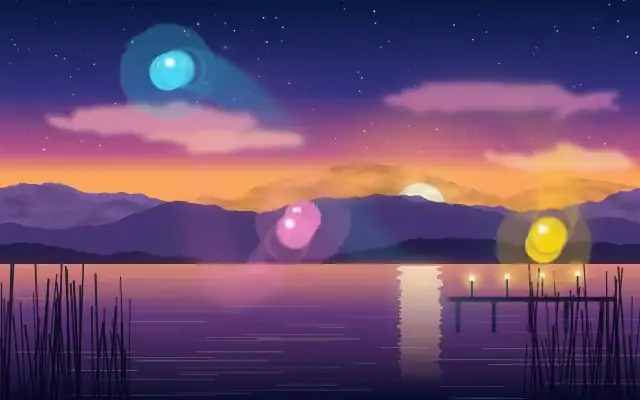
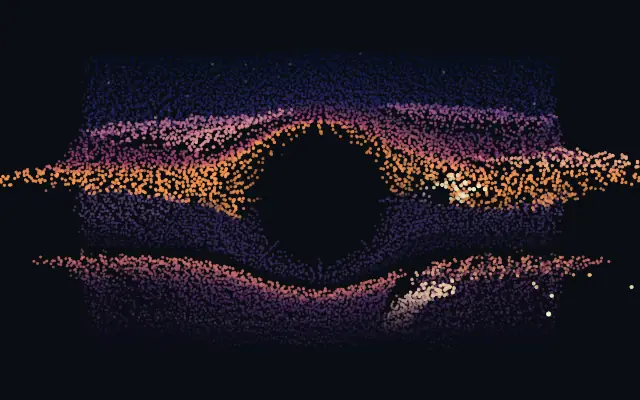
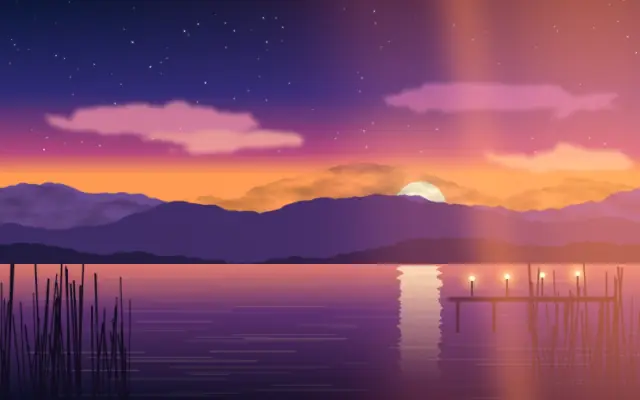
Leaves a smooth, decaying long-exposure trail behind changing content.
Also known as: TimeTrailEcho trailLong-exposure trail
Moves in browsers that support WebGPU
This device could not render the demo — showing a still
Code reflects the control values
React
// Renders only in browsers with WebGPU.
// /samples/… are this site’s sample files — point them at your own image or video.
import { Shader, TimeTrail, VideoTexture } from 'shaders/react'

export default function ShaderEffect() {
  return (
    <Shader style={{ width: '100%', height: 320 }} disableTelemetry>
      <VideoTexture
        objectFit="cover"
        url="/samples/clip.mp4" />
      <TimeTrail />
    </Shader>
  )
}
Vue
<!-- Renders only in browsers with WebGPU. -->
<!-- /samples/… are this site’s sample files — point them at your own image or video. -->
<script setup lang="ts">
import { Shader, TimeTrail, VideoTexture } from 'shaders/vue'
</script>

<template>
  <Shader style="width: 100%; height: 320px" :disable-telemetry="true">
    <VideoTexture
      object-fit="cover"
      url="/samples/clip.mp4"/>
    <TimeTrail/>
  </Shader>
</template>
Svelte
<!-- Renders only in browsers with WebGPU. -->
<!-- /samples/… are this site’s sample files — point them at your own image or video. -->
<script>
  import { Shader, TimeTrail, VideoTexture } from 'shaders/svelte'
</script>

<Shader style="width: 100%; height: 320px" disableTelemetry>
  <VideoTexture
    objectFit="cover"
    url="/samples/clip.mp4" />
  <TimeTrail />
</Shader>
Solid
// Renders only in browsers with WebGPU.
// /samples/… are this site’s sample files — point them at your own image or video.
import { Shader, TimeTrail, VideoTexture } from 'shaders/solid'

export default function ShaderEffect() {
  return (
    <Shader style={{ width: '100%', height: '320px' }} disableTelemetry>
      <VideoTexture
        objectFit="cover"
        url="/samples/clip.mp4" />
      <TimeTrail />
    </Shader>
  )
}
JavaScript
// Renders only in browsers with WebGPU.
// /samples/… are this site’s sample files — point them at your own image or video.
// expects <canvas id="canvas" style="width:100%;height:320px"></canvas> on the page
import { createShader } from 'shaders/js'

const shader = await createShader(document.getElementById("canvas"), {
  components: [
    {
      type: 'VideoTexture',
      props: {
        objectFit: 'cover',
        url: '/samples/clip.mp4',
      },
    },
    {
      type: 'TimeTrail',
    }
  ]
}, { disableTelemetry: true })
Props · TimeTrail
Changes apply to the demo above and to the code tabs. Descriptions come from the library registry (MIT).
Name
Value
Default
Range / options
Description
trailSourceSource
motion
motion · alpha
What sheds the trail — Motion trails whatever changes frame-to-frame (works on opaque images and video), Alpha trails the child's transparency coverage (best for a clean shape over empty canvas)
motionThresholdMotion Threshold
0.06
0.01 – 0.5 (step 0.01)
How much a pixel must change between frames to shed a trail (Motion source only) — lower catches subtle movement, higher only fast motion
trailLengthTrail Length
0.6
0.05 – 4 (step 0.01)
How long the trail lingers, in seconds — the time constant of the fade (the star control)
diffusionDiffusion
1
0 – 1 (step 0.01)
How much the trail smears and softens as it fades — 0 keeps crisp ghost frames, higher melts them together
trailOpacityTrail Opacity
1
0 – 1 (step 0.01)
Overall strength of the trail behind the live frame
How the trail combines with the frame — Add / Screen build glowing light-painting trails, Multiply lays down dark ink ghosts, plus the full standard blend set
driftXDrift X
0
-1 – 1 (step 0.01)
Sideways drift of the trail per second — smears the trail in a direction
driftYDrift Y
0
-1 – 1 (step 0.01)
Vertical drift of the trail per second
zoomZoom
1
0.9 – 1.1 (step 0.001)
Per-frame zoom of the trail around the centre — above 1 pulls the trail into an outward tunnel, below 1 sucks it inward
tintModeTint Mode
none
none · color · rainbow
color the trail — Color tints it a single hue, Rainbow cycles hue as the trail ages
tintTint
#33aaff
—
Trail tint color (used in Color mode)
speedSpeed
1
0 – 4 (step 0.1)
Simulation speed. 0 freezes the trail in place.
Every component also takes blendMode · opacity · visible · maskSource/maskType · boundingBox · id
Like a moving light photographed with a slow shutter, the path behind it lingers briefly as a fading tail. Several moments of motion overlap into an echo.
`trailSource` defaults to "motion" and follows frame-to-frame changes; choosing "alpha" trails a shape's transparency instead. `motionThreshold` defaults to 0.06 (range 0.01–0.5) and sets how much a pixel must change to leave a trail, with lower values catching subtler motion. `trailLength` defaults to 0.6 seconds (0.05–4 seconds) and sets how long the trail remains; `diffusion` defaults to 1 (0–1) controls how much it softens, and `trailOpacity` defaults to 1 (0–1) sets its strength.
Apply it to moving video or animation to see motion trails; use alpha mode for a still shape's coverage trail. Add or Screen blending suits bright light paths, but a long `trailLength` can pile up images and clutter the frame, so start short.
When to use
Use it for trails behind dance, sports, or cursor motion, neon light painting, and short clips that emphasize repeated movement. Avoid expecting motion trails from a still photo or using it where text and fine details must remain clear.