originOrigin | 코드에서 지정 | center | — | Reference edge the center position is measured from (center default). Lets you pin the shape relative to a corner or the canvas centre. |
centerCenter | xy | {"x":0.5,"y":0.5} | x, y: 0 – 1 | Center position of the hologram shape |
scaleScale | | 1 | 0.1 – 3 (step 0.01) | Scale of the hologram shape (1 = default size) |
rotationRotation | | 0 | 0 – 360 (step 1) | Rotation of the hologram shape in degrees |
colorColor | | #5ec8ff | — | Projection tint — the color the whole hologram emits (classic sci-fi cyan by default) |
brightnessBrightness | | 2.5 | 0.2 – 3 (step 0.01) | Overall emission gain. Bright edges blow out toward white for a hot, projected look. |
edgeSoftnessEdge Softness | | 0.04 | 0 – 1 (step 0.01) | Softness of the shape boundary edge — keep low for crisp projection edges |
fillVolume Fill | | 0.45 | 0 – 1 (step 0.01) | Translucent interior glow. Driven by optical thickness, so thicker parts of a 3D form glow more — the core volumetric cue. |
edgeGlowEdge Glow | | 1 | 0 – 2.5 (step 0.01) | Fresnel rim intensity — bright glowing silhouette and, on 3D shapes, the grazing internal walls of extruded logos |
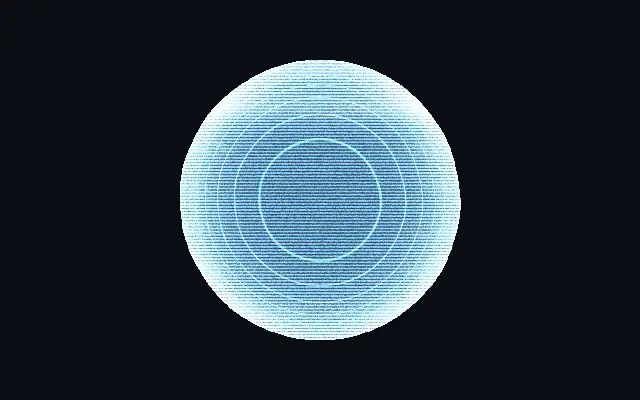
depthLinesDepth Lines | | 0.5 | 0 – 1 (step 0.01) | Iso-depth scan-lines that hug the surface and reveal the 3D form like a volumetric scan. On flat shapes they become concentric contour rings. |
depthScaleDepth Density | | 26 | 4 – 70 (step 1) | Density of the depth scan-lines — higher packs more contour bands through the volume |
scanlinesScanlines | | 0.55 | 0 – 1 (step 0.01) | CRT scanline contrast — how dark the gaps between horizontal projection lines get |
scanlineScaleScanline Count | | 130 | 20 – 400 (step 1) | Number of horizontal scanlines across the canvas height |
scanlineSpeedScanline Drift | | 1 | 0 – 5 (step 0.01) | How fast the scanlines drift upward — 0 holds them static |
sweepSweep Bar | | 0.1 | 0 – 1 (step 0.01) | Brightness of the refresh bar that sweeps vertically through the projection |
flickerFlicker | | 0.3 | 0 – 1 (step 0.01) | Unstable-projector flicker — a fast shimmer plus occasional brightness dropouts |
distortionDistortion | | 0.1 | 0 – 1 (step 0.01) | Continuous horizontal wobble and chromatic edge fringing — the wavering of an unstable beam |
grainGrain | | 0.7 | 0 – 1 (step 0.01) | Fine projection static — animated per-pixel noise over the emission |
speedSpeed | | 1 | 0 – 3 (step 0.01) | Master animation speed for every animated layer. 0 freezes the projection. |
shapeShape | 코드에서 지정 | {"type":"sphere3D","radius":0.35} | — | Serialized shape configuration (JSON) |
shapeSdfUrlshapeSdfUrl | 코드에서 지정 | | — | URL to a pre-generated SDF .bin file — when non-empty, activates SVG mode and triggers a shader recompile |
shapeTypeshapeType | 코드에서 지정 | | — | Active SDF shape type — triggers recompile when shape is switched. When empty, derived from shape JSON at mount time. |