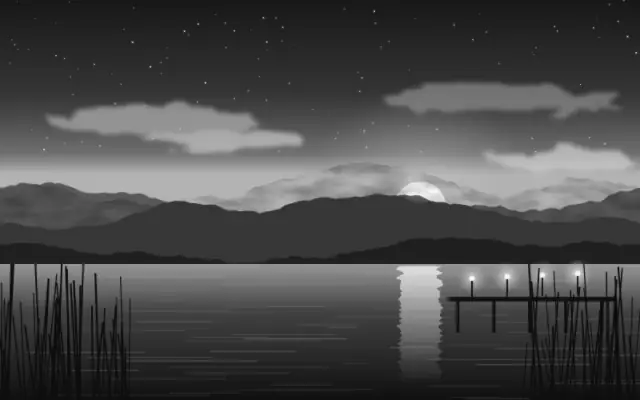
Grayscale removes color and leaves the image in shades of gray.
Also known as: Grayscaleblack and white
Moves in browsers that support WebGPU
This device could not render the demo — showing a still
Code reflects the control values
React
// Renders only in browsers with WebGPU.
// /samples/… are this site’s sample files — point them at your own image or video.
import { Shader, Grayscale, ImageTexture } from 'shaders/react'

export default function ShaderEffect() {
  return (
    <Shader style={{ width: '100%', height: 320 }} disableTelemetry>
      <ImageTexture
        objectFit="cover"
        url="/samples/photo.jpg" />
      <Grayscale />
    </Shader>
  )
}
Vue
<!-- Renders only in browsers with WebGPU. -->
<!-- /samples/… are this site’s sample files — point them at your own image or video. -->
<script setup lang="ts">
import { Shader, Grayscale, ImageTexture } from 'shaders/vue'
</script>

<template>
  <Shader style="width: 100%; height: 320px" :disable-telemetry="true">
    <ImageTexture
      object-fit="cover"
      url="/samples/photo.jpg"/>
    <Grayscale/>
  </Shader>
</template>
Svelte
<!-- Renders only in browsers with WebGPU. -->
<!-- /samples/… are this site’s sample files — point them at your own image or video. -->
<script>
  import { Shader, Grayscale, ImageTexture } from 'shaders/svelte'
</script>

<Shader style="width: 100%; height: 320px" disableTelemetry>
  <ImageTexture
    objectFit="cover"
    url="/samples/photo.jpg" />
  <Grayscale />
</Shader>
Solid
// Renders only in browsers with WebGPU.
// /samples/… are this site’s sample files — point them at your own image or video.
import { Shader, Grayscale, ImageTexture } from 'shaders/solid'

export default function ShaderEffect() {
  return (
    <Shader style={{ width: '100%', height: '320px' }} disableTelemetry>
      <ImageTexture
        objectFit="cover"
        url="/samples/photo.jpg" />
      <Grayscale />
    </Shader>
  )
}
JavaScript
// Renders only in browsers with WebGPU.
// /samples/… are this site’s sample files — point them at your own image or video.
// expects <canvas id="canvas" style="width:100%;height:320px"></canvas> on the page
import { createShader } from 'shaders/js'

const shader = await createShader(document.getElementById("canvas"), {
  components: [
    {
      type: 'ImageTexture',
      props: {
        objectFit: 'cover',
        url: '/samples/photo.jpg',
      },
    },
    {
      type: 'Grayscale',
    }
  ]
}, { disableTelemetry: true })
Props · Grayscale
Changes apply to the demo above and to the code tabs. Descriptions come from the library registry (MIT).
This component has no adjustable props.
Every component also takes blendMode · opacity · visible · maskSource/maskType · boundingBox · id
It turns a color photograph into a black-and-white print. Color differences disappear, leaving tone and shape to carry the image.
This component exposes no adjustment props in the registry. The result depends on the brightness and contrast of the input layer.
Place it over a photo, video, or colored graphic. Pair it with BrightnessContrast if you need to tune the tonal range. In information design, check that meaning is not lost when states or legends are distinguished only by color.
When to use
Use it for black-and-white photo looks, graphics that emphasize shape over color, or to reduce a color input to gray. Avoid it in UI where color distinguishes states or meaning.