Group

그룹

A container that groups shader layers and lays them out together.

Also known as: GroupLayer group

Moves in browsers that support WebGPU

This device could not render the demo — showing a still

React
// Renders only in browsers with WebGPU.
import {
  Shader,
  Circle,
  Group,
  Star,
} from 'shaders/react'

export default function ShaderEffect() {
  return (
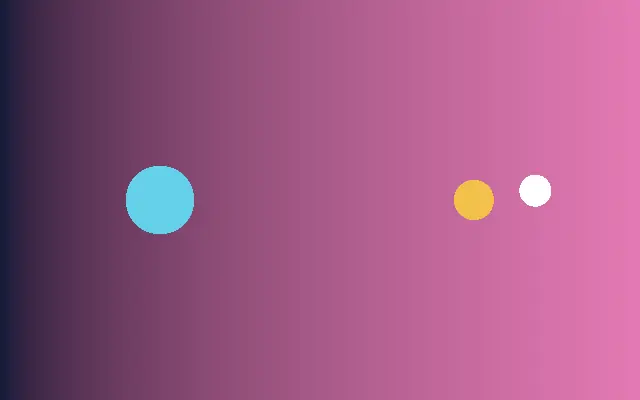
    <Shader style={{ width: '100%', height: 320 }} disableTelemetry>
      <Group>
        <Circle
          center={{
            x: 0.35,
            y: 0.5
          }}
          color="#22d3ee"
          radius={0.28} />
        <Star
          center={{
            x: 0.68,
            y: 0.5
          }}
          color="#f59e0b"
          radius={0.27} />
      </Group>
    </Shader>
  )
}
Vue
<!-- Renders only in browsers with WebGPU. -->
<script setup lang="ts">
import {
  Shader,
  Circle,
  Group,
  Star
} from 'shaders/vue'
</script>

<template>
  <Shader style="width: 100%; height: 320px" :disable-telemetry="true">
    <Group>
      <Circle
        :center="{
          x: 0.35,
          y: 0.5
        }"
        color="#22d3ee"
        :radius="0.28"/>
      <Star
        :center="{
          x: 0.68,
          y: 0.5
        }"
        color="#f59e0b"
        :radius="0.27"/>
    </Group>
  </Shader>
</template>
Svelte
<!-- Renders only in browsers with WebGPU. -->
<script>
  import {
    Shader,
    Circle,
    Group,
    Star,
  } from 'shaders/svelte'
</script>

<Shader style="width: 100%; height: 320px" disableTelemetry>
  <Group>
    <Circle
      center={{
        x: 0.35,
        y: 0.5
      }}
      color="#22d3ee"
      radius={0.28} />
    <Star
      center={{
        x: 0.68,
        y: 0.5
      }}
      color="#f59e0b"
      radius={0.27} />
  </Group>
</Shader>
Solid
// Renders only in browsers with WebGPU.
import {
  Shader,
  Circle,
  Group,
  Star,
} from 'shaders/solid'

export default function ShaderEffect() {
  return (
    <Shader style={{ width: '100%', height: '320px' }} disableTelemetry>
      <Group>
        <Circle
          center={{
            x: 0.35,
            y: 0.5
          }}
          color="#22d3ee"
          radius={0.28} />
        <Star
          center={{
            x: 0.68,
            y: 0.5
          }}
          color="#f59e0b"
          radius={0.27} />
      </Group>
    </Shader>
  )
}
JavaScript
// Renders only in browsers with WebGPU.
// expects <canvas id="canvas" style="width:100%;height:320px"></canvas> on the page
import { createShader } from 'shaders/js'

const shader = await createShader(document.getElementById("canvas"), {
  components: [
    {
      type: 'Group',
      children: [
        {
          type: 'Circle',
          props: {
            center: {
              x: 0.35,
              y: 0.5
            },
            color: '#22d3ee',
            radius: 0.28,
          },
        },
        {
          type: 'Star',
          props: {
            center: {
              x: 0.68,
              y: 0.5
            },
            color: '#f59e0b',
            radius: 0.27,
          },
        },
      ],
    }
  ]
}, { disableTelemetry: true })

Props · Group

Changes apply to the demo above and to the code tabs. Descriptions come from the library registry (MIT).

This component has no adjustable props.

Every component also takes blendMode · opacity · visible · maskSource/maskType · boundingBox · id

Group is a container for organizing several layers as one unit. Think of cards collected on a tray: the children stay together, making the structure of a larger scene easier to read.

Put the layers to collect in `children`. Set `flow`'s `mode` to `row` or `column` to stack them horizontally or vertically; `gap` sets the space between children, and `align` controls their alignment.

Group does not draw an image of its own, so its children determine what appears. Put an effect inside the group when it should affect only those children; place a scene-wide effect after the group.

When to use

Use it to split a complex demo into subgroups, align related layers in one direction, or limit an effect to a few children. For two or three layers that need no separate layout or effect scope, a Group may add unnecessary structure.


Open as page ↗