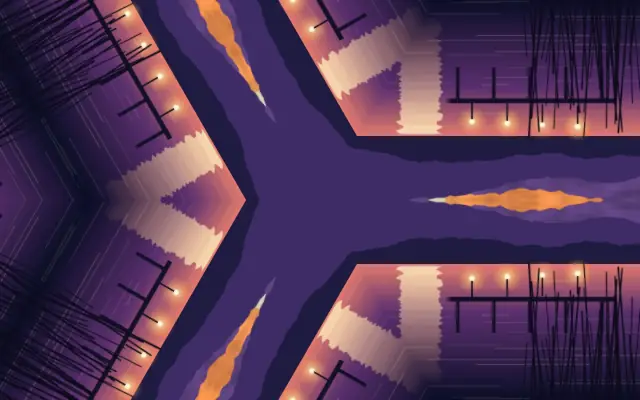
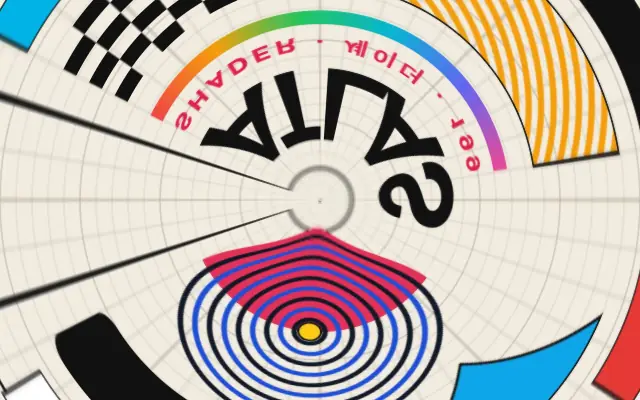
Nested rings rotate the underlying image by different amounts.
Also known as: ConcentricSpinRing spin
Moves in browsers that support WebGPU
This device could not render the demo — showing a still
Code reflects the control values
React
// Renders only in browsers with WebGPU.
// /samples/… are this site’s sample files — point them at your own image or video.
import { Shader, ConcentricSpin, ImageTexture } from 'shaders/react'

export default function ShaderEffect() {
  return (
    <Shader style={{ width: '100%', height: 320 }} disableTelemetry>
      <ImageTexture
        objectFit="cover"
        url="/samples/poster.jpg" />
      <ConcentricSpin />
    </Shader>
  )
}
Vue
<!-- Renders only in browsers with WebGPU. -->
<!-- /samples/… are this site’s sample files — point them at your own image or video. -->
<script setup lang="ts">
import { Shader, ConcentricSpin, ImageTexture } from 'shaders/vue'
</script>

<template>
  <Shader style="width: 100%; height: 320px" :disable-telemetry="true">
    <ImageTexture
      object-fit="cover"
      url="/samples/poster.jpg"/>
    <ConcentricSpin/>
  </Shader>
</template>
Svelte
<!-- Renders only in browsers with WebGPU. -->
<!-- /samples/… are this site’s sample files — point them at your own image or video. -->
<script>
  import { Shader, ConcentricSpin, ImageTexture } from 'shaders/svelte'
</script>

<Shader style="width: 100%; height: 320px" disableTelemetry>
  <ImageTexture
    objectFit="cover"
    url="/samples/poster.jpg" />
  <ConcentricSpin />
</Shader>
Solid
// Renders only in browsers with WebGPU.
// /samples/… are this site’s sample files — point them at your own image or video.
import { Shader, ConcentricSpin, ImageTexture } from 'shaders/solid'

export default function ShaderEffect() {
  return (
    <Shader style={{ width: '100%', height: '320px' }} disableTelemetry>
      <ImageTexture
        objectFit="cover"
        url="/samples/poster.jpg" />
      <ConcentricSpin />
    </Shader>
  )
}
JavaScript
// Renders only in browsers with WebGPU.
// /samples/… are this site’s sample files — point them at your own image or video.
// expects <canvas id="canvas" style="width:100%;height:320px"></canvas> on the page
import { createShader } from 'shaders/js'

const shader = await createShader(document.getElementById("canvas"), {
  components: [
    {
      type: 'ImageTexture',
      props: {
        objectFit: 'cover',
        url: '/samples/poster.jpg',
      },
    },
    {
      type: 'ConcentricSpin',
    }
  ]
}, { disableTelemetry: true })
Props · ConcentricSpin
Changes apply to the demo above and to the code tabs. Descriptions come from the library registry (MIT).
Name
Value
Default
Range / options
Description
intensityIntensity
20
0 – 100 (step 1)
Maximum rotation angle per ring
ringsRings
8
1 – 30 (step 1)
Number of concentric rings
smoothnessSmoothness
0.03
0 – 1 (step 0.01)
Softness of transitions between rings
seedSeed
0
0 – 100 (step 1)
Randomization seed for per-ring rotation variation
speedSpeed
0.1
-5 – 5 (step 0.1)
Speed of continuous ring rotation
speedRandomnessSpeed Randomness
0.5
0 – 1 (step 0.01)
How much each ring varies in rotation speed and direction
edgesEdges
mirror
stretch · transparent · mirror · wrap
How to handle edges when distortion pushes content out of bounds
centerCenter Position
xy
{"x":0.5,"y":0.5}
x, y: 0 – 1
Center point of the concentric rings
Every component also takes blendMode · opacity · visible · maskSource/maskType · boundingBox · id
Like ripples drawn as nested circles, each ring turns the underlying image by a different amount.
Move `center` to reposition the rings and set their number with `rings`. `intensity` changes the amount of rotation, `smoothness` softens boundaries between rings, and higher `speed` makes the rotation faster.
Apply it above an image or pattern layer. Pair it with `Kaleidoscope` to add rotational rhythm to radial symmetry. Faces and copy can break across rings, so use abstract input or short transitions.
When to use
Use it for radial abstract backgrounds, music visuals, and circular transitions. Avoid it when faces or long copy need to stay whole.