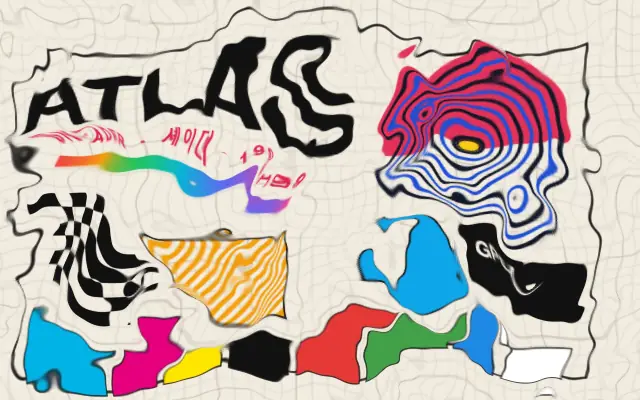
The image drifts continuously along a smooth, fluid-like flow.
Also known as: FlowFieldFlow distortion
Moves in browsers that support WebGPU
This device could not render the demo — showing a still
Code reflects the control values
React
// Renders only in browsers with WebGPU.
// /samples/… are this site’s sample files — point them at your own image or video.
import { Shader, FlowField, ImageTexture } from 'shaders/react'

export default function ShaderEffect() {
  return (
    <Shader style={{ width: '100%', height: 320 }} disableTelemetry>
      <ImageTexture
        objectFit="cover"
        url="/samples/poster.jpg" />
      <FlowField
        evolutionSpeed={0.6}
        speed={1}
        strength={0.06} />
    </Shader>
  )
}
Vue
<!-- Renders only in browsers with WebGPU. -->
<!-- /samples/… are this site’s sample files — point them at your own image or video. -->
<script setup lang="ts">
import { Shader, FlowField, ImageTexture } from 'shaders/vue'
</script>

<template>
  <Shader style="width: 100%; height: 320px" :disable-telemetry="true">
    <ImageTexture
      object-fit="cover"
      url="/samples/poster.jpg"/>
    <FlowField
      :evolution-speed="0.6"
      :speed="1"
      :strength="0.06"/>
  </Shader>
</template>
Svelte
<!-- Renders only in browsers with WebGPU. -->
<!-- /samples/… are this site’s sample files — point them at your own image or video. -->
<script>
  import { Shader, FlowField, ImageTexture } from 'shaders/svelte'
</script>

<Shader style="width: 100%; height: 320px" disableTelemetry>
  <ImageTexture
    objectFit="cover"
    url="/samples/poster.jpg" />
  <FlowField
    evolutionSpeed={0.6}
    speed={1}
    strength={0.06} />
</Shader>
Solid
// Renders only in browsers with WebGPU.
// /samples/… are this site’s sample files — point them at your own image or video.
import { Shader, FlowField, ImageTexture } from 'shaders/solid'

export default function ShaderEffect() {
  return (
    <Shader style={{ width: '100%', height: '320px' }} disableTelemetry>
      <ImageTexture
        objectFit="cover"
        url="/samples/poster.jpg" />
      <FlowField
        evolutionSpeed={0.6}
        speed={1}
        strength={0.06} />
    </Shader>
  )
}
JavaScript
// Renders only in browsers with WebGPU.
// /samples/… are this site’s sample files — point them at your own image or video.
// expects <canvas id="canvas" style="width:100%;height:320px"></canvas> on the page
import { createShader } from 'shaders/js'

const shader = await createShader(document.getElementById("canvas"), {
  components: [
    {
      type: 'ImageTexture',
      props: {
        objectFit: 'cover',
        url: '/samples/poster.jpg',
      },
    },
    {
      type: 'FlowField',
      props: {
        evolutionSpeed: 0.6,
        speed: 1,
        strength: 0.06,
      },
    }
  ]
}, { disableTelemetry: true })
Props · FlowField
Changes apply to the demo above and to the code tabs. Descriptions come from the library registry (MIT).
Name
Value
Default
Range / options
Description
strengthStrength
0.15
0 – 0.5 (step 0.01)
Intensity of the flow distortion
detailDetail
2
0.5 – 5 (step 0.1)
Scale of the flow patterns
speedSpeed
0
0 – 20 (step 0.1)
Speed of the flow
evolutionSpeedEvolution Speed
0
0 – 20 (step 0.1)
How fast the flow field pattern reshapes over time
seedSeed
0
0 – 100 (step 1)
Random seed for flow pattern variation
edgesEdges
mirror
stretch · transparent · mirror · wrap
How to handle edges when distortion pushes content out of bounds
Every component also takes blendMode · opacity · visible · maskSource/maskType · boundingBox · id
Like pigment slowly spreading through water, the image drifts and bends along a smooth, continuous flow.
Increase `strength` for more displacement and `detail` for finer flow patterns. `speed` controls how quickly the flow moves; `evolutionSpeed` controls how quickly the pattern itself changes over time.
Place it above an image or texture layer. It creates less regular movement than `WaveDistortion`, and `edges` controls samples beyond the frame. Keep important copy separate or use a restrained amount so it stays readable.
When to use
Use it for fluid backgrounds, soft transitions, and moving textures. Avoid it on interfaces where text and controls need to stay fixed.