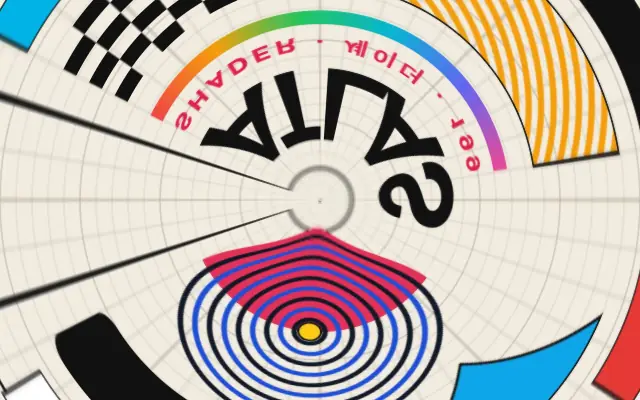
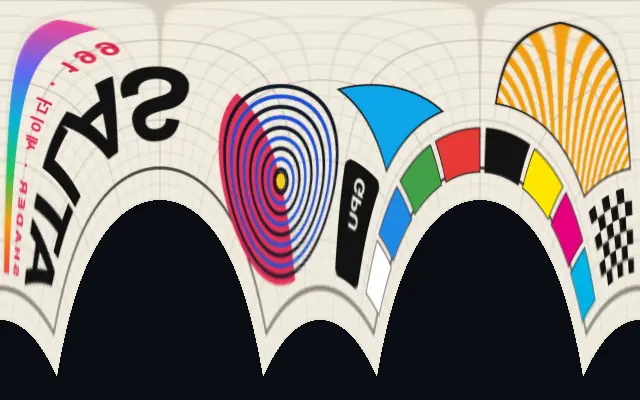
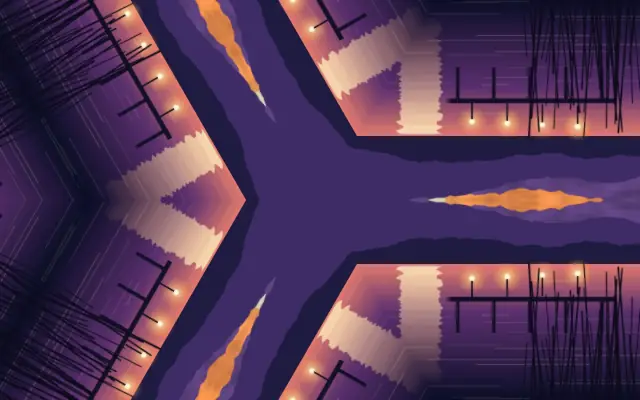
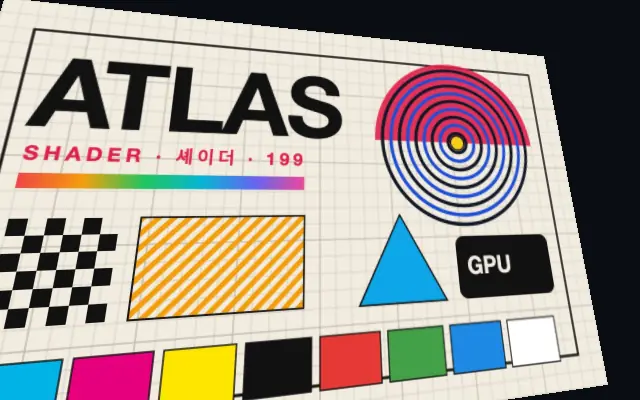
The rectangular image is remapped into a space described by angle and distance from a center.
Also known as: PolarCoordinatesPolar mapping
Moves in browsers that support WebGPU
This device could not render the demo — showing a still
Code reflects the control values
React
// Renders only in browsers with WebGPU.
// /samples/… are this site’s sample files — point them at your own image or video.
import { Shader, ImageTexture, PolarCoordinates } from 'shaders/react'

export default function ShaderEffect() {
  return (
    <Shader style={{ width: '100%', height: 320 }} disableTelemetry>
      <ImageTexture
        objectFit="cover"
        url="/samples/poster.jpg" />
      <PolarCoordinates />
    </Shader>
  )
}
Vue
<!-- Renders only in browsers with WebGPU. -->
<!-- /samples/… are this site’s sample files — point them at your own image or video. -->
<script setup lang="ts">
import { Shader, ImageTexture, PolarCoordinates } from 'shaders/vue'
</script>

<template>
  <Shader style="width: 100%; height: 320px" :disable-telemetry="true">
    <ImageTexture
      object-fit="cover"
      url="/samples/poster.jpg"/>
    <PolarCoordinates/>
  </Shader>
</template>
Svelte
<!-- Renders only in browsers with WebGPU. -->
<!-- /samples/… are this site’s sample files — point them at your own image or video. -->
<script>
  import { Shader, ImageTexture, PolarCoordinates } from 'shaders/svelte'
</script>

<Shader style="width: 100%; height: 320px" disableTelemetry>
  <ImageTexture
    objectFit="cover"
    url="/samples/poster.jpg" />
  <PolarCoordinates />
</Shader>
Solid
// Renders only in browsers with WebGPU.
// /samples/… are this site’s sample files — point them at your own image or video.
import { Shader, ImageTexture, PolarCoordinates } from 'shaders/solid'

export default function ShaderEffect() {
  return (
    <Shader style={{ width: '100%', height: '320px' }} disableTelemetry>
      <ImageTexture
        objectFit="cover"
        url="/samples/poster.jpg" />
      <PolarCoordinates />
    </Shader>
  )
}
JavaScript
// Renders only in browsers with WebGPU.
// /samples/… are this site’s sample files — point them at your own image or video.
// expects <canvas id="canvas" style="width:100%;height:320px"></canvas> on the page
import { createShader } from 'shaders/js'

const shader = await createShader(document.getElementById("canvas"), {
  components: [
    {
      type: 'ImageTexture',
      props: {
        objectFit: 'cover',
        url: '/samples/poster.jpg',
      },
    },
    {
      type: 'PolarCoordinates',
    }
  ]
}, { disableTelemetry: true })
Props · PolarCoordinates
Changes apply to the demo above and to the code tabs. Descriptions come from the library registry (MIT).
Name
Value
Default
Range / options
Description
centerCenter
xy
{"x":0.5,"y":0.5}
x, y: 0 – 1
The center point for polar coordinate conversion
wrapWrap
1
0 – 2 (step 0.1)
Controls how much of the angular range to use (1 = full 360°, 0.5 = 180°)
radiusRadius
1
0 – 2 (step 0.1)
Controls how much of the radius range to use (affects the radial mapping)
intensityIntensity
1
0 – 1 (step 0.1)
Blends between original UVs (0) and polar coordinates (1)
edgesEdges
transparent
stretch · transparent · mirror · wrap
How to handle edges when distortion pushes content out of bounds
Every component also takes blendMode · opacity · visible · maskSource/maskType · boundingBox · id
Like rolling a flat map around a center, the image is rearranged by angle and distance from a point.
`center` sets the reference point. `wrap` changes the angular span and `radius` changes the radial mapping; lower `intensity` keeps more of the original coordinates, while higher values make the polar remapping stronger.
Apply it above an input layer. `RectangularCoordinates` performs the complementary conversion, so the two can be combined. Straight edges and copy can bend into arcs, making this a poor fit when a flat interface must stay unchanged.
When to use
Use it for circular tunnels, radial backgrounds, and turning flat imagery into circular motion. Avoid it when tables or interfaces must retain straight alignment.