Plasma

플라즈마

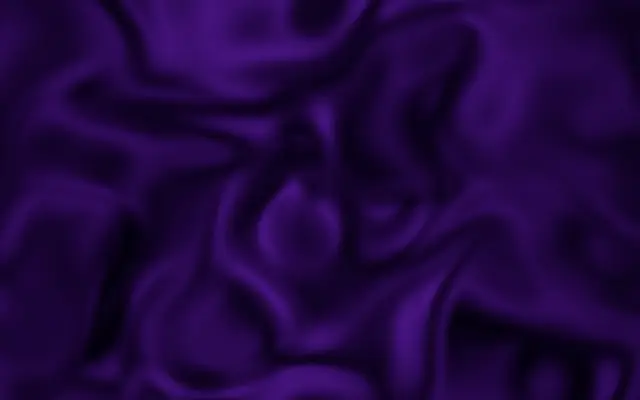
An animated glow of color that swirls and flows across the canvas.

Also known as: Plasmaplasma effectplasma texture

Moves in browsers that support WebGPU

This device could not render the demo — showing a still

React
// Renders only in browsers with WebGPU.
import { Shader, Plasma } from 'shaders/react'

export default function ShaderEffect() {
  return (
    <Shader style={{ width: '100%', height: 320 }} disableTelemetry>
      <Plasma />
    </Shader>
  )
}
Vue
<!-- Renders only in browsers with WebGPU. -->
<script setup lang="ts">
import { Shader, Plasma } from 'shaders/vue'
</script>

<template>
  <Shader style="width: 100%; height: 320px" :disable-telemetry="true">
    <Plasma/>
  </Shader>
</template>
Svelte
<!-- Renders only in browsers with WebGPU. -->
<script>
  import { Shader, Plasma } from 'shaders/svelte'
</script>

<Shader style="width: 100%; height: 320px" disableTelemetry>
  <Plasma />
</Shader>
Solid
// Renders only in browsers with WebGPU.
import { Shader, Plasma } from 'shaders/solid'

export default function ShaderEffect() {
  return (
    <Shader style={{ width: '100%', height: '320px' }} disableTelemetry>
      <Plasma />
    </Shader>
  )
}
JavaScript
// Renders only in browsers with WebGPU.
// expects <canvas id="canvas" style="width:100%;height:320px"></canvas> on the page
import { createShader } from 'shaders/js'

const shader = await createShader(document.getElementById("canvas"), {
  components: [
    {
      type: 'Plasma',
    }
  ]
}, { disableTelemetry: true })

Props · Plasma

Changes apply to the demo above and to the code tabs. Descriptions come from the library registry (MIT).

NameValueDefaultRange / optionsDescription
densityDensity20 – 4 (step 0.1)Density of the plasma pattern
speedSpeed20 – 5 (step 0.1)Animation speed
intensityIntensity1.50.1 – 3 (step 0.1)Brightness and spread of the plasma glow
warpWarp0.40 – 1 (step 0.01)How much the flow distorts and swirls
contrastContrast10 – 3 (step 0.1)Push darks darker and lights lighter
balanceBalance500 – 100 (step 1)Skew color balance toward A (higher) or B (lower)
colorAColor A#7018be—Primary color
colorBColor B#000000—Secondary color
stopsColorsSet in codenull—Multi-stop gradient colors (overrides Color A / Color B when set)
colorSpaceColor Spacelinearlinear · oklch · oklab · hsl · hsv · lchColor space for color interpolation

Every component also takes blendMode · opacity · visible · maskSource/maskType · boundingBox · id

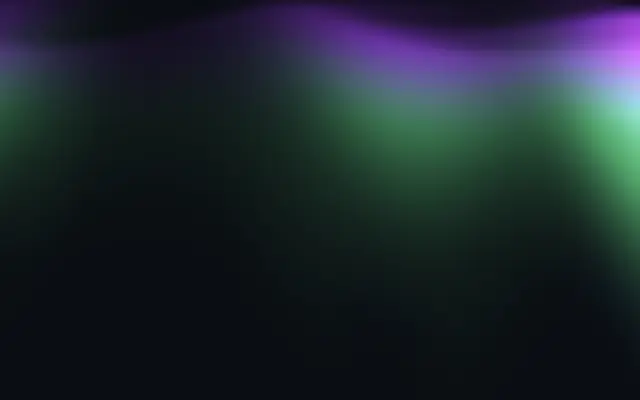
Glowing regions of color swirl across a dark canvas. It can create an abstract background that suggests flame or a cloud of energy.

`density` defaults to 2 and ranges from 0 to 4, controlling how closely the pattern is packed. `intensity` defaults to 1.5 and ranges from 0.1 to 3; higher values increase the glow brightness and spread. `warp` defaults to 0.4 and ranges from 0 to 1, changing how much the flow bends and swirls. `speed` defaults to 2 and ranges from 0 to 5, setting the animation speed. `balance` defaults to 50 and ranges from 0 to 100, shifting the mix toward the second color at lower values and the first at higher values.

This generator draws the glowing pattern itself rather than applying a light filter to input. Pair it with `CurlNoise` for a flowing abstract scene, or use it as a background on its own. High `intensity` and `warp` can make the area around text bright and busy, so lower them behind a title.

When to use

Use it for glowing abstract backgrounds, scenes that suggest flowing energy, and titles with moving color. Avoid it for calm still surfaces or directly behind body text.

Open as page ↗