Studio Background

스튜디오 배경

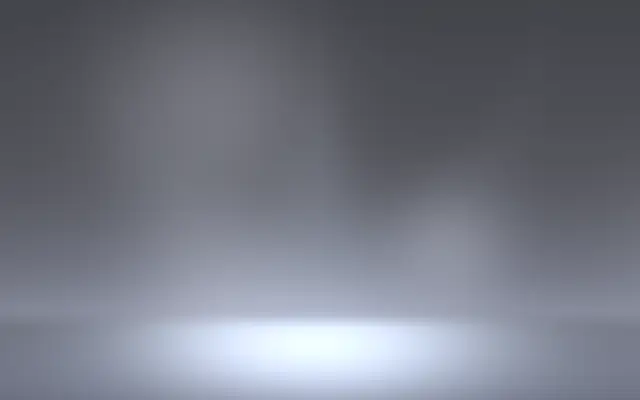
A studio-style background with multiple lights and ambient motion.

Also known as: StudioBackgroundStudio backdrop

Moves in browsers that support WebGPU

This device could not render the demo — showing a still

React
// Renders only in browsers with WebGPU.
import { Shader, StudioBackground } from 'shaders/react'

export default function ShaderEffect() {
  return (
    <Shader style={{ width: '100%', height: 320 }} disableTelemetry>
      <StudioBackground />
    </Shader>
  )
}
Vue
<!-- Renders only in browsers with WebGPU. -->
<script setup lang="ts">
import { Shader, StudioBackground } from 'shaders/vue'
</script>

<template>
  <Shader style="width: 100%; height: 320px" :disable-telemetry="true">
    <StudioBackground/>
  </Shader>
</template>
Svelte
<!-- Renders only in browsers with WebGPU. -->
<script>
  import { Shader, StudioBackground } from 'shaders/svelte'
</script>

<Shader style="width: 100%; height: 320px" disableTelemetry>
  <StudioBackground />
</Shader>
Solid
// Renders only in browsers with WebGPU.
import { Shader, StudioBackground } from 'shaders/solid'

export default function ShaderEffect() {
  return (
    <Shader style={{ width: '100%', height: '320px' }} disableTelemetry>
      <StudioBackground />
    </Shader>
  )
}
JavaScript
// Renders only in browsers with WebGPU.
// expects <canvas id="canvas" style="width:100%;height:320px"></canvas> on the page
import { createShader } from 'shaders/js'

const shader = await createShader(document.getElementById("canvas"), {
  components: [
    {
      type: 'StudioBackground',
    }
  ]
}, { disableTelemetry: true })

Props · StudioBackground

Changes apply to the demo above and to the code tabs. Descriptions come from the library registry (MIT).

NameValueDefaultRange / optionsDescription
colorSurface Color#d8dbec—Base studio surface color
keyColorKey Color#d5e4ea—Color of the overhead key light
keyIntensityIntensity400 – 100 (step 1)Intensity of the key light
keySoftnessSoftness500 – 100 (step 1)How diffuse the key light is
fillColorFill Color#d5e4ea—Color of the side fill lights
fillIntensityIntensity100 – 100 (step 1)Intensity of the fill lights
fillSoftnessSoftness700 – 100 (step 1)How diffuse the fill lights are
fillAngleSpread700 – 100 (step 1)How far apart the fill lights are from center
backColorBack Color#c8d4e8—Color of the upward back wash
backIntensityIntensity200 – 100 (step 1)Intensity of the back wash
backSoftnessSoftness800 – 100 (step 1)How diffuse the back wash is
brightnessAmbient200 – 100 (step 1)Overall ambient light level
vignetteVignette00 – 100 (step 1)Edge darkening
centerStage Center
x0.5y0.8
{"x":0.5,"y":0.8}x, y: 0 – 1Where the spotlight meets the floor
lightTargetLight Depth1000 – 100 (step 1)How far toward the floor vs wall the spotlights aim
wallCurvatureWall Curvature100 – 100 (step 1)How rounded the cove is
ambientIntensityAmbient Detail500 – 100 (step 1)Intensity of drifting ambient lights
ambientSpeedSpeed2-5 – 5 (step 0.1)Drift speed
seedSeed00 – 100 (step 1)Seed for ambient pattern

Every component also takes blendMode · opacity · visible · maskSource/maskType · boundingBox · id

Picture a studio cyclorama where the floor curves into the wall under several lights. It creates a stage-like background for a product or shape.

Increasing `keyIntensity` strengthens the overhead key light, while `fillIntensity` strengthens the side fill lights (defaults 40 and 10; both range 0–100). `center` places where the spotlight meets the floor (default x=0.5, y=0.8). Raise `wallCurvature` to make the cove between wall and floor more rounded (default 10, range 0–100). `ambientSpeed` sets the drift speed of the ambient lights (default 2, range -5–5).

This layer generates its own background and needs no image input beneath it. Check that the light direction suits the foreground product or shape; if the background competes with the subject, reduce the lighting strength and the prominence of the cove. Lower the motion when you need a more static studio stage.

When to use

Use it to stage a product or shape, add a multi-light backdrop, or reveal a foreground object's form with light. Avoid it when you need a flat background that stays out of the way.

Open as page ↗