Blob

모핑 블롭

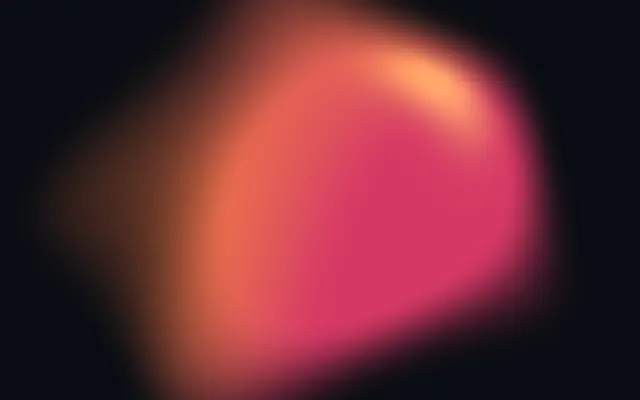
Organic animated blob with 3D lighting and gradients.

Also known as: BlobMorphing blobOrganic blob

Moves in browsers that support WebGPU

This device could not render the demo — showing a still

React
// Renders only in browsers with WebGPU.
import { Shader, Blob } from 'shaders/react'

export default function ShaderEffect() {
  return (
    <Shader style={{ width: '100%', height: 320 }} disableTelemetry>
      <Blob />
    </Shader>
  )
}
Vue
<!-- Renders only in browsers with WebGPU. -->
<script setup lang="ts">
import { Shader, Blob } from 'shaders/vue'
</script>

<template>
  <Shader style="width: 100%; height: 320px" :disable-telemetry="true">
    <Blob/>
  </Shader>
</template>
Svelte
<!-- Renders only in browsers with WebGPU. -->
<script>
  import { Shader, Blob } from 'shaders/svelte'
</script>

<Shader style="width: 100%; height: 320px" disableTelemetry>
  <Blob />
</Shader>
Solid
// Renders only in browsers with WebGPU.
import { Shader, Blob } from 'shaders/solid'

export default function ShaderEffect() {
  return (
    <Shader style={{ width: '100%', height: '320px' }} disableTelemetry>
      <Blob />
    </Shader>
  )
}
JavaScript
// Renders only in browsers with WebGPU.
// expects <canvas id="canvas" style="width:100%;height:320px"></canvas> on the page
import { createShader } from 'shaders/js'

const shader = await createShader(document.getElementById("canvas"), {
  components: [
    {
      type: 'Blob',
    }
  ]
}, { disableTelemetry: true })

Props · Blob

Changes apply to the demo above and to the code tabs. Descriptions come from the library registry (MIT).

NameValueDefaultRange / optionsDescription
originOriginSet in codecenter—Reference edge the center position is measured from (center default). Lets you pin the shape relative to a corner or the canvas centre.
colorAColor A#ff6b35—Primary color of the blob
colorBColor B#e91e63—Secondary color of the blob
stopsColorsSet in codenull—Multi-stop gradient colors (overrides Color A / Color B when set)
sizeSize0.50 – 2 (step 0.01)Size of the blob
deformationDeformation0.50 – 1 (step 0.1)How organic and blobby the shape is (0 = circle, 1 = very blobby)
softnessSoftness0.50 – 1 (step 0.1)Softness of the blob edges (combines edge width and transition curve)
highlightIntensityHighlight Intensity0.50 – 1 (step 0.1)Intensity of specular highlight effect
highlightXHighlight X0.3-1 – 1 (step 0.1)Light direction X component
highlightYHighlight Y-0.3-1 – 1 (step 0.1)Light direction Y component
highlightZHighlight Z0.4-1 – 1 (step 0.1)Light direction Z component
highlightColorHighlight Color#ffe11a—Color of the specular highlight
speedSpeed0.50 – 2 (step 0.1)Animation speed
seedSeed10 – 100 (step 1)Adjusts the starting state, useful for variation
centerCenter Position
x0.5y0.5
{"x":0.5,"y":0.5}x, y: 0 – 1The center point of the blob
colorSpaceColor Spacelinearlinear · oklch · oklab · hsl · hsv · lchColor space for color interpolation

Every component also takes blendMode · opacity · visible · maskSource/maskType · boundingBox · id

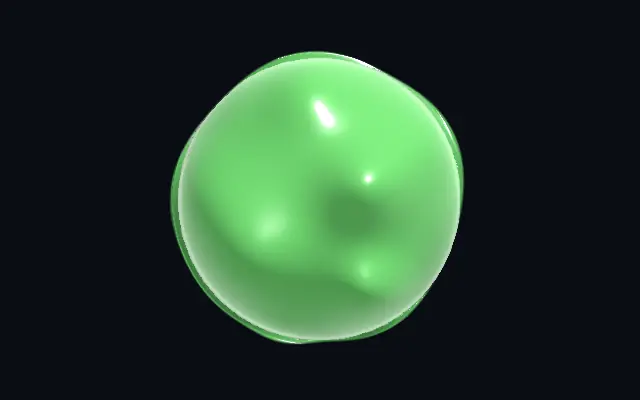
It resembles a soft jelly or droplet whose rounded outline slowly changes shape, with a highlight that suggests a lit surface.

`size` from 0–2 sets the blob scale and `deformation` from 0–1 moves it from circular toward more organic shapes. `softness` from 0–1 feathers the edge, `highlightIntensity` from 0–1 changes the bright spot, and `speed` from 0–2 sets the pace of its motion.

Blob draws its own shape rather than applying a material to an image. Leave space around it over a solid color or dark gradient so its silhouette reads clearly. It is too fluid to replace a precise icon or geometric shape.

When to use

Use it as a soft brand accent, an abstract hero background, or organic motion in an open area. Avoid it when you need a precise icon, button shape, or letter outline.

Open as page ↗