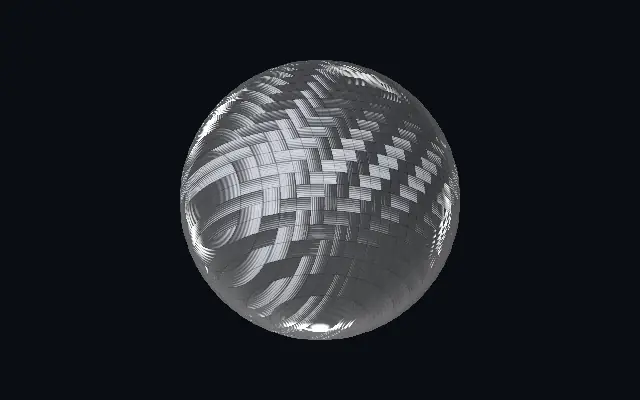
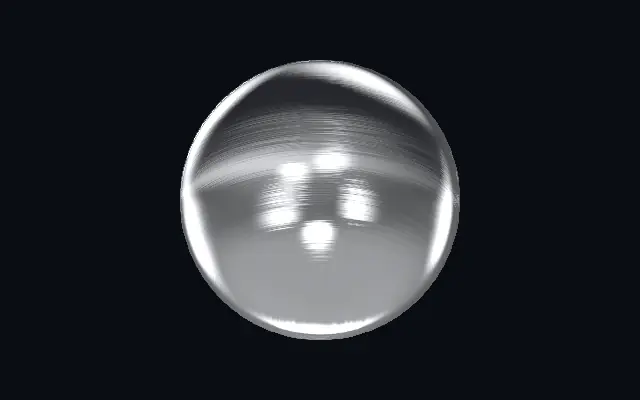
A quilted carbon-fiber weave with interlaced bands and directional sheen.
Also known as: CarbonFiberCarbon fiberCarbon-fibre weave
Moves in browsers that support WebGPU
This device could not render the demo — showing a still
Code reflects the control values
React
// Renders only in browsers with WebGPU.
import { Shader, CarbonFiber } from 'shaders/react'

export default function ShaderEffect() {
  return (
    <Shader style={{ width: '100%', height: 320 }} disableTelemetry>
      <CarbonFiber />
    </Shader>
  )
}
Vue
<!-- Renders only in browsers with WebGPU. -->
<script setup lang="ts">
import { Shader, CarbonFiber } from 'shaders/vue'
</script>

<template>
  <Shader style="width: 100%; height: 320px" :disable-telemetry="true">
    <CarbonFiber/>
  </Shader>
</template>
Svelte
<!-- Renders only in browsers with WebGPU. -->
<script>
  import { Shader, CarbonFiber } from 'shaders/svelte'
</script>

<Shader style="width: 100%; height: 320px" disableTelemetry>
  <CarbonFiber />
</Shader>
Solid
// Renders only in browsers with WebGPU.
import { Shader, CarbonFiber } from 'shaders/solid'

export default function ShaderEffect() {
  return (
    <Shader style={{ width: '100%', height: '320px' }} disableTelemetry>
      <CarbonFiber />
    </Shader>
  )
}
JavaScript
// Renders only in browsers with WebGPU.
// expects <canvas id="canvas" style="width:100%;height:320px"></canvas> on the page
import { createShader } from 'shaders/js'

const shader = await createShader(document.getElementById("canvas"), {
  components: [
    {
      type: 'CarbonFiber',
    }
  ]
}, { disableTelemetry: true })
Props · CarbonFiber
Changes apply to the demo above and to the code tabs. Descriptions come from the library registry (MIT).
Name
Value
Default
Range / options
Description
originOrigin
Set in code
center
—
Reference edge the center position is measured from (center default). Lets you pin the shape relative to a corner or the canvas centre.
centerCenter
xy
{"x":0.5,"y":0.5}
x, y: 0 – 1
Center position of the carbon shape
scaleScale
1
0.1 – 3 (step 0.01)
Scale of the carbon shape (1 = default size)
rotationRotation
0
0 – 360 (step 1)
Rotation of the carbon shape in degrees
lightColorFiber Sheen
#b9bdc6
—
The bright tone of the fibre sheen — recolor for forged/colored carbon (red, blue, bronze)
darkColorResin Color
#0b0c0e
—
The deep resin tone the weave falls to in shadow — near-black for classic carbon
weaveStyleWeave
twill
twill · plain
Weave pattern — plain (checkerboard) or 2×2 twill (the diagonal supercar weave)
weaveScaleWeave Scale
30
2 – 50 (step 0.5)
Number of woven tows across the shape — higher = finer, denser weave
weaveAngleWeave Angle
0
0 – 360 (step 1)
Rotates the whole weave grid in degrees
reliefWeave Depth
0.5
0 – 1 (step 0.01)
Depth of the quilted weave — how far each tow bulges, catching light on its crown and shadowing the valleys between
fiberSheenFiber Sheen
1.2
0 – 1.5 (step 0.01)
Strength of the anisotropic fibre sheen — the directional satin glint running along each tow
roughnessRoughness
0.5
0 – 1 (step 0.01)
Softness of the fibre sheen — 0 = tight crisp glints, 1 = soft matte satin
clearcoatClearcoat
1.2
0 – 2 (step 0.01)
Strength of the glossy lacquer coat — the sharp studio reflections of the wet clearcoat over the weave
environmentEnvironment
2
0 – 2 (step 0.01)
Strength of the reflected studio lighting seen in the clearcoat
envRotationEnv Rotation
0
0 – 360 (step 1)
Rotates the reflected studio — spins where the bright reflections fall
lightAngleLight Angle
215
0 – 360 (step 1)
Direction of the key light for the fibre sheen, in degrees
bevelWidthBevel Width
0.05
0.005 – 0.2 (step 0.001)
Width of the edge bevel, relative to the shape — thin for machined jewellery edges, wide for soft pillowed metal
bevelShapeBevel Profile
0
0 – 1 (step 0.01)
Bevel profile — 0 = one smooth round fillet, 1 = machined: a steep outer fillet, a chamfer plateau and an inner knee, each catching its own line of light
edgeSoftnessEdge Softness
0.05
0 – 1 (step 0.01)
Softness of the shape boundary edge
shapeShape
Set in code
{"type":"sphere3D","radius":0.35}
—
Serialized shape configuration (JSON)
shapeSdfUrlshapeSdfUrl
Set in code
—
URL to a pre-generated SDF .bin file
shapeTypeshapeType
Set in code
—
Active SDF shape type
Every component also takes blendMode · opacity · visible · maskSource/maskType · boundingBox · id
It resembles a close-up of a carbon-fiber sheet: woven bands interlace, and light glints across the crown of each tow.
`weaveStyle` switches between checkerboard plain weave and diagonal twill. Raise `weaveScale` for a finer weave; `weaveAngle` turns the grid. `relief` changes how much the bands bulge, while `fiberSheen` controls the directional glint along them.
Use it as a surface for a logo or panel; a plain backing helps the weave stand out. The grid and sheen can cover small lettering or thin lines.
When to use
Use it for car or device panels, sports equipment, and technical logo backdrops. Avoid it where small lettering or thin contours need to remain visible.