Plastic

광택 플라스틱

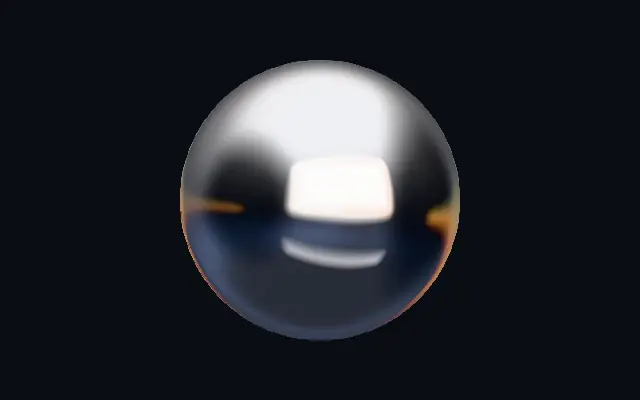
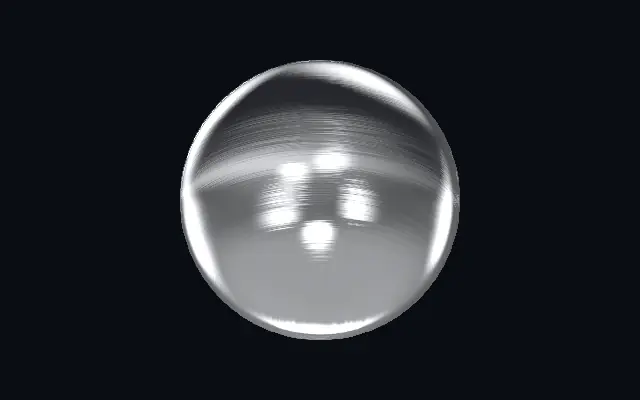
Glossy molded plastic with rounded edges and studio reflections.

Also known as: PlasticGlossy plasticMolded plastic

Moves in browsers that support WebGPU

This device could not render the demo — showing a still

React
// Renders only in browsers with WebGPU.
import { Shader, Plastic } from 'shaders/react'

export default function ShaderEffect() {
  return (
    <Shader style={{ width: '100%', height: 320 }} disableTelemetry>
      <Plastic />
    </Shader>
  )
}
Vue
<!-- Renders only in browsers with WebGPU. -->
<script setup lang="ts">
import { Shader, Plastic } from 'shaders/vue'
</script>

<template>
  <Shader style="width: 100%; height: 320px" :disable-telemetry="true">
    <Plastic/>
  </Shader>
</template>
Svelte
<!-- Renders only in browsers with WebGPU. -->
<script>
  import { Shader, Plastic } from 'shaders/svelte'
</script>

<Shader style="width: 100%; height: 320px" disableTelemetry>
  <Plastic />
</Shader>
Solid
// Renders only in browsers with WebGPU.
import { Shader, Plastic } from 'shaders/solid'

export default function ShaderEffect() {
  return (
    <Shader style={{ width: '100%', height: '320px' }} disableTelemetry>
      <Plastic />
    </Shader>
  )
}
JavaScript
// Renders only in browsers with WebGPU.
// expects <canvas id="canvas" style="width:100%;height:320px"></canvas> on the page
import { createShader } from 'shaders/js'

const shader = await createShader(document.getElementById("canvas"), {
  components: [
    {
      type: 'Plastic',
    }
  ]
}, { disableTelemetry: true })

Props · Plastic

Changes apply to the demo above and to the code tabs. Descriptions come from the library registry (MIT).

NameValueDefaultRange / optionsDescription
originOriginSet in codecenter—Reference edge the center position is measured from (center default). Lets you pin the shape relative to a corner or the canvas centre.
centerCenter
x0.5y0.5
{"x":0.5,"y":0.5}x, y: 0 – 1Center position of the plastic shape
scaleScale10.1 – 3 (step 0.01)Scale of the plastic shape (1 = default size)
rotationRotation00 – 360 (step 1)Rotation of the plastic shape in degrees
colorAColor A#f5f5f7—Body color at the start of the gradient
colorBColor B#d9dade—Body color at the end of the gradient
stopsColorsSet in codenull—Multi-stop gradient colors (overrides Color A / Color B when set)
gradientAngleGradient Angle900 – 360 (step 1)Direction of the body color gradient in degrees
colorSpaceColor Spacelinearlinear · oklch · oklab · hsl · hsv · lchColor space for gradient color interpolation
thicknessPuffiness0.50.05 – 1 (step 0.01)Puffiness — how far the rounded bevel reaches inward from the edge before the surface flattens
roughnessRoughness0.120 – 1 (step 0.01)Surface roughness — 0 = polished gloss with crisp mirror reflections, 1 = matte satin
reflectivityReflectivity10 – 2 (step 0.01)Strength of the environment reflections and specular highlights
crumpleCrumple0.250 – 1 (step 0.01)Surface crumple — irregular dents that break reflections into hard organic shapes, like blown or vacuum-formed plastic
crumpleScaleCrumple Scale10.5 – 10 (step 0.1)Size of the crumple dents — higher = smaller, denser dents
crumpleCoverageCrumple Coverage10 – 1 (step 0.01)How much of the surface is crumpled — 0 = pristine, 0.5 = patches of crumple, 1 = fully crumpled
seedSeed00 – 100 (step 1)Random seed — re-rolls the crumple pattern for reflection variety
edgeSoftnessEdge Softness0.050 – 1 (step 0.01)Softness of the shape boundary edge
lightAngleLight Angle3150 – 360 (step 1)Direction the studio key light comes from, in degrees
speedSpeed10 – 4 (step 0.01)Speed of the environment drift — the studio reflections slowly orbit the surface. 0 pauses.
shadingShading0.350 – 1 (step 0.01)Diffuse shading contrast — how strongly the body darkens away from the light
rimRim Light0.250 – 1 (step 0.01)Fresnel rim light intensity on grazing surfaces
rimColorRim Color#ffffff—Color of the fresnel rim light
shapeShapeSet in code{"type":"sphere3D","radius":0.35}—Serialized shape configuration (JSON)
shapeSdfUrlshapeSdfUrlSet in code—URL to a pre-generated SDF .bin file
shapeTypeshapeTypeSet in code—Active SDF shape type

Every component also takes blendMode · opacity · visible · maskSource/maskType · boundingBox · id

It looks like a glossy toy or molded part: reflections catch on rounded edges, and the surface color blends smoothly.

`colorA` and `colorB` set the ends of the surface gradient. Raise `thickness` to extend the rounded edge inward; `roughness` shifts the finish from crisp gloss toward soft satin. More `reflectivity` strengthens environment reflections.

The effect generates its own surface, and simple colors help its outline read. Excessive reflection can make a small badge or icon hard to distinguish.

When to use

Use it for toy-like icons, product buttons, or bright dimensional badges. Avoid it when the design calls for a restrained matte finish or a non-reflective product surface.


Open as page ↗