Brushed Metal

브러시드 메탈

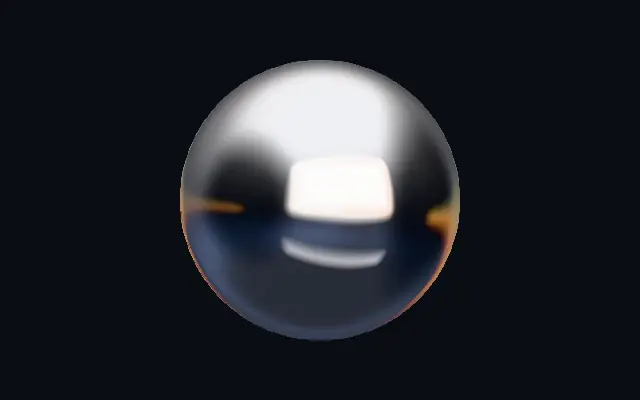
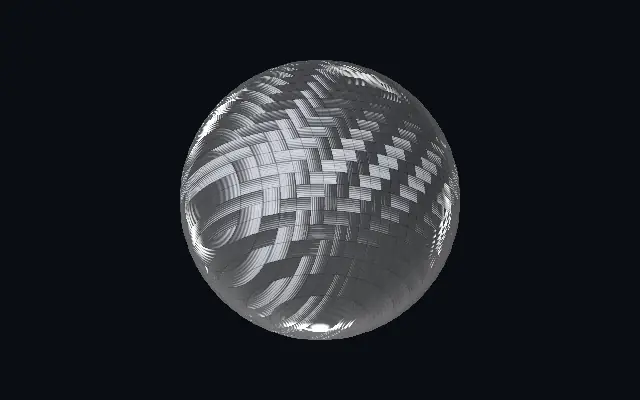
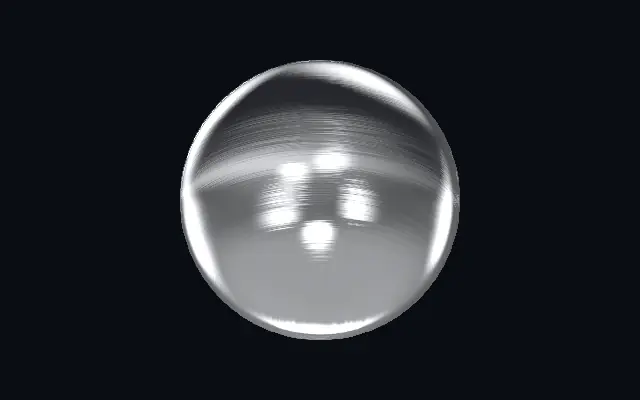
Satin metal with directional grain and long, brushed studio reflections.

Also known as: BrushedMetalBrushed metalSatin metal

Moves in browsers that support WebGPU

This device could not render the demo — showing a still

React
// Renders only in browsers with WebGPU.
import { Shader, BrushedMetal } from 'shaders/react'

export default function ShaderEffect() {
  return (
    <Shader style={{ width: '100%', height: 320 }} disableTelemetry>
      <BrushedMetal />
    </Shader>
  )
}
Vue
<!-- Renders only in browsers with WebGPU. -->
<script setup lang="ts">
import { Shader, BrushedMetal } from 'shaders/vue'
</script>

<template>
  <Shader style="width: 100%; height: 320px" :disable-telemetry="true">
    <BrushedMetal/>
  </Shader>
</template>
Svelte
<!-- Renders only in browsers with WebGPU. -->
<script>
  import { Shader, BrushedMetal } from 'shaders/svelte'
</script>

<Shader style="width: 100%; height: 320px" disableTelemetry>
  <BrushedMetal />
</Shader>
Solid
// Renders only in browsers with WebGPU.
import { Shader, BrushedMetal } from 'shaders/solid'

export default function ShaderEffect() {
  return (
    <Shader style={{ width: '100%', height: '320px' }} disableTelemetry>
      <BrushedMetal />
    </Shader>
  )
}
JavaScript
// Renders only in browsers with WebGPU.
// expects <canvas id="canvas" style="width:100%;height:320px"></canvas> on the page
import { createShader } from 'shaders/js'

const shader = await createShader(document.getElementById("canvas"), {
  components: [
    {
      type: 'BrushedMetal',
    }
  ]
}, { disableTelemetry: true })

Props · BrushedMetal

Changes apply to the demo above and to the code tabs. Descriptions come from the library registry (MIT).

NameValueDefaultRange / optionsDescription
originOriginSet in codecenter—Reference edge the center position is measured from (center default). Lets you pin the shape relative to a corner or the canvas centre.
centerCenter
x0.5y0.5
{"x":0.5,"y":0.5}x, y: 0 – 1Center position of the metal shape
scaleScale10.1 – 3 (step 0.01)Scale of the metal shape (1 = default size)
rotationRotation00 – 360 (step 1)Rotation of the metal shape in degrees
lightColorLight Color#e9ebef—The bright tone of the polished grain — recolor for gold (#ffe8b0), copper (#ffc8a0) or steel
darkColorDark Color#26282d—The dark tone the brushed grain falls to in shadow. Tint it warm for gold/bronze, cool for steel.
brushAngleBrush Angle00 – 360 (step 1)Direction the surface is brushed, in degrees — the grain and every reflection streak run along this axis
anisotropyAnisotropy0.40 – 1 (step 0.01)How directional the brushing is — 1 = long smeared streaks along the grain, 0 = isotropic satin with no direction
grainGrain0.40 – 1 (step 0.01)Depth of the individual brush scratches — the fine satin texture combed into the metal
grainScaleGrain Scale20.25 – 4 (step 0.01)Density of the brush lines — higher = finer, tighter scratches
roughnessRoughness0.50 – 1 (step 0.01)Overall satin softness — 0 = near-polished with crisp reflections, 1 = soft matte brushed finish
environmentEnvironment1.40 – 2 (step 0.01)Strength of the reflected studio lighting — the softboxes seen smeared across the metal
envRotationEnv Rotation00 – 360 (step 1)Rotates the reflected studio — spins where the bright reflections fall
lightAngleLight Angle2150 – 360 (step 1)Direction of the key light for the anisotropic specular streak, in degrees
speedSpeed0.40 – 4 (step 0.01)Speed of the slowly drifting reflection — the studio gently orbits the surface. 0 pauses.
bevelWidthBevel Width0.050.005 – 0.2 (step 0.001)Width of the edge bevel, relative to the shape — thin for machined jewellery edges, wide for soft pillowed metal
bevelShapeBevel Profile00 – 1 (step 0.01)Bevel profile — 0 = one smooth round fillet, 1 = machined: a steep outer fillet, a chamfer plateau and an inner knee, each catching its own line of light
edgeSoftnessEdge Softness0.050 – 1 (step 0.01)Softness of the shape boundary edge
shapeShapeSet in code{"type":"sphere3D","radius":0.35}—Serialized shape configuration (JSON)
shapeSdfUrlshapeSdfUrlSet in code—URL to a pre-generated SDF .bin file
shapeTypeshapeTypeSet in code—Active SDF shape type

Every component also takes blendMode · opacity · visible · maskSource/maskType · boundingBox · id

Like a hairline-finished metal sheet seen at an angle, fine grain runs in one direction and stretches reflected light into long streaks.

`brushAngle` turns the grain direction. Raise `anisotropy` to lengthen reflection streaks along the grain; `grain` changes the depth of the fine scratches. `roughness` moves the finish from crisp polish toward soft matte.

The material creates its own surface. A plain backdrop lets the grain read clearly; fine grain can compete with small lettering.

When to use

Use it for device frames, product or car panels, and restrained metallic typography. Avoid it where small text must stay clear or visible grain would distract.

Open as page ↗