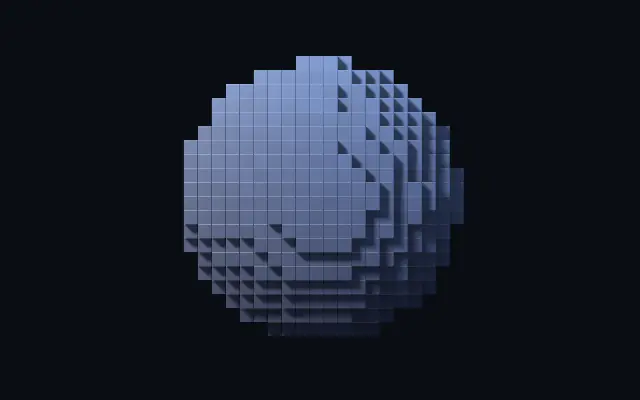
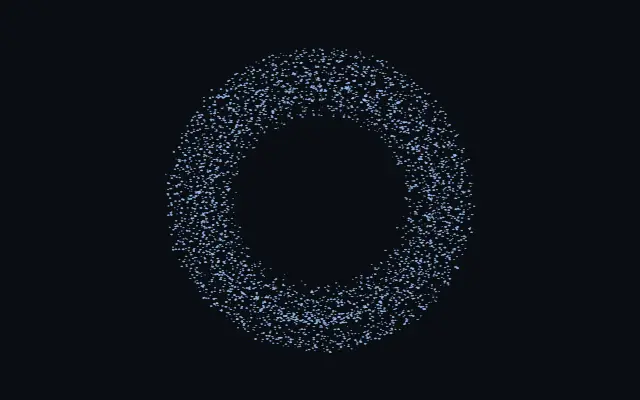
Rebuilds a shape as chunky voxel art or a lit voxel model.
Also known as: VoxelsVoxelizationVoxel art
Moves in browsers that support WebGPU
This device could not render the demo — showing a still
Code reflects the control values
React
// Renders only in browsers with WebGPU.
import { Shader, Voxels } from 'shaders/react'

export default function ShaderEffect() {
  return (
    <Shader style={{ width: '100%', height: 320 }} disableTelemetry>
      <Voxels />
    </Shader>
  )
}
Vue
<!-- Renders only in browsers with WebGPU. -->
<script setup lang="ts">
import { Shader, Voxels } from 'shaders/vue'
</script>

<template>
  <Shader style="width: 100%; height: 320px" :disable-telemetry="true">
    <Voxels/>
  </Shader>
</template>
Svelte
<!-- Renders only in browsers with WebGPU. -->
<script>
  import { Shader, Voxels } from 'shaders/svelte'
</script>

<Shader style="width: 100%; height: 320px" disableTelemetry>
  <Voxels />
</Shader>
Solid
// Renders only in browsers with WebGPU.
import { Shader, Voxels } from 'shaders/solid'

export default function ShaderEffect() {
  return (
    <Shader style={{ width: '100%', height: '320px' }} disableTelemetry>
      <Voxels />
    </Shader>
  )
}
JavaScript
// Renders only in browsers with WebGPU.
// expects <canvas id="canvas" style="width:100%;height:320px"></canvas> on the page
import { createShader } from 'shaders/js'

const shader = await createShader(document.getElementById("canvas"), {
  components: [
    {
      type: 'Voxels',
    }
  ]
}, { disableTelemetry: true })
Props · Voxels
Changes apply to the demo above and to the code tabs. Descriptions come from the library registry (MIT).
Name
Value
Default
Range / options
Description
originOrigin
Set in code
center
—
Reference edge the center position is measured from (center default). Lets you pin the shape relative to a corner or the canvas centre.
centerCenter
xy
{"x":0.5,"y":0.5}
x, y: 0 – 1
Center position of the voxel model
scaleScale
1
0.1 – 3 (step 0.01)
Scale of the voxel model (1 = default size)
rotationRotation
0
0 – 360 (step 1)
Rotation of the voxel model in degrees
voxelSizeVoxel Size
0.035
0.006 – 0.15 (step 0.001)
Edge length of one voxel relative to the shape field — small for fine detail, large for chunky blocks
voxelShapeVoxel Shape
cube
cube · rounded · sphere
What each cell is built from: hard cubes, rounded cubes (see Bevel) or spheres
voxelScaleVoxel Fill
1
0.3 – 1 (step 0.01)
Size of each voxel inside its cell — 1 = touching neighbours, lower opens gaps between the blocks
fillSurface Bias
0
-0.5 – 0.5 (step 0.01)
How eagerly cells fill in along the surface — negative carves a thinner model, positive puffs it out
bevelBevel
0.08
0 – 1 (step 0.01)
Edge rounding of each voxel as a fraction of its size — a hairline chamfer catching light on cubes, the corner radius of rounded cubes
depthDepth
0.12
0.01 – 0.6 (step 0.005)
Thickness given to flat shapes (2D shapes and flat SVGs) so they become a slab of voxels — 3D shapes ignore it
gridSpaceGrid
shape
shape · view
Model: the grid rotates with the shape like a built voxel model. Screen: the grid is fixed to the canvas and the shape moves through it like a 3D pixelation
colorAColor A
#6ea8ff
—
Base color of the voxels (the first color of the palette mode)
colorBColor B
#1d2b4f
—
Second palette color — blended in by height, depth, per voxel or on the side faces
colorModePalette
height
solid · height · depth · random · faces
How the two colors are laid over the model: one solid color, a gradient by height or depth, a random pick per voxel, or Color A on top faces and Color B on the sides
colorVariationVariation
0.25
0 – 1 (step 0.01)
Per-voxel tonal jitter — the slightly-off shades that make blocks read as individual bricks
colorSpaceColor Space
oklab
linear · oklch · oklab · hsl · hsv · lch
Color space for color interpolation
lightAngleLight Angle
225
0 – 360 (step 1)
Direction the key light comes from, in degrees around the canvas — shadows fall away from it
lightElevationLight Elevation
42
5 – 85 (step 1)
How high the key light sits above the canvas — low for long raking shadows, high for a flat top-down light
lightColorLight Color
#fff2df
—
color of the key light
lightIntensityLight Intensity
1.1
0 – 3 (step 0.01)
Strength of the key light
ambientColorAmbient Color
#9fb4d8
—
Sky color of the ambient light — the fill on faces the key light misses
ambientAmbient
0.55
0 – 2 (step 0.01)
Strength of the ambient sky/ground fill
shadowsShadows
0.85
0 – 1 (step 0.01)
Darkness of the shadows voxels cast onto each other
shadowSoftnessShadow Softness
0.35
0 – 1 (step 0.01)
Penumbra of the cast shadows — 0 is razor sharp, higher spreads the light into a soft area source whose shadows sharpen at contact
aoOcclusion
1
0 – 2 (step 0.01)
Ambient occlusion in the creases between voxels — the soft contact darkening that sells the geometry
glossinessGlossiness
0.35
0 – 1 (step 0.01)
How tight the specular highlight is — satin plastic at 0, lacquered at 1
specularSpecular
0.6
0 – 2 (step 0.01)
Strength of the specular highlight and the fresnel rim on grazing faces
seamsSeams
0.2
0 – 1 (step 0.01)
Dark seam lines along every voxel edge — 0 for seamless blocks, higher for a drawn-outline brick look
shapeShape
Set in code
{"type":"sphere3D","radius":0.35}
—
Serialized shape configuration (JSON)
shapeSdfUrlshapeSdfUrl
Set in code
—
URL to a pre-generated SDF .bin file
shapeTypeshapeType
Set in code
—
Active SDF shape type
Every component also takes blendMode · opacity · visible · maskSource/maskType · boundingBox · id
It looks like a shape rebuilt from small blocks: a flat image becomes angular pixel art, while a 3D form gains lit voxel faces and shadows.
Raise `voxelSize` for chunkier blocks. `voxelShape` selects cubes, rounded cubes, or spheres. Lower `voxelScale` to open gaps between blocks; `fill` carves a thinner surface or puffs it outward. For flat shapes, `depth` adds thickness.
The effect rebuilds its own shape as blocks, making it useful for icons and large silhouettes. Larger blocks can erase thin strokes and small holes, so avoid it for small text or fine detail.
When to use
Use it for voxel-style icons, game-like logos, or large illustrated silhouettes. Avoid it when thin strokes or small cutouts must stay exact.