Thin Film

박막 간섭

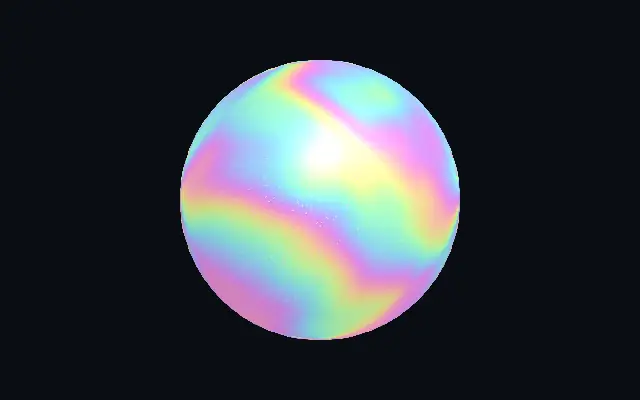
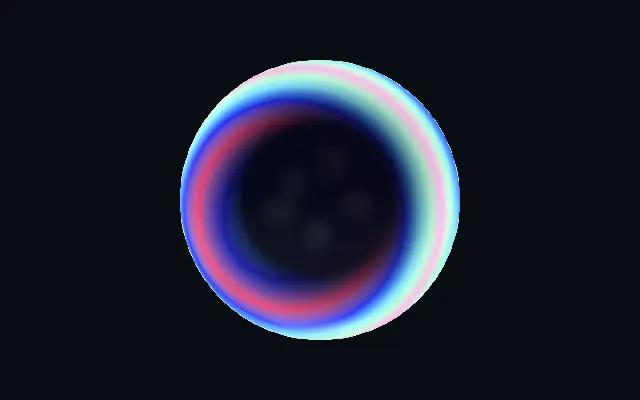
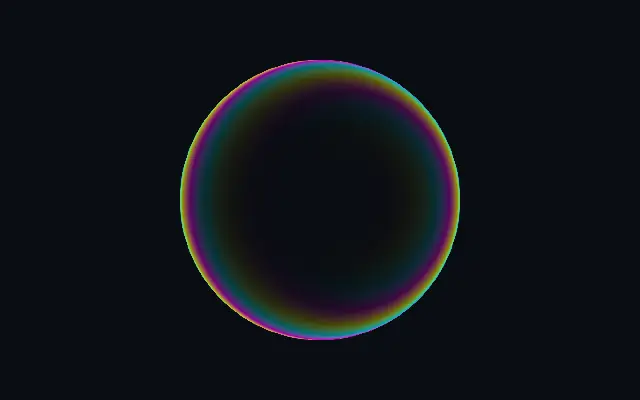
An iridescent thin-film color band that follows the edge of a shape.

Also known as: ThinFilmThin-film interferenceIridescent film

Moves in browsers that support WebGPU

This device could not render the demo — showing a still

React
// Renders only in browsers with WebGPU.
import { Shader, ThinFilm } from 'shaders/react'

export default function ShaderEffect() {
  return (
    <Shader style={{ width: '100%', height: 320 }} disableTelemetry>
      <ThinFilm />
    </Shader>
  )
}
Vue
<!-- Renders only in browsers with WebGPU. -->
<script setup lang="ts">
import { Shader, ThinFilm } from 'shaders/vue'
</script>

<template>
  <Shader style="width: 100%; height: 320px" :disable-telemetry="true">
    <ThinFilm/>
  </Shader>
</template>
Svelte
<!-- Renders only in browsers with WebGPU. -->
<script>
  import { Shader, ThinFilm } from 'shaders/svelte'
</script>

<Shader style="width: 100%; height: 320px" disableTelemetry>
  <ThinFilm />
</Shader>
Solid
// Renders only in browsers with WebGPU.
import { Shader, ThinFilm } from 'shaders/solid'

export default function ShaderEffect() {
  return (
    <Shader style={{ width: '100%', height: '320px' }} disableTelemetry>
      <ThinFilm />
    </Shader>
  )
}
JavaScript
// Renders only in browsers with WebGPU.
// expects <canvas id="canvas" style="width:100%;height:320px"></canvas> on the page
import { createShader } from 'shaders/js'

const shader = await createShader(document.getElementById("canvas"), {
  components: [
    {
      type: 'ThinFilm',
    }
  ]
}, { disableTelemetry: true })

Props · ThinFilm

Changes apply to the demo above and to the code tabs. Descriptions come from the library registry (MIT).

NameValueDefaultRange / optionsDescription
originOriginSet in codecenter—Reference edge the center position is measured from (center default). Lets you pin the shape relative to a corner or the canvas centre.
centerCenter
x0.5y0.5
{"x":0.5,"y":0.5}x, y: 0 – 1Center position of the shape
scaleScale10.1 – 3 (step 0.01)Scale of the shape (1 = default size)
rotationRotation00 – 360 (step 1)Rotation of the shape in degrees
intensityIntensity10 – 4 (step 0.01)Rim brightness — values above 1 push the edge past white for HDR bloom
rimWidthRim Width10 – 3 (step 0.01)How far inward from the edge the iridescence reaches
edgeSoftnessEdge Softness0.30 – 1 (step 0.01)Softness of the shape boundary
thicknessThickness0.50 – 1 (step 0.01)Film thickness — higher values pack more spectral bands across the rim
dispersionDispersion0.50 – 1 (step 0.01)How strongly color separates around the perimeter (warm vs cool sides)
saturationSaturation10 – 1 (step 0.01)Spectral saturation — 0 = white rim, 1 = full iridescence
hueShiftHue Shift00 – 1 (step 0.01)Rotate the spectrum to reposition the colors
lightAngleLight Angle3000 – 360 (step 1)Light angle in degrees — sets which side of the rim runs warm vs cool
modeModerainbowrainbow · customRainbow uses the full iridescent spectrum; Custom cycles through your three chosen colors
colorAColor 1#2b6fff—First color in the rim cycle
colorBColor 2#ffffff—Second color in the rim cycle
colorCColor 3#ff7a21—Third color in the rim cycle
colorSpaceColor Spaceoklchlinear · oklch · oklab · hsl · hsv · lchcolor space used to blend between custom colors
speedSpeed0.1-1 – 1 (step 0.01)Speed at which the colors rotate around the rim (0 = static)
shapeShapeSet in code{"type":"sphere3D","radius":0.35}—Serialized shape configuration (JSON)
shapeSdfUrlshapeSdfUrlSet in code—URL to a pre-generated SDF .bin file — when non-empty, activates SVG mode and triggers a shader recompile
shapeTypeshapeTypeSet in code—Active SDF shape type — triggers recompile when shape is switched. When empty, derived from shape JSON at mount time.

Every component also takes blendMode · opacity · visible · maskSource/maskType · boundingBox · id

Like the thin edge of a soap bubble or oil film, overlapping bands of color trace the shape's rim.

Raise `intensity` to brighten the rim and widen `rimWidth` to spread color inward. `thickness` changes how many spectral bands appear along the edge; `dispersion` changes how colors vary around it. Adjust `hueShift` to rotate the spectrum.

This effect creates a narrow color accent on its own shape and reads well against a plain backdrop. Layering it with other rainbow materials can make the edge harder to distinguish.

When to use

Use it for iridescent logo edges, a foil-like badge accent, or a brief material transition. Avoid it where color should remain restrained or small text needs clarity.

Open as page ↗