Swirl

소용돌이 패턴

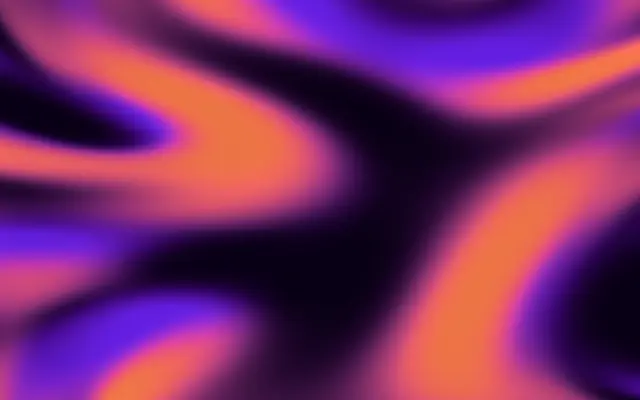
Layered colors flow and move in a swirling pattern.

Also known as: Swirl스월

Moves in browsers that support WebGPU

This device could not render the demo — showing a still

React
// Renders only in browsers with WebGPU.
import { Shader, Swirl } from 'shaders/react'

export default function ShaderEffect() {
  return (
    <Shader style={{ width: '100%', height: 320 }} disableTelemetry>
      <Swirl />
    </Shader>
  )
}
Vue
<!-- Renders only in browsers with WebGPU. -->
<script setup lang="ts">
import { Shader, Swirl } from 'shaders/vue'
</script>

<template>
  <Shader style="width: 100%; height: 320px" :disable-telemetry="true">
    <Swirl/>
  </Shader>
</template>
Svelte
<!-- Renders only in browsers with WebGPU. -->
<script>
  import { Shader, Swirl } from 'shaders/svelte'
</script>

<Shader style="width: 100%; height: 320px" disableTelemetry>
  <Swirl />
</Shader>
Solid
// Renders only in browsers with WebGPU.
import { Shader, Swirl } from 'shaders/solid'

export default function ShaderEffect() {
  return (
    <Shader style={{ width: '100%', height: '320px' }} disableTelemetry>
      <Swirl />
    </Shader>
  )
}
JavaScript
// Renders only in browsers with WebGPU.
// expects <canvas id="canvas" style="width:100%;height:320px"></canvas> on the page
import { createShader } from 'shaders/js'

const shader = await createShader(document.getElementById("canvas"), {
  components: [
    {
      type: 'Swirl',
    }
  ]
}, { disableTelemetry: true })

Props · Swirl

Changes apply to the demo above and to the code tabs. Descriptions come from the library registry (MIT).

NameValueDefaultRange / optionsDescription
colorAColor A#1275d8—Primary gradient color
colorBColor B#e19136—Secondary gradient color
stopsColorsSet in codenull—Multi-stop gradient colors (overrides Color A / Color B when set)
speedSpeed10 – 5 (step 0.1)Flow animation speed
detailDetail10 – 5 (step 0.1)Level of detail and intricacy in the swirl patterns
blendBlend500 – 100 (step 1)Skew color balance toward A (lower values) or B (higher values)
colorSpaceColor Spacelinearlinear · oklch · oklab · hsl · hsv · lchColor space for color interpolation

Every component also takes blendMode · opacity · visible · maskSource/maskType · boundingBox · id

Like pigment swirling through water, colors flow into one another. Broad areas of color fill the canvas rather than a spiral drawn as a single line.

Raise `speed` for faster flow and `detail` for a more intricate pattern. `blend` shifts the color balance toward the first or second color. Set `stops` to use multiple colors instead of the default pair.

`stops` defaults to null, so the pattern uses its default color pair. It fills the canvas without an input layer, but high speed and detail can feel busy. Reduce movement and color contrast behind text to preserve readability.

When to use

Use it for an abstract hero background, a flowing-color idle screen, or organic movement across a still area. Avoid it when text or precise data needs to remain the focus.


Open as page ↗