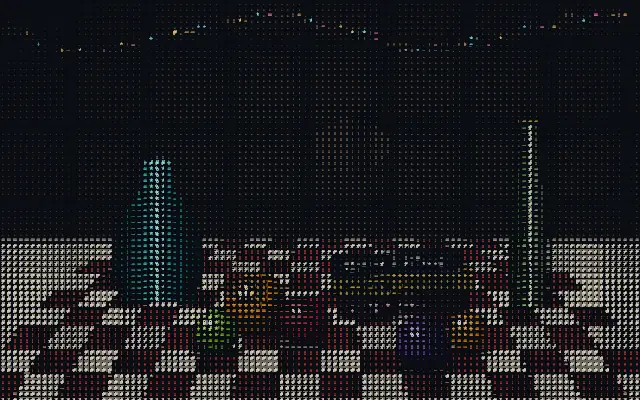
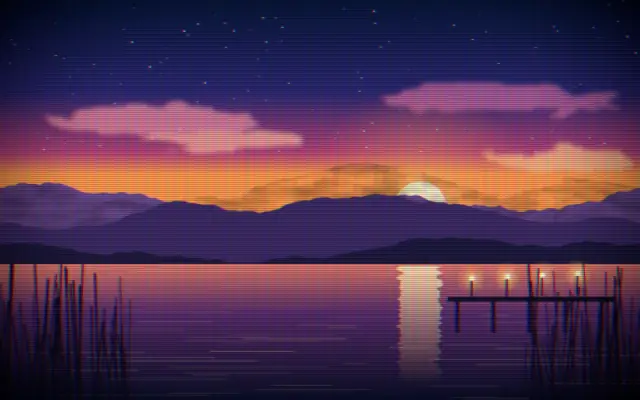
Maps light and dark areas to character density, turning an image into ASCII art.
Also known as: AsciiASCII arttext art
Moves in browsers that support WebGPU
This device could not render the demo — showing a still
Code reflects the control values
React
// Renders only in browsers with WebGPU.
// /samples/… are this site’s sample files — point them at your own image or video.
import { Shader, Ascii, ImageTexture } from 'shaders/react'

export default function ShaderEffect() {
  return (
    <Shader style={{ width: '100%', height: 320 }} disableTelemetry>
      <ImageTexture
        objectFit="cover"
        url="/samples/still.jpg" />
      <Ascii
        cellSize={16}
        fontFamily="monospace" />
    </Shader>
  )
}
Vue
<!-- Renders only in browsers with WebGPU. -->
<!-- /samples/… are this site’s sample files — point them at your own image or video. -->
<script setup lang="ts">
import { Shader, Ascii, ImageTexture } from 'shaders/vue'
</script>

<template>
  <Shader style="width: 100%; height: 320px" :disable-telemetry="true">
    <ImageTexture
      object-fit="cover"
      url="/samples/still.jpg"/>
    <Ascii
      :cell-size="16"
      font-family="monospace"/>
  </Shader>
</template>
Svelte
<!-- Renders only in browsers with WebGPU. -->
<!-- /samples/… are this site’s sample files — point them at your own image or video. -->
<script>
  import { Shader, Ascii, ImageTexture } from 'shaders/svelte'
</script>

<Shader style="width: 100%; height: 320px" disableTelemetry>
  <ImageTexture
    objectFit="cover"
    url="/samples/still.jpg" />
  <Ascii
    cellSize={16}
    fontFamily="monospace" />
</Shader>
Solid
// Renders only in browsers with WebGPU.
// /samples/… are this site’s sample files — point them at your own image or video.
import { Shader, Ascii, ImageTexture } from 'shaders/solid'

export default function ShaderEffect() {
  return (
    <Shader style={{ width: '100%', height: '320px' }} disableTelemetry>
      <ImageTexture
        objectFit="cover"
        url="/samples/still.jpg" />
      <Ascii
        cellSize={16}
        fontFamily="monospace" />
    </Shader>
  )
}
JavaScript
// Renders only in browsers with WebGPU.
// /samples/… are this site’s sample files — point them at your own image or video.
// expects <canvas id="canvas" style="width:100%;height:320px"></canvas> on the page
import { createShader } from 'shaders/js'

const shader = await createShader(document.getElementById("canvas"), {
  components: [
    {
      type: 'ImageTexture',
      props: {
        objectFit: 'cover',
        url: '/samples/still.jpg',
      },
    },
    {
      type: 'Ascii',
      props: {
        cellSize: 16,
        fontFamily: 'monospace',
      },
    }
  ]
}, { disableTelemetry: true })
Props · Ascii
Changes apply to the demo above and to the code tabs. Descriptions come from the library registry (MIT).
Name
Value
Default
Range / options
Description
charactersCharacters
@%#*+=-:.
—
Characters ordered from dense to sparse. First character is used for bright areas, last for dark areas.
cellSizeCell Size
30
8 – 100 (step 1)
Size of each ASCII character cell (normalized to 1080p reference, scales proportionally at other resolutions)
fontFamilyFont Family
Set in code
JetBrains Mono
Azeret Mono · Courier Prime · Cutive Mono · Fira Code · Geist Mono · IBM Plex Mono · JetBrains Mono · Major Mono Display · Martian Mono · Nova Mono · Press Start 2P · Roboto Mono · Share Tech Mono · Silkscreen · Source Code Pro · Space Mono · Syne Mono · VT323 · Xanh Mono
Font family for characters
spacingCharacter Size
1
0 – 1 (step 0.01)
Character size within each cell (1.0 = optimal size, 0.0 = smallest)
gammaGamma
1
0.25 – 3 (step 0.01)
Brightness curve adjustment. <1 brightens darks (more light characters), >1 darkens midtones (more dark characters). Use to better fit characters to image brightness range.
alphaThresholdAlpha Threshold
0
0 – 1 (step 0.01)
Pixels with alpha below this threshold become fully transparent.
preserveAlphaPreserve Alpha
true
—
When enabled, output alpha matches input alpha. When disabled, pixels above the alpha threshold become fully opaque.
Every component also takes blendMode · opacity · visible · maskSource/maskType · boundingBox · id
This turns a picture into a mosaic made of type. Like a tiny newspaper photo or a terminal portrait, its light and dark shapes emerge from an arrangement of characters.
`cellSize` defaults to 30 and ranges from 8 to 100; increase it for larger character cells. `spacing` defaults to 1 and ranges from 0 to 1 to size characters within each cell, while `gamma` defaults to 1 and ranges from 0.25 to 3 to shift the brightness distribution. The default `characters` palette is `@%#*+=-:.`, and the default `fontFamily` is `JetBrains Mono`.
Place it above an image or video input layer so the characters have content to represent. Pair it with `Dither` or `Pixelate` for a deliberately limited-screen look, but larger cells make facial features and small text hard to recognize.
When to use
Use it for poster portraits, title cards, and retro terminal graphics. Avoid it when photo detail or small UI text needs to stay crisp.