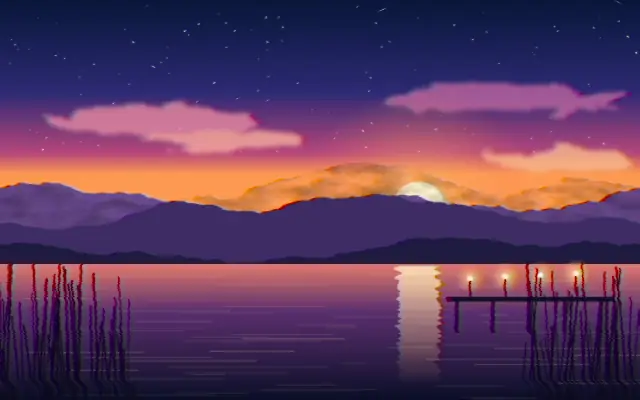
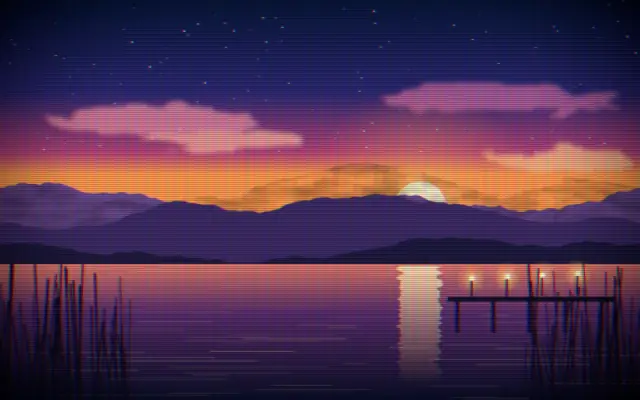
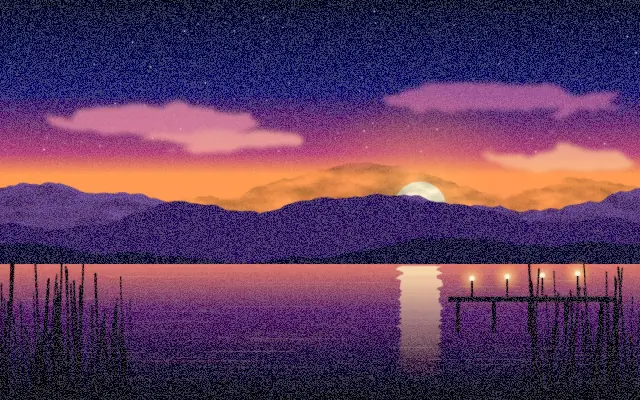
Adds horizontal noise, color bleed, and tape wobble for a worn VHS playback look.
Also known as: VHSVHS tapeanalog video
Moves in browsers that support WebGPU
This device could not render the demo — showing a still
Code reflects the control values
React
// Renders only in browsers with WebGPU.
// /samples/… are this site’s sample files — point them at your own image or video.
import { Shader, ImageTexture, VHS } from 'shaders/react'

export default function ShaderEffect() {
  return (
    <Shader style={{ width: '100%', height: 320 }} disableTelemetry>
      <ImageTexture
        objectFit="cover"
        url="/samples/photo.jpg" />
      <VHS />
    </Shader>
  )
}
Vue
<!-- Renders only in browsers with WebGPU. -->
<!-- /samples/… are this site’s sample files — point them at your own image or video. -->
<script setup lang="ts">
import { Shader, ImageTexture, VHS } from 'shaders/vue'
</script>

<template>
  <Shader style="width: 100%; height: 320px" :disable-telemetry="true">
    <ImageTexture
      object-fit="cover"
      url="/samples/photo.jpg"/>
    <VHS/>
  </Shader>
</template>
Svelte
<!-- Renders only in browsers with WebGPU. -->
<!-- /samples/… are this site’s sample files — point them at your own image or video. -->
<script>
  import { Shader, ImageTexture, VHS } from 'shaders/svelte'
</script>

<Shader style="width: 100%; height: 320px" disableTelemetry>
  <ImageTexture
    objectFit="cover"
    url="/samples/photo.jpg" />
  <VHS />
</Shader>
Solid
// Renders only in browsers with WebGPU.
// /samples/… are this site’s sample files — point them at your own image or video.
import { Shader, ImageTexture, VHS } from 'shaders/solid'

export default function ShaderEffect() {
  return (
    <Shader style={{ width: '100%', height: '320px' }} disableTelemetry>
      <ImageTexture
        objectFit="cover"
        url="/samples/photo.jpg" />
      <VHS />
    </Shader>
  )
}
JavaScript
// Renders only in browsers with WebGPU.
// /samples/… are this site’s sample files — point them at your own image or video.
// expects <canvas id="canvas" style="width:100%;height:320px"></canvas> on the page
import { createShader } from 'shaders/js'

const shader = await createShader(document.getElementById("canvas"), {
  components: [
    {
      type: 'ImageTexture',
      props: {
        objectFit: 'cover',
        url: '/samples/photo.jpg',
      },
    },
    {
      type: 'VHS',
    }
  ]
}, { disableTelemetry: true })
Props · VHS
Changes apply to the demo above and to the code tabs. Descriptions come from the library registry (MIT).
Name
Value
Default
Range / options
Description
wobbleWobble
1
0 – 5 (step 0.01)
Overall amount of tape damage — waves, creases, and head-switching noise. Bursts on and off organically over time.
scanlineNoiseScanline Noise
0.6
0 – 1 (step 0.01)
Per-scanline fine chroma/luma jitter. Adds the classic horizontal-streak detail.
smearSmear
0.2
-2 – 2 (step 0.01)
Horizontal chroma smear (color bleed) amount. Positive trails color to the right (classic VHS), negative trails it to the left.
speedSpeed
1
0.1 – 3 (step 0.1)
Animation speed of the tape effects.
Every component also takes blendMode · opacity · visible · maskSource/maskType · boundingBox · id
It gives the picture the feel of a video signal wobbling between tape and playback heads. Color bleed across the frame and occasional creases suggest an old home video.
`wobble` defaults to 1 and ranges from 0 to 5 to control tape damage. `scanlineNoise` defaults to 0.6 and ranges from 0 to 1, while `smear` defaults to 0.2 and ranges from -2 to 2. Positive `smear` trails color to the right; negative values trail it to the left. `speed` defaults to 1 and ranges from 0.1 to 3 to change the animation speed.
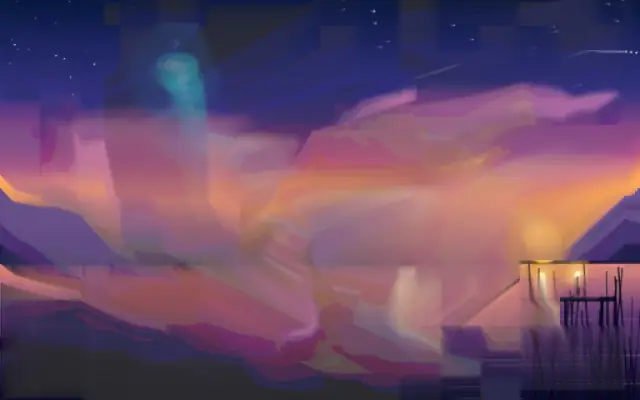
Put an image or video input underneath it. Combine it with `CRTScreen` or `FilmGrain` for an analog-media look, but strong wobble can make captions, logos, and product screens difficult to read.
When to use
Use it for music videos, retro event posters, and short-video backgrounds. Avoid it in shots where captions or product UI need to stay sharp.