Noise Dissolve

노이즈 디졸브

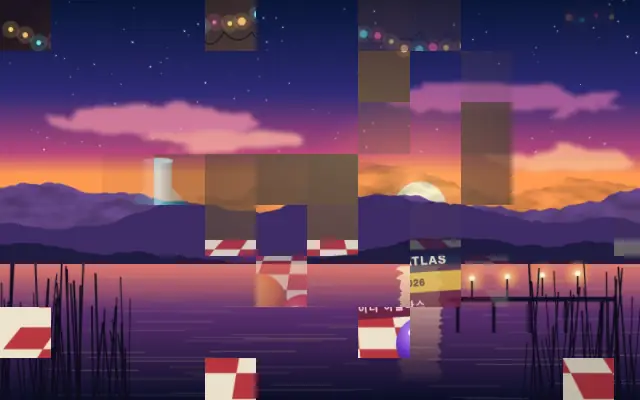
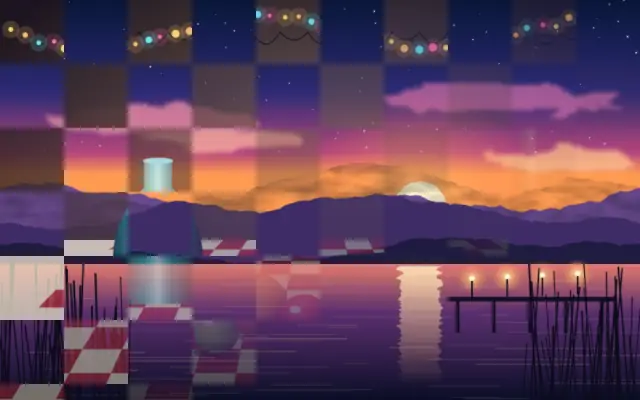
An organic noise pattern erodes the input as the dissolve progresses.

Also known as: NoiseDissolvenoise dissolve

Moves in browsers that support WebGPU

This device could not render the demo — showing a still

React
// Renders only in browsers with WebGPU.
// /samples/… are this site’s sample files — point them at your own image or video.
import { Shader, ImageTexture, NoiseDissolve } from 'shaders/react'

export default function ShaderEffect() {
  return (
    <Shader style={{ width: '100%', height: 320 }} disableTelemetry>
      <ImageTexture
        objectFit="cover"
        url="/samples/still.jpg" />
      <NoiseDissolve
        progress={{
          type: "auto-animate",
          mode: "ping-pong",
          outputMin: 0,
          outputMax: 1,
          speed: 0.5
        }}>
        <ImageTexture
          objectFit="cover"
          url="/samples/photo.jpg" />
      </NoiseDissolve>
    </Shader>
  )
}
Vue
<!-- Renders only in browsers with WebGPU. -->
<!-- /samples/… are this site’s sample files — point them at your own image or video. -->
<script setup lang="ts">
import { Shader, ImageTexture, NoiseDissolve } from 'shaders/vue'
</script>

<template>
  <Shader style="width: 100%; height: 320px" :disable-telemetry="true">
    <ImageTexture
      object-fit="cover"
      url="/samples/still.jpg"/>
    <NoiseDissolve
      :progress="{
        type: 'auto-animate',
        mode: 'ping-pong',
        outputMin: 0,
        outputMax: 1,
        speed: 0.5
      }">
      <ImageTexture
        object-fit="cover"
        url="/samples/photo.jpg"/>
    </NoiseDissolve>
  </Shader>
</template>
Svelte
<!-- Renders only in browsers with WebGPU. -->
<!-- /samples/… are this site’s sample files — point them at your own image or video. -->
<script>
  import { Shader, ImageTexture, NoiseDissolve } from 'shaders/svelte'
</script>

<Shader style="width: 100%; height: 320px" disableTelemetry>
  <ImageTexture
    objectFit="cover"
    url="/samples/still.jpg" />
  <NoiseDissolve
    progress={{
      type: "auto-animate",
      mode: "ping-pong",
      outputMin: 0,
      outputMax: 1,
      speed: 0.5
    }}>
    <ImageTexture
      objectFit="cover"
      url="/samples/photo.jpg" />
  </NoiseDissolve>
</Shader>
Solid
// Renders only in browsers with WebGPU.
// /samples/… are this site’s sample files — point them at your own image or video.
import { Shader, ImageTexture, NoiseDissolve } from 'shaders/solid'

export default function ShaderEffect() {
  return (
    <Shader style={{ width: '100%', height: '320px' }} disableTelemetry>
      <ImageTexture
        objectFit="cover"
        url="/samples/still.jpg" />
      <NoiseDissolve
        progress={{
          type: "auto-animate",
          mode: "ping-pong",
          outputMin: 0,
          outputMax: 1,
          speed: 0.5
        }}>
        <ImageTexture
          objectFit="cover"
          url="/samples/photo.jpg" />
      </NoiseDissolve>
    </Shader>
  )
}
JavaScript
// Renders only in browsers with WebGPU.
// /samples/… are this site’s sample files — point them at your own image or video.
// expects <canvas id="canvas" style="width:100%;height:320px"></canvas> on the page
import { createShader } from 'shaders/js'

const shader = await createShader(document.getElementById("canvas"), {
  components: [
    {
      type: 'ImageTexture',
      props: {
        objectFit: 'cover',
        url: '/samples/still.jpg',
      },
    },
    {
      type: 'NoiseDissolve',
      props: {
        progress: {
          type: 'auto-animate',
          mode: 'ping-pong',
          outputMin: 0,
          outputMax: 1,
          speed: 0.5
        },
      },
      children: [
        {
          type: 'ImageTexture',
          props: {
            objectFit: 'cover',
            url: '/samples/photo.jpg',
          },
        },
      ],
    }
  ]
}, { disableTelemetry: true })

Props · NoiseDissolve

Changes apply to the demo above and to the code tabs. Descriptions come from the library registry (MIT).

NameValueDefaultRange / optionsDescription
progressProgressAuto-animated in the demo — moving it pins the value0.50 – 1 (step 0.01)How far the dissolve has progressed (0 = fully visible, 1 = fully wiped away)
scaleScale30.5 – 20 (step 0.1)Frequency of the dissolve pattern (higher = smaller blobs)
softnessSoftness0.250 – 1 (step 0.01)How softly the erosion edge fades out (0 = hard-edged blobs)
seedSeed00 – 100 (step 1)Random seed for pattern variation
invertInvertfalse—Reverse the order the pattern dissolves in

Every component also takes blendMode · opacity · visible · maskSource/maskType · boundingBox · id

An irregular edge consumes the scene like a stain spreading across paper or a wall. The pattern is organic rather than a grid.

`progress` defaults to 0.5 and ranges from 0 to 1. `scale` defaults to 3 and ranges from 0.5 to 20; higher values create smaller pattern blobs. `softness` defaults to 0.25 and ranges from 0 to 1 to soften the edge. `seed` defaults to 0 and ranges from 0 to 100 to vary the pattern; `invert` defaults to false and reverses the order.

Place it over an image or video and put the incoming scene beneath it while animating progress. Low softness creates a rough edge and high scale makes it finer, so use it where thin lines or small text can safely be cut away.

When to use

Use it for organic scene dissolves, ink- or stain-like graphics, or a transition without a grid. Avoid it when text and thin outlines need to stay clean.


Open as page ↗