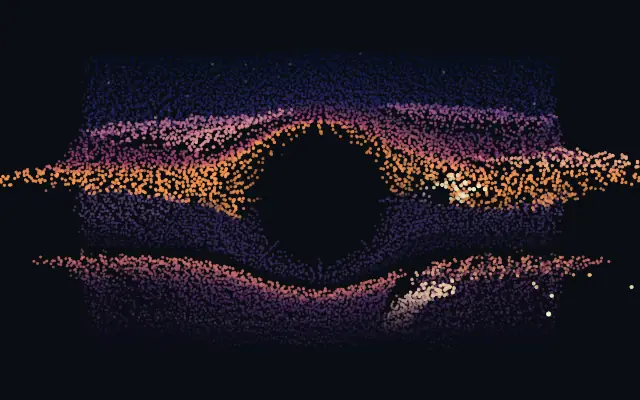
부유 입자

Floating Particles

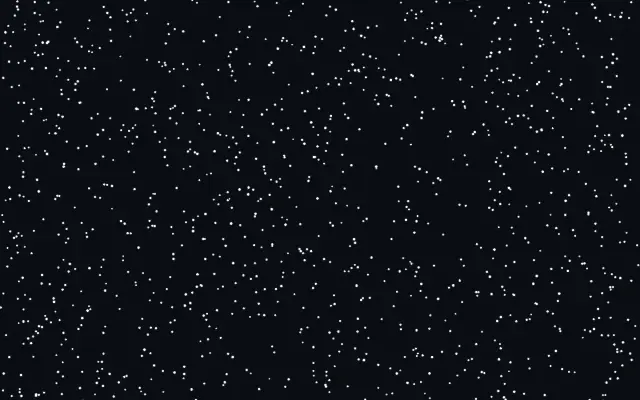
수많은 작은 입자가 같은 방향으로 떠다니고 반짝이며, 커서를 움직이면 주변 흐름이 흔들립니다.

다른 이름: FloatingParticlesMotesFloating motes

WebGPU 를 지원하는 브라우저에서 움직입니다

이 기기에서는 데모를 그리지 못해 정지 화면을 보여 줍니다

React
// WebGPU 를 지원하는 브라우저에서만 그립니다.
import { Shader, FloatingParticles } from 'shaders/react'

export default function ShaderEffect() {
  return (
    <Shader style={{ width: '100%', height: 320 }} disableTelemetry>
      <FloatingParticles />
    </Shader>
  )
}
Vue
<!-- WebGPU 를 지원하는 브라우저에서만 그립니다. -->
<script setup lang="ts">
import { Shader, FloatingParticles } from 'shaders/vue'
</script>

<template>
  <Shader style="width: 100%; height: 320px" :disable-telemetry="true">
    <FloatingParticles/>
  </Shader>
</template>
Svelte
<!-- WebGPU 를 지원하는 브라우저에서만 그립니다. -->
<script>
  import { Shader, FloatingParticles } from 'shaders/svelte'
</script>

<Shader style="width: 100%; height: 320px" disableTelemetry>
  <FloatingParticles />
</Shader>
Solid
// WebGPU 를 지원하는 브라우저에서만 그립니다.
import { Shader, FloatingParticles } from 'shaders/solid'

export default function ShaderEffect() {
  return (
    <Shader style={{ width: '100%', height: '320px' }} disableTelemetry>
      <FloatingParticles />
    </Shader>
  )
}
JavaScript
// WebGPU 를 지원하는 브라우저에서만 그립니다.
// <canvas id="canvas" style="width:100%;height:320px"></canvas> 가 페이지에 있어야 한다
import { createShader } from 'shaders/js'

const shader = await createShader(document.getElementById("canvas"), {
  components: [
    {
      type: 'FloatingParticles',
    }
  ]
}, { disableTelemetry: true })

속성(props) · FloatingParticles

값을 바꾸면 위 데모와 코드 탭에 바로 반영됩니다. 설명은 라이브러리 레지스트리의 영어 원문(MIT)입니다.

이름값기본값범위·선택지설명(원문)
particleColorParticle Color#ffffff—Color of the particles
shapeShapedotdot · square · glowWhat each particle is drawn as — a crisp dot or square (softness still feathers them), or a soft glow puff
countCount1200100 – 8192 (step 100)Number of particles
particleSizeParticle Size1.20.3 – 4 (step 0.05)Size of the particles (each also varies slightly for depth)
softnessSoftness0.10 – 1 (step 0.01)Edge softness of each particle — 0 is a crisp shape, 1 a soft glow puff
speedSpeed0.250 – 1 (step 0.01)Speed of the shared drift
angleAngle900 – 360 (step 1)Drift heading in degrees (0 = left, 90 = up, 180 = right, 270 = down — the classic default floats upward)
speedVarianceSpeed Variance0.30 – 1 (step 0.05)Per-particle speed variance around the shared drift (0 = everything moves in lockstep)
angleVarianceAngle Variance300 – 180 (step 1)Per-particle heading variance in degrees (0 = one shared direction, 180 = every which way)
randomnessRandomness0.250 – 1 (step 0.05)Orbital wander — each particle circles lazily around its drift path instead of gliding straight
twinkleTwinkle0.50 – 1 (step 0.05)Intensity of the twinkle (0 = steady, 1 = full shimmer)
cursorStrengthCursor Gust00 – 1 (step 0.01)How strongly the cursor stirs the field — 0 (default) leaves the drift undisturbed

모든 컴포넌트 공통: blendMode · opacity · visible · maskSource/maskType · boundingBox · id

어두운 방 안에서 먼지나 반딧불이 떠다니는 것처럼, 작은 점들이 천천히 흩어지고 반짝입니다. 커서를 움직이면 주변 입자 흐름도 살짝 밀립니다.

`count`(100~8192)는 입자 수, `particleSize`(0.3~4)는 크기, `speed`(0~1)는 전체 이동 속도를 조절합니다. `twinkle`(0~1)은 반짝임, `cursorStrength`(0~1)은 커서가 흐름을 흔드는 정도를 바꿉니다.

입자 시뮬레이션이 포함된 생성 레이어로 입력 이미지는 필요하지 않습니다. 배경 장식으로 쓰고, `count`를 높일수록 화면에 그릴 입자도 많아지므로 필요한 밀도에서 멈추세요. 글과 대조가 약하면 입자색이나 크기를 조정하거나 텍스트 주변을 비우세요.

언제 쓰나

우주·야간 테마의 배경, 깊이감이 필요한 히어로, 커서에 반응하는 작은 분위기 효과에 잘 맞습니다. 촘촘한 본문이나 정적인 정보를 읽히게 해야 하는 영역에서는 피하세요.

페이지로 열기 ↗