


렌즈 플레어

Lens Flare

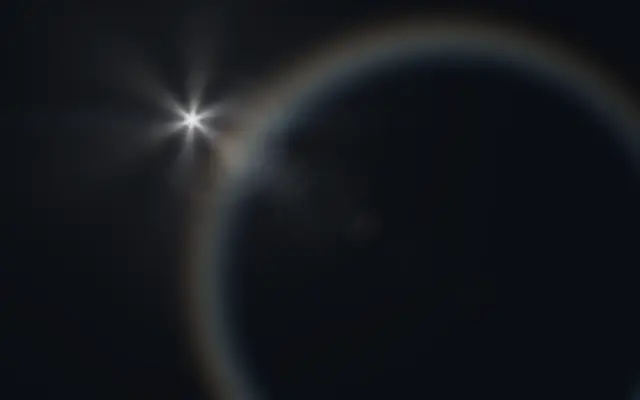
광원 주변에 고스트·헤일로·별 모양 번짐이 나타나는 카메라 렌즈 플레어입니다.

다른 이름: LensFlareLens flareOptical flare

WebGPU 를 지원하는 브라우저에서 움직입니다

이 기기에서는 데모를 그리지 못해 정지 화면을 보여 줍니다

React
// WebGPU 를 지원하는 브라우저에서만 그립니다.
import { Shader, LensFlare } from 'shaders/react'

export default function ShaderEffect() {
  return (
    <Shader style={{ width: '100%', height: 320 }} disableTelemetry>
      <LensFlare />
    </Shader>
  )
}
Vue
<!-- WebGPU 를 지원하는 브라우저에서만 그립니다. -->
<script setup lang="ts">
import { Shader, LensFlare } from 'shaders/vue'
</script>

<template>
  <Shader style="width: 100%; height: 320px" :disable-telemetry="true">
    <LensFlare/>
  </Shader>
</template>
Svelte
<!-- WebGPU 를 지원하는 브라우저에서만 그립니다. -->
<script>
  import { Shader, LensFlare } from 'shaders/svelte'
</script>

<Shader style="width: 100%; height: 320px" disableTelemetry>
  <LensFlare />
</Shader>
Solid
// WebGPU 를 지원하는 브라우저에서만 그립니다.
import { Shader, LensFlare } from 'shaders/solid'

export default function ShaderEffect() {
  return (
    <Shader style={{ width: '100%', height: '320px' }} disableTelemetry>
      <LensFlare />
    </Shader>
  )
}
JavaScript
// WebGPU 를 지원하는 브라우저에서만 그립니다.
// <canvas id="canvas" style="width:100%;height:320px"></canvas> 가 페이지에 있어야 한다
import { createShader } from 'shaders/js'

const shader = await createShader(document.getElementById("canvas"), {
  components: [
    {
      type: 'LensFlare',
    }
  ]
}, { disableTelemetry: true })

속성(props) · LensFlare

값을 바꾸면 위 데모와 코드 탭에 바로 반영됩니다. 설명은 라이브러리 레지스트리의 영어 원문(MIT)입니다.

이름값기본값범위·선택지설명(원문)
lightPositionLight Position
x0.3y0.3
{"x":0.3,"y":0.3}x, y: 0 – 1Position of the light source
intensityIntensity0.50 – 2 (step 0.01)Master brightness of the entire lens flare effect
ghostIntensityGhosts0.40 – 1 (step 0.01)Brightness of internal reflection ghost discs along the flare axis
ghostSpreadGhost Spread0.70.1 – 2 (step 0.01)Spacing between ghost reflections along the flare axis
ghostChromaGhost Chroma0.30 – 1 (step 0.01)Rainbow chromatic fringing around ghost element edges
haloIntensityHalo0.40 – 1 (step 0.01)Brightness of the circular halo ring from internal reflection
haloRadiusHalo Size0.60.1 – 1 (step 0.01)Radius of the halo ring
haloChromaHalo Chroma0.60 – 1 (step 0.01)Spectral dispersion on the halo creating rainbow color separation
haloSoftnessHalo Softness0.80.01 – 3 (step 0.01)Thickness and softness of the halo ring
starburstIntensityStarburst0.30 – 1 (step 0.01)Brightness of diffraction spikes radiating from the light source
starburstPointsBlades64 – 16 (step 1)Number of starburst spikes (simulates aperture blade count)
streakIntensityStreak0.150 – 1 (step 0.01)Brightness of horizontal anamorphic light streak
streakLengthStreak Length0.50.1 – 1 (step 0.01)Horizontal extent of the anamorphic streak
glareIntensityGlare0.20 – 1 (step 0.01)Soft veiling glare that washes out contrast around the light
glareSizeGlare Size0.50.1 – 1 (step 0.01)Size of the soft glare glow
edgeFadeEdge Fade0.20 – 1 (step 0.01)How much the flare fades when the light source is near the screen edge (0 = no fade, 1 = heavy fade)
speedSpeed0.50 – 3 (step 0.1)Speed of subtle flare shimmer and starburst rotation

모든 컴포넌트 공통: blendMode · opacity · visible · maskSource/maskType · boundingBox · id

카메라를 강한 빛 쪽으로 향했을 때 렌즈 안에 생기는 반사 고리와 빛 얼룩을 재현합니다. 광원 하나를 중심으로 여러 장식이 뻗어 나옵니다.

`lightPosition`으로 가상의 광원 위치를 옮깁니다. `intensity`(0~2)는 전체 밝기, `ghostIntensity`(0~1)는 축을 따라 생기는 반사 원의 밝기, `haloRadius`(0.1~1)는 고리 크기, `starburstIntensity`(0~1)는 별 모양 빛살의 세기를 조절합니다.

렌즈 플레어를 직접 그리는 생성 레이어로 사진에서 광원을 찾아내지는 않습니다. 배경 장면의 밝은 지점과 `lightPosition`을 맞춰야 자연스럽고, 글이나 작은 UI 위에 겹치면 고스트와 고리가 내용을 가릴 수 있습니다.

언제 쓰나

영화풍 타이틀 화면, 광원을 강조하는 히어로, 사진·영상의 장식적 포인트에 적합합니다. 밝은 광원이 없는 장면이나 읽어야 할 작은 요소가 많은 화면에서는 피하세요.

페이지로 열기 ↗