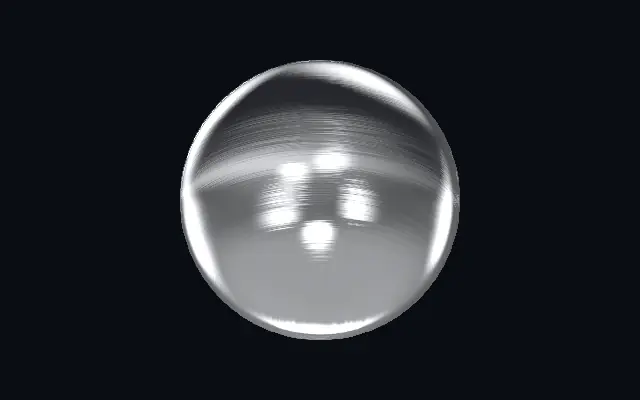
액체 금속

Liquid Metal

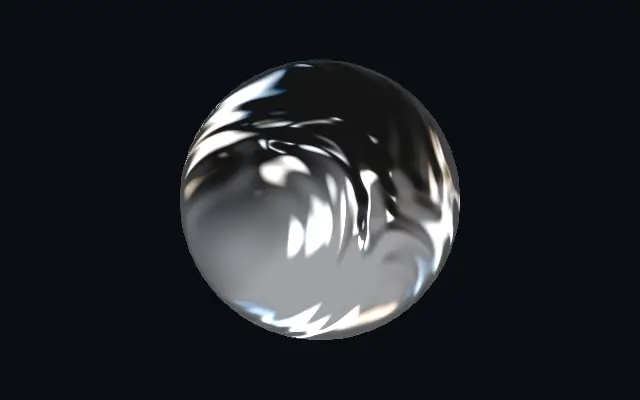
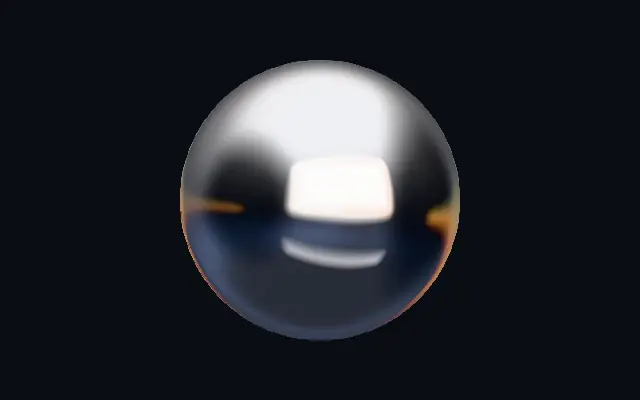
흐르는 크롬 반사가 녹은 금속 표면의 주름을 따라 움직입니다.

다른 이름: LiquidMetalLiquid chromeMolten metal

WebGPU 를 지원하는 브라우저에서 움직입니다

이 기기에서는 데모를 그리지 못해 정지 화면을 보여 줍니다

React
// WebGPU 를 지원하는 브라우저에서만 그립니다.
import { Shader, LiquidMetal } from 'shaders/react'

export default function ShaderEffect() {
  return (
    <Shader style={{ width: '100%', height: 320 }} disableTelemetry>
      <LiquidMetal />
    </Shader>
  )
}
Vue
<!-- WebGPU 를 지원하는 브라우저에서만 그립니다. -->
<script setup lang="ts">
import { Shader, LiquidMetal } from 'shaders/vue'
</script>

<template>
  <Shader style="width: 100%; height: 320px" :disable-telemetry="true">
    <LiquidMetal/>
  </Shader>
</template>
Svelte
<!-- WebGPU 를 지원하는 브라우저에서만 그립니다. -->
<script>
  import { Shader, LiquidMetal } from 'shaders/svelte'
</script>

<Shader style="width: 100%; height: 320px" disableTelemetry>
  <LiquidMetal />
</Shader>
Solid
// WebGPU 를 지원하는 브라우저에서만 그립니다.
import { Shader, LiquidMetal } from 'shaders/solid'

export default function ShaderEffect() {
  return (
    <Shader style={{ width: '100%', height: '320px' }} disableTelemetry>
      <LiquidMetal />
    </Shader>
  )
}
JavaScript
// WebGPU 를 지원하는 브라우저에서만 그립니다.
// <canvas id="canvas" style="width:100%;height:320px"></canvas> 가 페이지에 있어야 한다
import { createShader } from 'shaders/js'

const shader = await createShader(document.getElementById("canvas"), {
  components: [
    {
      type: 'LiquidMetal',
    }
  ]
}, { disableTelemetry: true })

속성(props) · LiquidMetal

값을 바꾸면 위 데모와 코드 탭에 바로 반영됩니다. 설명은 라이브러리 레지스트리의 영어 원문(MIT)입니다.

이름값기본값범위·선택지설명(원문)
originOrigin코드에서 지정center—Reference edge the center position is measured from (center default). Lets you pin the shape relative to a corner or the canvas centre.
centerCenter
x0.5y0.5
{"x":0.5,"y":0.5}x, y: 0 – 1Center position of the metal shape
scaleScale10.1 – 3 (step 0.01)Scale of the metal shape (1 = default size)
rotationRotation00 – 360 (step 1)Rotation of the metal shape in degrees
lightColorLight Color#eef0f6—The bright tone of the chrome highlights
darkColorDark Color#141414—The dark tone the reflection falls to in shadow — recolor for tinted metal (gold, steel, copper…)
turbulenceTurbulence10 – 1.5 (step 0.01)How molten the surface is — the depth of the flowing folds that bend the reflection
rippleRipple Scale40.5 – 8 (step 0.01)Scale of the molten folds — higher = smaller, busier ripples
warpSwirl1.50 – 1.5 (step 0.01)Swirl of the flow — domain-warps the folds into liquid curls
speedSpeed0.50 – 4 (step 0.01)Speed of the molten flow and the slowly drifting reflection. 0 pauses.
environmentEnvironment1.50 – 2 (step 0.01)Strength of the reflected studio lighting — the softboxes seen across the metal
envRotationEnv Rotation00 – 360 (step 1)Rotates the reflected studio — spins where the bright reflections fall
sharpnessSharpness0.60 – 1 (step 0.01)Tightness of the specular highlights — 1 = razor chrome glints, 0 = soft satin
dispersionDispersion0.250 – 1 (step 0.01)Prismatic color fringing along the reflection edges
lightAngleLight Angle2650 – 360 (step 1)Direction of the key light for the specular glints, in degrees
bevelWidthBevel Width0.050.005 – 0.2 (step 0.001)Width of the edge bevel, relative to the shape — thin for machined jewellery edges, wide for soft pillowed metal
bevelShapeBevel Profile00 – 1 (step 0.01)Bevel profile — 0 = one smooth round fillet, 1 = machined: a steep outer fillet, a chamfer plateau and an inner knee, each catching its own line of light
edgeSoftnessEdge Softness0.050 – 1 (step 0.01)Softness of the shape boundary edge
shapeShape코드에서 지정{"type":"sphere3D","radius":0.35}—Serialized shape configuration (JSON)
shapeSdfUrlshapeSdfUrl코드에서 지정—URL to a pre-generated SDF .bin file
shapeTypeshapeType코드에서 지정—Active SDF shape type

모든 컴포넌트 공통: blendMode · opacity · visible · maskSource/maskType · boundingBox · id

녹은 금속이 천천히 출렁이는 듯, 반사 무늬가 액체 표면의 접힌 자국을 따라 흐르고 가장자리에는 무지갯빛이 스칩니다.

`turbulence`를 올리면 흐르는 주름의 깊이가 커지고, `ripple`을 높이면 잔물결이 더 촘촘해집니다. `warp`는 물결을 소용돌이 모양으로 휘고, `speed`는 흐름의 속도를 바꿉니다. `dispersion`을 올리면 반사 가장자리에 색이 갈라집니다.

자체 재질이 움직이므로 어두운 바탕이나 정지된 도형과 짝지으면 흐름이 돋보입니다. 넓은 영역에서 빠른 움직임을 계속 보여 주면 다른 콘텐츠와 시선이 경쟁할 수 있습니다.

언제 쓰나

액체 크롬 타이틀, 움직이는 제품 로고, 짧은 전환 장면에 잘 맞습니다. 오래 읽어야 하는 문구나 화면 전체를 차지하는 배경에는 피하세요.

페이지로 열기 ↗