// WebGPU 를 지원하는 브라우저에서만 그립니다.
import { Shader, Voxels } from 'shaders/react'

export default function ShaderEffect() {
  return (
    <Shader style={{ width: '100%', height: 320 }} disableTelemetry>
      <Voxels />
    </Shader>
  )
}
Vue
<!-- WebGPU 를 지원하는 브라우저에서만 그립니다. -->
<script setup lang="ts">
import { Shader, Voxels } from 'shaders/vue'
</script>

<template>
  <Shader style="width: 100%; height: 320px" :disable-telemetry="true">
    <Voxels/>
  </Shader>
</template>
Svelte
<!-- WebGPU 를 지원하는 브라우저에서만 그립니다. -->
<script>
  import { Shader, Voxels } from 'shaders/svelte'
</script>

<Shader style="width: 100%; height: 320px" disableTelemetry>
  <Voxels />
</Shader>
Solid
// WebGPU 를 지원하는 브라우저에서만 그립니다.
import { Shader, Voxels } from 'shaders/solid'

export default function ShaderEffect() {
  return (
    <Shader style={{ width: '100%', height: '320px' }} disableTelemetry>
      <Voxels />
    </Shader>
  )
}
JavaScript
// WebGPU 를 지원하는 브라우저에서만 그립니다.
// <canvas id="canvas" style="width:100%;height:320px"></canvas> 가 페이지에 있어야 한다
import { createShader } from 'shaders/js'

const shader = await createShader(document.getElementById("canvas"), {
  components: [
    {
      type: 'Voxels',
    }
  ]
}, { disableTelemetry: true })
속성(props) · Voxels
값을 바꾸면 위 데모와 코드 탭에 바로 반영됩니다. 설명은 라이브러리 레지스트리의 영어 원문(MIT)입니다.
이름
값
기본값
범위·선택지
설명(원문)
originOrigin
코드에서 지정
center
—
Reference edge the center position is measured from (center default). Lets you pin the shape relative to a corner or the canvas centre.
centerCenter
xy
{"x":0.5,"y":0.5}
x, y: 0 – 1
Center position of the voxel model
scaleScale
1
0.1 – 3 (step 0.01)
Scale of the voxel model (1 = default size)
rotationRotation
0
0 – 360 (step 1)
Rotation of the voxel model in degrees
voxelSizeVoxel Size
0.035
0.006 – 0.15 (step 0.001)
Edge length of one voxel relative to the shape field — small for fine detail, large for chunky blocks
voxelShapeVoxel Shape
cube
cube · rounded · sphere
What each cell is built from: hard cubes, rounded cubes (see Bevel) or spheres
voxelScaleVoxel Fill
1
0.3 – 1 (step 0.01)
Size of each voxel inside its cell — 1 = touching neighbours, lower opens gaps between the blocks
fillSurface Bias
0
-0.5 – 0.5 (step 0.01)
How eagerly cells fill in along the surface — negative carves a thinner model, positive puffs it out
bevelBevel
0.08
0 – 1 (step 0.01)
Edge rounding of each voxel as a fraction of its size — a hairline chamfer catching light on cubes, the corner radius of rounded cubes
depthDepth
0.12
0.01 – 0.6 (step 0.005)
Thickness given to flat shapes (2D shapes and flat SVGs) so they become a slab of voxels — 3D shapes ignore it
gridSpaceGrid
shape
shape · view
Model: the grid rotates with the shape like a built voxel model. Screen: the grid is fixed to the canvas and the shape moves through it like a 3D pixelation
colorAColor A
#6ea8ff
—
Base color of the voxels (the first color of the palette mode)
colorBColor B
#1d2b4f
—
Second palette color — blended in by height, depth, per voxel or on the side faces
colorModePalette
height
solid · height · depth · random · faces
How the two colors are laid over the model: one solid color, a gradient by height or depth, a random pick per voxel, or Color A on top faces and Color B on the sides
colorVariationVariation
0.25
0 – 1 (step 0.01)
Per-voxel tonal jitter — the slightly-off shades that make blocks read as individual bricks
colorSpaceColor Space
oklab
linear · oklch · oklab · hsl · hsv · lch
Color space for color interpolation
lightAngleLight Angle
225
0 – 360 (step 1)
Direction the key light comes from, in degrees around the canvas — shadows fall away from it
lightElevationLight Elevation
42
5 – 85 (step 1)
How high the key light sits above the canvas — low for long raking shadows, high for a flat top-down light
lightColorLight Color
#fff2df
—
color of the key light
lightIntensityLight Intensity
1.1
0 – 3 (step 0.01)
Strength of the key light
ambientColorAmbient Color
#9fb4d8
—
Sky color of the ambient light — the fill on faces the key light misses
ambientAmbient
0.55
0 – 2 (step 0.01)
Strength of the ambient sky/ground fill
shadowsShadows
0.85
0 – 1 (step 0.01)
Darkness of the shadows voxels cast onto each other
shadowSoftnessShadow Softness
0.35
0 – 1 (step 0.01)
Penumbra of the cast shadows — 0 is razor sharp, higher spreads the light into a soft area source whose shadows sharpen at contact
aoOcclusion
1
0 – 2 (step 0.01)
Ambient occlusion in the creases between voxels — the soft contact darkening that sells the geometry
glossinessGlossiness
0.35
0 – 1 (step 0.01)
How tight the specular highlight is — satin plastic at 0, lacquered at 1
specularSpecular
0.6
0 – 2 (step 0.01)
Strength of the specular highlight and the fresnel rim on grazing faces
seamsSeams
0.2
0 – 1 (step 0.01)
Dark seam lines along every voxel edge — 0 for seamless blocks, higher for a drawn-outline brick look
shapeShape
코드에서 지정
{"type":"sphere3D","radius":0.35}
—
Serialized shape configuration (JSON)
shapeSdfUrlshapeSdfUrl
코드에서 지정
—
URL to a pre-generated SDF .bin file
shapeTypeshapeType
코드에서 지정
—
Active SDF shape type
모든 컴포넌트 공통: blendMode · opacity · visible · maskSource/maskType · boundingBox · id
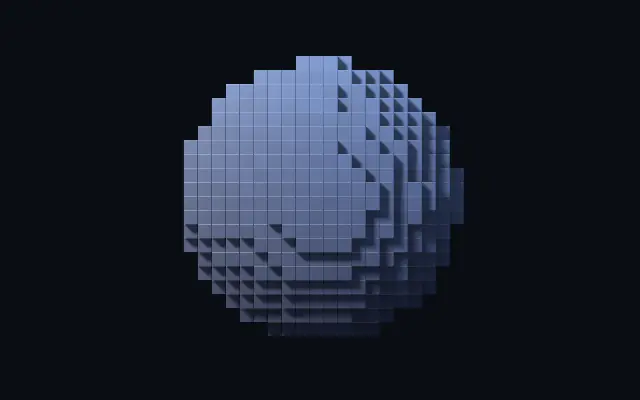
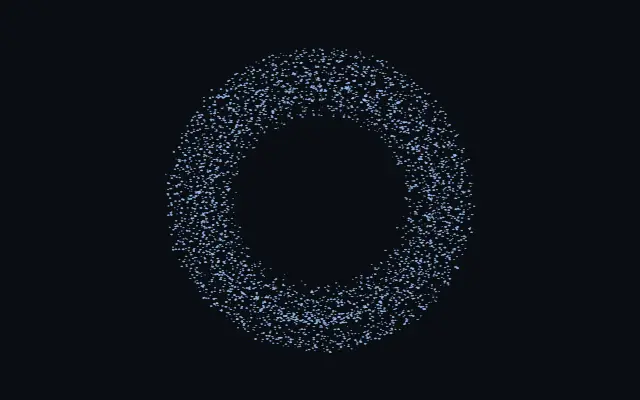
도형을 작은 블록으로 쌓은 듯, 평면은 각진 픽셀 그림으로, 입체는 빛과 그림자가 있는 복셀 모델로 바뀝니다.
`voxelSize`를 키우면 블록이 커져 형태가 더 투박해지고, `voxelShape`는 큐브·둥근 큐브·구 중 블록 모양을 고릅니다. `voxelScale`을 낮추면 블록 사이 간격이 생기고, `fill`은 표면을 얇게 파거나 부풀립니다. 평면 도형에는 `depth`로 두께를 줄 수 있습니다.
자체 도형을 블록으로 재구성해 아이콘과 큰 실루엣에 잘 어울립니다. 블록이 커지면 가는 획과 작은 내부 구멍이 사라지므로 작은 글자나 세부 묘사에는 피하세요.
언제 쓰나
복셀 스타일 아이콘, 게임풍 로고, 큰 일러스트 실루엣에 어울립니다. 가는 획이나 작은 구멍까지 정확히 보여야 하는 도형에는 피하세요.