입자 군집

Particles

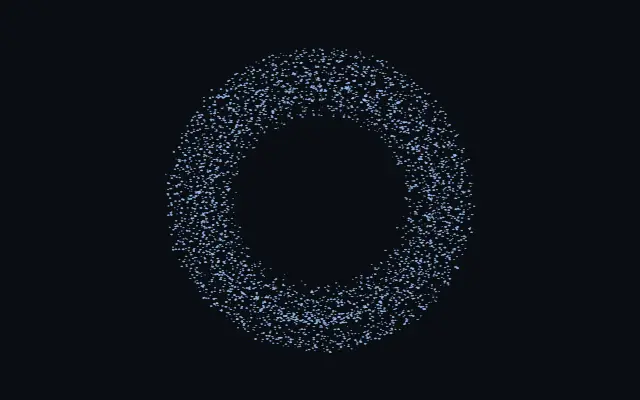
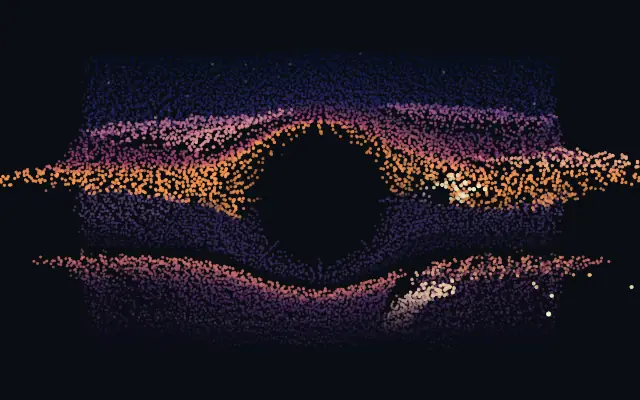
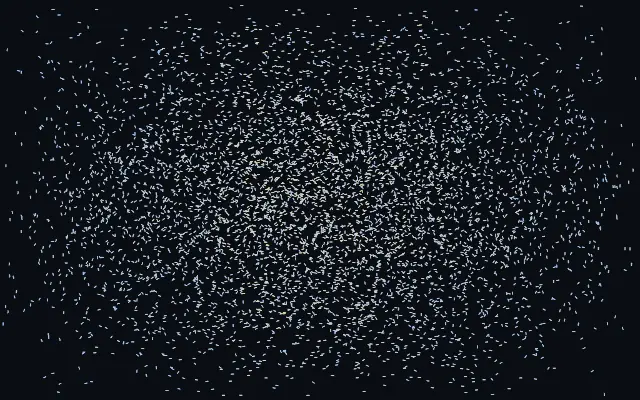
입자 무리가 도형을 채우고 커서를 피해 흩어졌다가 다시 모입니다.

다른 이름: ParticlesParticle swarmParticle fill

WebGPU 를 지원하는 브라우저에서 움직입니다

이 기기에서는 데모를 그리지 못해 정지 화면을 보여 줍니다

React
// WebGPU 를 지원하는 브라우저에서만 그립니다.
import { Shader, Particles } from 'shaders/react'

export default function ShaderEffect() {
  return (
    <Shader style={{ width: '100%', height: 320 }} disableTelemetry>
      <Particles />
    </Shader>
  )
}
Vue
<!-- WebGPU 를 지원하는 브라우저에서만 그립니다. -->
<script setup lang="ts">
import { Shader, Particles } from 'shaders/vue'
</script>

<template>
  <Shader style="width: 100%; height: 320px" :disable-telemetry="true">
    <Particles/>
  </Shader>
</template>
Svelte
<!-- WebGPU 를 지원하는 브라우저에서만 그립니다. -->
<script>
  import { Shader, Particles } from 'shaders/svelte'
</script>

<Shader style="width: 100%; height: 320px" disableTelemetry>
  <Particles />
</Shader>
Solid
// WebGPU 를 지원하는 브라우저에서만 그립니다.
import { Shader, Particles } from 'shaders/solid'

export default function ShaderEffect() {
  return (
    <Shader style={{ width: '100%', height: '320px' }} disableTelemetry>
      <Particles />
    </Shader>
  )
}
JavaScript
// WebGPU 를 지원하는 브라우저에서만 그립니다.
// <canvas id="canvas" style="width:100%;height:320px"></canvas> 가 페이지에 있어야 한다
import { createShader } from 'shaders/js'

const shader = await createShader(document.getElementById("canvas"), {
  components: [
    {
      type: 'Particles',
    }
  ]
}, { disableTelemetry: true })

속성(props) · Particles

값을 바꾸면 위 데모와 코드 탭에 바로 반영됩니다. 설명은 라이브러리 레지스트리의 영어 원문(MIT)입니다.

이름값기본값범위·선택지설명(원문)
originOrigin코드에서 지정center—Reference edge the center position is measured from (center default). Lets you pin the shape relative to a corner or the canvas centre.
centerCenter
x0.5y0.5
{"x":0.5,"y":0.5}x, y: 0 – 1Center position of the shape
scaleScale10.1 – 3 (step 0.01)Scale of the shape (1 = default size)
rotationRotation00 – 360 (step 1)Rotation of the shape in degrees
colorARest Color#8ec5ff—Color of particles at rest
colorBExcited Color#ff7ad9—Color particles shift toward when agitated — scattering from the cursor or catching up to a moving shape
countCount40001000 – 16000 (step 1000)Number of simulated particles
sizeSize1.50.6 – 6 (step 0.1)Base particle size (each particle also varies slightly, and grows as it drifts toward the viewer)
particleShapeShapedotdot · square · glowWhat each particle is drawn as — a crisp dot or square (softness still feathers them), or a soft glow puff
spreadSpread10.1 – 3 (step 0.01)The pressure pushing particles apart — how strongly they insist on even spacing inside the shape
agitationAgitation0.120 – 1 (step 0.01)Idle thermal motion of the swarm — 0 freezes it crystal-still once settled
dampingDamping0.40 – 1 (step 0.01)How quickly disturbed particles calm back down and settle into place
gravityGravity0-2 – 2 (step 0.01)Downward pull on the swarm — negative floats the particles upward
mouseInfluenceCursor Force2-5 – 5 (step 0.01)Strength of the cursor field. Positive scatters particles away; negative pulls the swarm toward the cursor
mouseRadiusCursor Radius0.20.05 – 0.8 (step 0.01)Reach of the cursor field, in shape-local units
exposureExposure10.2 – 3 (step 0.01)Brightness of the additive particle glow
softnessSoftness0.10 – 1 (step 0.01)Edge softness of each particle — 0 is a crisp disc, 1 a soft glow puff
depthDepth0.180.02 – 0.6 (step 0.01)Thickness of the particle volume behind flat shapes (3D shapes use their own true depth)
colorSpaceColor Spaceoklablinear · oklch · oklab · hsl · hsv · lchColor space for the rest→excited color ramp
shapeShape코드에서 지정{"type":"sphere3D","radius":0.35}—Serialized shape configuration (JSON)
shapeSdfUrlshapeSdfUrl코드에서 지정—URL to a pre-generated SDF .bin file
shapeTypeshapeType코드에서 지정—Active SDF shape type

모든 컴포넌트 공통: blendMode · opacity · visible · maskSource/maskType · boundingBox · id

반딧불 무리가 글자나 도형의 실루엣으로 모였다 흩어지는 듯, 입자들이 내부를 채우고 커서 움직임에 반응합니다.

`count`를 높이면 입자 수가 늘고, `size`는 입자의 크기를 바꿉니다. `spread`는 입자가 서로 밀어내며 고르게 퍼지는 정도를, `agitation`은 멈춰 있을 때의 잔움직임을 조절합니다. `mouseInfluence`를 양수로 두면 커서에서 밀려나고 음수면 커서 쪽으로 끌립니다.

입자 자체가 움직이는 생성 효과라 넓은 장식이나 짧은 인터랙션에 어울립니다. 작은 글자를 입자에 맡기면 모양이 흔들려 읽기 어려우므로 중요한 문구는 정적인 레이어로 따로 두세요.

언제 쓰나

커서 반응형 히어로 그래픽, 입자로 채운 로고, 짧은 인터랙션 장면에 잘 맞습니다. 정확한 글자 형태나 안정된 조작 버튼이 필요한 곳에는 피하세요.

페이지로 열기 ↗