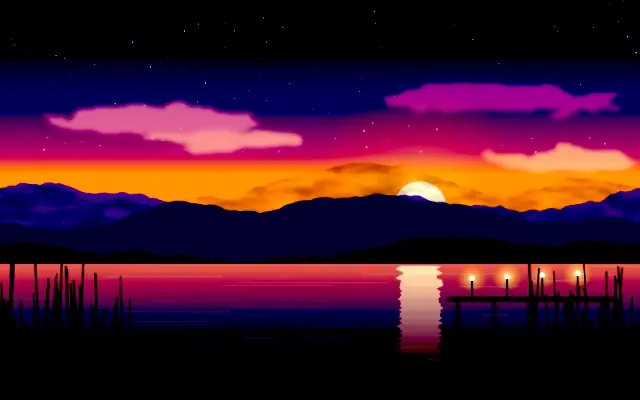
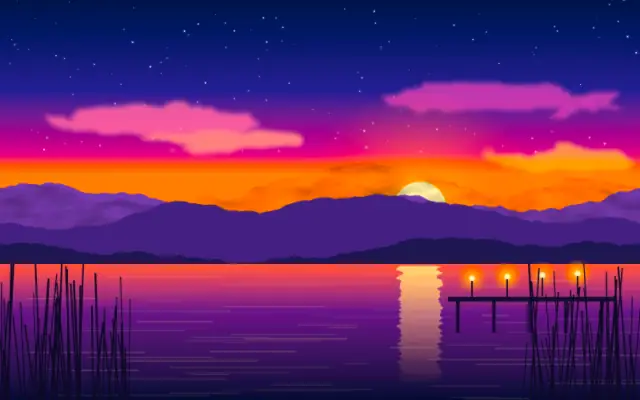
Exposure scales image values around black, so brighter highlights can extend beyond white.
Also known as: Exposureexposure compensation
Moves in browsers that support WebGPU
This device could not render the demo — showing a still
Code reflects the control values
React
// Renders only in browsers with WebGPU.
// /samples/… are this site’s sample files — point them at your own image or video.
import { Shader, Exposure, ImageTexture } from 'shaders/react'

export default function ShaderEffect() {
  return (
    <Shader style={{ width: '100%', height: 320 }} disableTelemetry>
      <ImageTexture
        objectFit="cover"
        url="/samples/photo.jpg" />
      <Exposure
        exposure={1.9} />
    </Shader>
  )
}
Vue
<!-- Renders only in browsers with WebGPU. -->
<!-- /samples/… are this site’s sample files — point them at your own image or video. -->
<script setup lang="ts">
import { Shader, Exposure, ImageTexture } from 'shaders/vue'
</script>

<template>
  <Shader style="width: 100%; height: 320px" :disable-telemetry="true">
    <ImageTexture
      object-fit="cover"
      url="/samples/photo.jpg"/>
    <Exposure
      :exposure="1.9"/>
  </Shader>
</template>
Svelte
<!-- Renders only in browsers with WebGPU. -->
<!-- /samples/… are this site’s sample files — point them at your own image or video. -->
<script>
  import { Shader, Exposure, ImageTexture } from 'shaders/svelte'
</script>

<Shader style="width: 100%; height: 320px" disableTelemetry>
  <ImageTexture
    objectFit="cover"
    url="/samples/photo.jpg" />
  <Exposure
    exposure={1.9} />
</Shader>
Solid
// Renders only in browsers with WebGPU.
// /samples/… are this site’s sample files — point them at your own image or video.
import { Shader, Exposure, ImageTexture } from 'shaders/solid'

export default function ShaderEffect() {
  return (
    <Shader style={{ width: '100%', height: '320px' }} disableTelemetry>
      <ImageTexture
        objectFit="cover"
        url="/samples/photo.jpg" />
      <Exposure
        exposure={1.9} />
    </Shader>
  )
}
JavaScript
// Renders only in browsers with WebGPU.
// /samples/… are this site’s sample files — point them at your own image or video.
// expects <canvas id="canvas" style="width:100%;height:320px"></canvas> on the page
import { createShader } from 'shaders/js'

const shader = await createShader(document.getElementById("canvas"), {
  components: [
    {
      type: 'ImageTexture',
      props: {
        objectFit: 'cover',
        url: '/samples/photo.jpg',
      },
    },
    {
      type: 'Exposure',
      props: {
        exposure: 1.9,
      },
    }
  ]
}, { disableTelemetry: true })
Props · Exposure
Changes apply to the demo above and to the code tabs. Descriptions come from the library registry (MIT).
Name
Value
Default
Range / options
Description
exposureExposure
1
0 – 8 (step 0.1)
Brightness multiplier (gain). 1 = unchanged, >1 pushes highlights past white for HDR bloom, <1 darkens.
Every component also takes blendMode · opacity · visible · maskSource/maskType · boundingBox · id
Like camera exposure compensation, it raises or lowers the light across the scene. Unlike adding brightness, it leaves black anchored while bright areas can move above white.
`exposure` defaults to 1 and ranges from 0 to 8. A value of 1 leaves the image unchanged; values above 1 push highlights beyond white for HDR bloom or tone-mapping, while values below 1 darken it.
Place it over an image or video input. High values can wash out highlights in an already bright scene, so check the result when pairing it with bloom or other bright-light effects. Compare it with BrightnessContrast when you need a familiar brightness adjustment.
When to use
Use it to balance photo or video exposure, feed highlights into bloom, or adjust brightness before HDR tone mapping. Do not rely on it alone when dark areas need to be lifted.