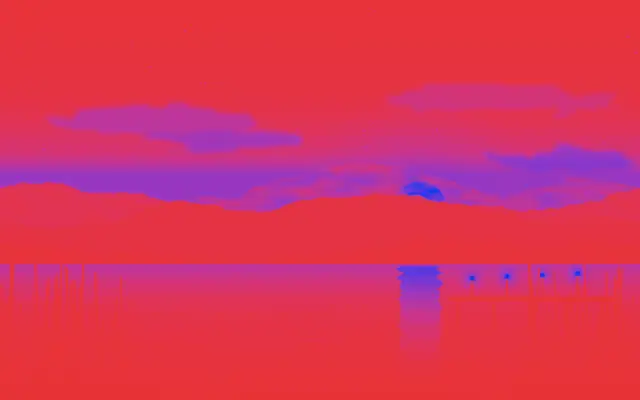
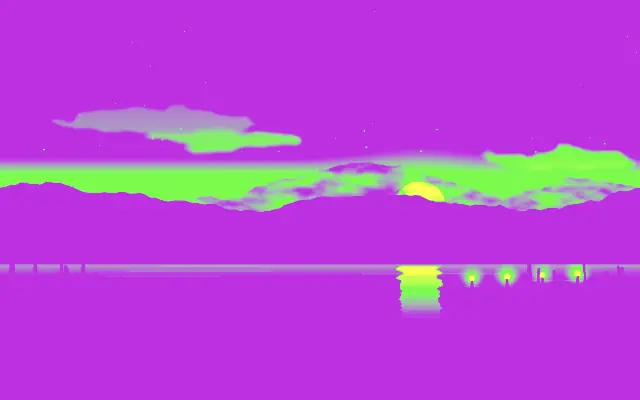
Hue shift rotates image colors around the color wheel.
Also known as: HueShifthue rotation
Moves in browsers that support WebGPU
This device could not render the demo — showing a still
Code reflects the control values
React
// Renders only in browsers with WebGPU.
// /samples/… are this site’s sample files — point them at your own image or video.
import { Shader, HueShift, ImageTexture } from 'shaders/react'

export default function ShaderEffect() {
  return (
    <Shader style={{ width: '100%', height: 320 }} disableTelemetry>
      <ImageTexture
        objectFit="cover"
        url="/samples/photo.jpg" />
      <HueShift
        shift={120} />
    </Shader>
  )
}
Vue
<!-- Renders only in browsers with WebGPU. -->
<!-- /samples/… are this site’s sample files — point them at your own image or video. -->
<script setup lang="ts">
import { Shader, HueShift, ImageTexture } from 'shaders/vue'
</script>

<template>
  <Shader style="width: 100%; height: 320px" :disable-telemetry="true">
    <ImageTexture
      object-fit="cover"
      url="/samples/photo.jpg"/>
    <HueShift
      :shift="120"/>
  </Shader>
</template>
Svelte
<!-- Renders only in browsers with WebGPU. -->
<!-- /samples/… are this site’s sample files — point them at your own image or video. -->
<script>
  import { Shader, HueShift, ImageTexture } from 'shaders/svelte'
</script>

<Shader style="width: 100%; height: 320px" disableTelemetry>
  <ImageTexture
    objectFit="cover"
    url="/samples/photo.jpg" />
  <HueShift
    shift={120} />
</Shader>
Solid
// Renders only in browsers with WebGPU.
// /samples/… are this site’s sample files — point them at your own image or video.
import { Shader, HueShift, ImageTexture } from 'shaders/solid'

export default function ShaderEffect() {
  return (
    <Shader style={{ width: '100%', height: '320px' }} disableTelemetry>
      <ImageTexture
        objectFit="cover"
        url="/samples/photo.jpg" />
      <HueShift
        shift={120} />
    </Shader>
  )
}
JavaScript
// Renders only in browsers with WebGPU.
// /samples/… are this site’s sample files — point them at your own image or video.
// expects <canvas id="canvas" style="width:100%;height:320px"></canvas> on the page
import { createShader } from 'shaders/js'

const shader = await createShader(document.getElementById("canvas"), {
  components: [
    {
      type: 'ImageTexture',
      props: {
        objectFit: 'cover',
        url: '/samples/photo.jpg',
      },
    },
    {
      type: 'HueShift',
      props: {
        shift: 120,
      },
    }
  ]
}, { disableTelemetry: true })
Props · HueShift
Changes apply to the demo above and to the code tabs. Descriptions come from the library registry (MIT).
Name
Value
Default
Range / options
Description
shiftShift
0
-180 – 180 (step 1)
The amount to shift the hue by
Every component also takes blendMode · opacity · visible · maskSource/maskType · boundingBox · id
It rotates image colors around the color wheel, shifting hues so a red can move toward purple or orange.
`shift` defaults to 0 and ranges from -180 to 180. Zero keeps the original colors; positive and negative values move them in opposite directions around the wheel. Larger magnitudes move them further.
Place it over an image, video, or colored graphic. Skin and brand colors shift too, so decide on the intended palette first. When combining it with saturation or Tint, change one at a time so each adjustment remains clear.
When to use
Use it to shift an entire color theme, make consistent palette variations, or give a photo an unreal color treatment. Avoid it when skin tones or brand colors must stay unchanged.