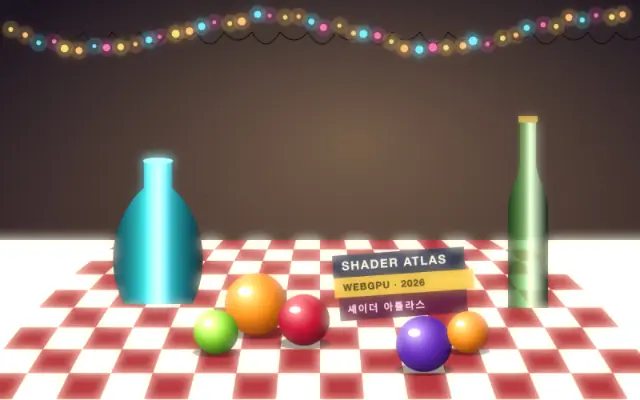
Softens bright areas into a surrounding glow with adjustable intensity.
Also known as: GlowSoft glowBloom-like glow
Moves in browsers that support WebGPU
This device could not render the demo — showing a still
Code reflects the control values
React
// Renders only in browsers with WebGPU.
// /samples/… are this site’s sample files — point them at your own image or video.
import { Shader, Glow, ImageTexture } from 'shaders/react'

export default function ShaderEffect() {
  return (
    <Shader style={{ width: '100%', height: 320 }} disableTelemetry>
      <ImageTexture
        objectFit="cover"
        url="/samples/still.jpg" />
      <Glow
        intensity={1.6}
        threshold={0.35} />
    </Shader>
  )
}
Vue
<!-- Renders only in browsers with WebGPU. -->
<!-- /samples/… are this site’s sample files — point them at your own image or video. -->
<script setup lang="ts">
import { Shader, Glow, ImageTexture } from 'shaders/vue'
</script>

<template>
  <Shader style="width: 100%; height: 320px" :disable-telemetry="true">
    <ImageTexture
      object-fit="cover"
      url="/samples/still.jpg"/>
    <Glow
      :intensity="1.6"
      :threshold="0.35"/>
  </Shader>
</template>
Svelte
<!-- Renders only in browsers with WebGPU. -->
<!-- /samples/… are this site’s sample files — point them at your own image or video. -->
<script>
  import { Shader, Glow, ImageTexture } from 'shaders/svelte'
</script>

<Shader style="width: 100%; height: 320px" disableTelemetry>
  <ImageTexture
    objectFit="cover"
    url="/samples/still.jpg" />
  <Glow
    intensity={1.6}
    threshold={0.35} />
</Shader>
Solid
// Renders only in browsers with WebGPU.
// /samples/… are this site’s sample files — point them at your own image or video.
import { Shader, Glow, ImageTexture } from 'shaders/solid'

export default function ShaderEffect() {
  return (
    <Shader style={{ width: '100%', height: '320px' }} disableTelemetry>
      <ImageTexture
        objectFit="cover"
        url="/samples/still.jpg" />
      <Glow
        intensity={1.6}
        threshold={0.35} />
    </Shader>
  )
}
JavaScript
// Renders only in browsers with WebGPU.
// /samples/… are this site’s sample files — point them at your own image or video.
// expects <canvas id="canvas" style="width:100%;height:320px"></canvas> on the page
import { createShader } from 'shaders/js'

const shader = await createShader(document.getElementById("canvas"), {
  components: [
    {
      type: 'ImageTexture',
      props: {
        objectFit: 'cover',
        url: '/samples/still.jpg',
      },
    },
    {
      type: 'Glow',
      props: {
        intensity: 1.6,
        threshold: 0.35,
      },
    }
  ]
}, { disableTelemetry: true })
Props · Glow
Changes apply to the demo above and to the code tabs. Descriptions come from the library registry (MIT).
Name
Value
Default
Range / options
Description
intensityIntensity
1
0 – 50 (step 0.5)
Glow intensity (brightness of the glow effect)
thresholdThreshold
0.5
0 – 1 (step 0.01)
Brightness threshold for glow extraction (lower = more glow)
sizeGlow Size
25
0 – 100 (step 1)
Glow spread in pixels (clean up to ~72px, mild banding above)
Every component also takes blendMode · opacity · visible · maskSource/maskType · boundingBox · id
It resembles the haze around a bright sign seen in a dark room: light appears to spill into the surrounding air. This effect adds a soft halo around bright parts of an image.
`intensity` defaults to 1 (range 0–50) and raises the glow brightness. `threshold` defaults to 0.5 (0–1) and sets which brightness levels begin to glow; lowering it includes more of the image. `size` defaults to 25px (0–100px) and changes the spread. The registry notes that mild banding may appear above about 72px.
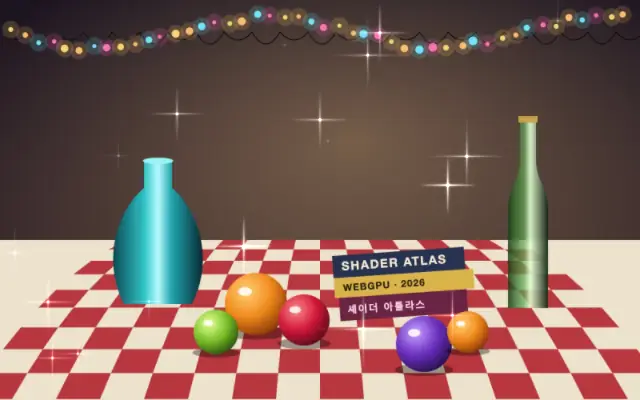
Apply it over an image or shape; bright dots and lines against a dark background show it clearly. It can pair with neon glow or sparkle, but raising both `size` and `intensity` too far can haze the image and blur text.
When to use
Use it to halo neon signs, glowing buttons, or bright product imagery, and to emphasize small lights on dark backgrounds. Avoid it on text-heavy screens or where crisp edges matter.