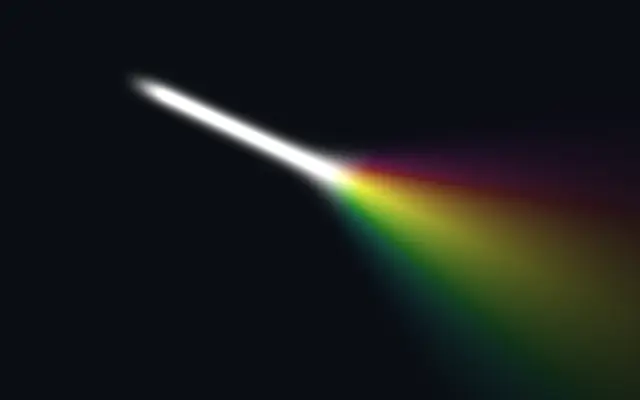
A beam of light that fans out and splits into a slowly-rotating rainbow past a controllable point. Transparent background — composite over a dark layer.
Also known as: PrismPrismatic lightRainbow beam
Moves in browsers that support WebGPU
This device could not render the demo — showing a still
Code reflects the control values
React
// Renders only in browsers with WebGPU.
import { Shader, Prism } from 'shaders/react'

export default function ShaderEffect() {
  return (
    <Shader style={{ width: '100%', height: 320 }} disableTelemetry>
      <Prism />
    </Shader>
  )
}
Vue
<!-- Renders only in browsers with WebGPU. -->
<script setup lang="ts">
import { Shader, Prism } from 'shaders/vue'
</script>

<template>
  <Shader style="width: 100%; height: 320px" :disable-telemetry="true">
    <Prism/>
  </Shader>
</template>
Svelte
<!-- Renders only in browsers with WebGPU. -->
<script>
  import { Shader, Prism } from 'shaders/svelte'
</script>

<Shader style="width: 100%; height: 320px" disableTelemetry>
  <Prism />
</Shader>
Solid
// Renders only in browsers with WebGPU.
import { Shader, Prism } from 'shaders/solid'

export default function ShaderEffect() {
  return (
    <Shader style={{ width: '100%', height: '320px' }} disableTelemetry>
      <Prism />
    </Shader>
  )
}
JavaScript
// Renders only in browsers with WebGPU.
// expects <canvas id="canvas" style="width:100%;height:320px"></canvas> on the page
import { createShader } from 'shaders/js'

const shader = await createShader(document.getElementById("canvas"), {
  components: [
    {
      type: 'Prism',
    }
  ]
}, { disableTelemetry: true })
Props · Prism
Changes apply to the demo above and to the code tabs. Descriptions come from the library registry (MIT).
Name
Value
Default
Range / options
Description
positionSource
xy
{"x":0.18,"y":0.18}
x, y: 0 – 1
Where the beam originates
beamWidthBeam Width
0.04
0.002 – 0.3 (step 0.002)
Thickness of the white beam
intensityIntensity
1.6
0 – 4 (step 0.01)
Brightness (above 1 blows the core to white)
beamColorBeam Color
#ffffff
—
color of the beam before it splits
startFalloffStart Falloff
0.15
0 – 1 (step 0.01)
How softly the beam fades in at its source
endFalloffEnd Falloff
0.6
0.02 – 2 (step 0.01)
How quickly the rainbow fades out with distance
splitPositionSplit Point
xy
{"x":0.5,"y":0.42}
x, y: 0 – 1
Where the beam starts to fan out and split (projected onto the beam axis)
spreadSpread
0.7
0 – 3 (step 0.01)
How widely the rainbow diffuses as it travels past the split point
softnessSoftness
0.12
0.001 – 1 (step 0.005)
How quickly the white beam transitions into the rainbow
saturationSaturation
0.95
0 – 1 (step 0.01)
Rainbow saturation — 0 = white, 1 = full color
speedHue Speed
0.1
-1 – 1 (step 0.01)
Speed the hue slowly rotates through the rainbow (0 = static)
Every component also takes blendMode · opacity · visible · maskSource/maskType · boundingBox · id
Like light through a glass prism, a white beam widens after a chosen point and fans into a rainbow.
`position` places the beam origin and `splitPosition` marks where its colors begin to separate. `beamWidth` sets the white beam width from 0.002–0.3, `spread` controls the rainbow fan from 0–3, and `saturation` sets color strength from 0–1.
The generated layer has a transparent background, so composite it over a dark layer for visibility. Keep it to a focused area and tune `spread` and saturation so it does not cover bright text or a logo.
When to use
Use it as a rainbow accent on a dark hero, in music or concert artwork, or for a scene where color fans from one point. Avoid it in restrained information views or interfaces with strict color rules.