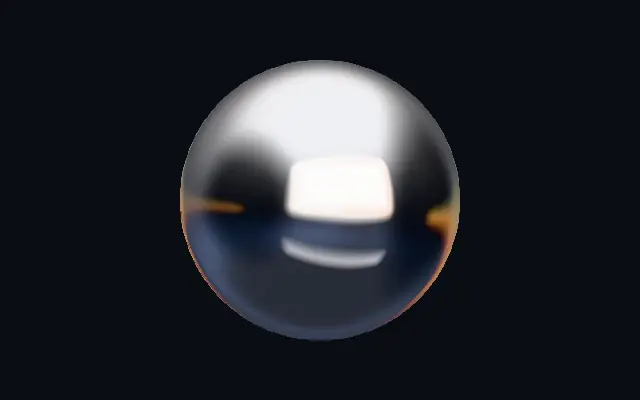
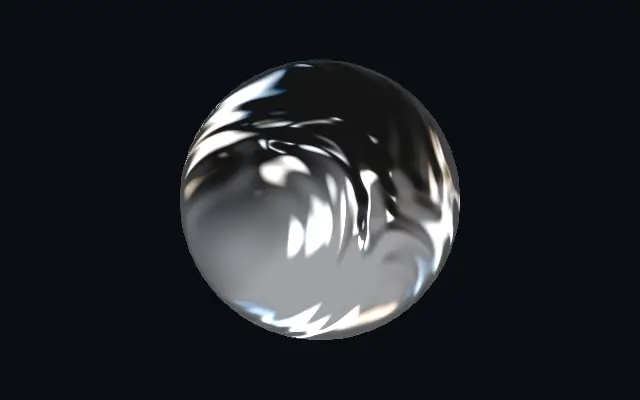
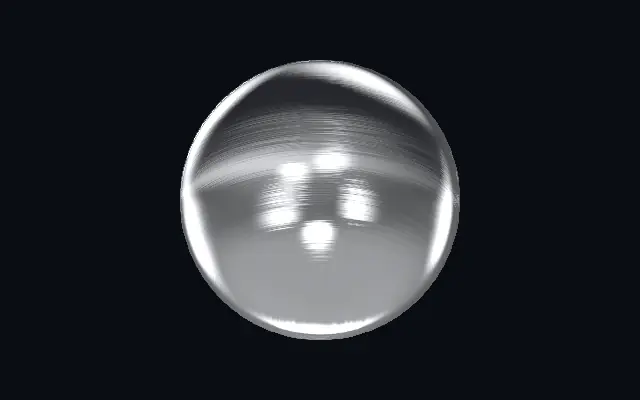
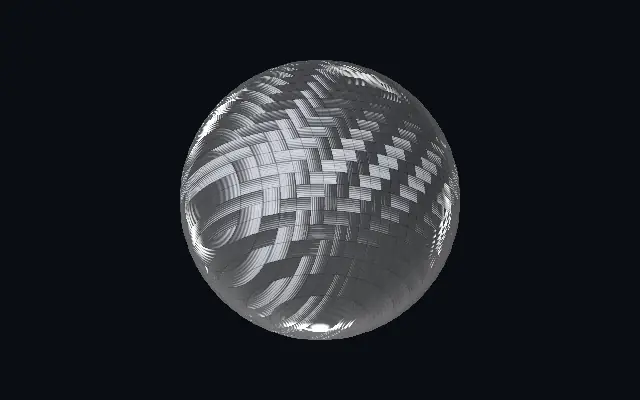
A mirror-chrome finish with studio reflections and a polished bevel on a custom shape.
Also known as: ChromeMirror chromeChrome finish
Moves in browsers that support WebGPU
This device could not render the demo — showing a still
Code reflects the control values
React
// Renders only in browsers with WebGPU.
import { Shader, Chrome } from 'shaders/react'

export default function ShaderEffect() {
  return (
    <Shader style={{ width: '100%', height: 320 }} disableTelemetry>
      <Chrome />
    </Shader>
  )
}
Vue
<!-- Renders only in browsers with WebGPU. -->
<script setup lang="ts">
import { Shader, Chrome } from 'shaders/vue'
</script>

<template>
  <Shader style="width: 100%; height: 320px" :disable-telemetry="true">
    <Chrome/>
  </Shader>
</template>
Svelte
<!-- Renders only in browsers with WebGPU. -->
<script>
  import { Shader, Chrome } from 'shaders/svelte'
</script>

<Shader style="width: 100%; height: 320px" disableTelemetry>
  <Chrome />
</Shader>
Solid
// Renders only in browsers with WebGPU.
import { Shader, Chrome } from 'shaders/solid'

export default function ShaderEffect() {
  return (
    <Shader style={{ width: '100%', height: '320px' }} disableTelemetry>
      <Chrome />
    </Shader>
  )
}
JavaScript
// Renders only in browsers with WebGPU.
// expects <canvas id="canvas" style="width:100%;height:320px"></canvas> on the page
import { createShader } from 'shaders/js'

const shader = await createShader(document.getElementById("canvas"), {
  components: [
    {
      type: 'Chrome',
    }
  ]
}, { disableTelemetry: true })
Props · Chrome
Changes apply to the demo above and to the code tabs. Descriptions come from the library registry (MIT).
Name
Value
Default
Range / options
Description
originOrigin
Set in code
center
—
Reference edge the center position is measured from (center default). Lets you pin the shape relative to a corner or the canvas centre.
centerCenter
xy
{"x":0.5,"y":0.5}
x, y: 0 – 1
Center position of the chrome shape
scaleScale
1
0.1 – 3 (step 0.01)
Scale of the chrome shape (1 = default size)
rotationRotation
0
0 – 360 (step 1)
Rotation of the chrome shape in degrees
tintTint
#ffffff
—
Metal tint multiplied into the reflection — white for silver chrome, warm ivory for gold, dusky rose for copper
warmColorWarm Light
#ffa94d
—
Color of the warm strip light hugging the studio horizon — the amber band that fringes the reflections
coolColorCool Light
#82a7e6
—
Color of the cool wash below the horizon — the steel-blue zone the darker reflections fall into
bevelWidthBevel Width
0.028
0.005 – 0.2 (step 0.001)
Width of the polished edge bevel, relative to the shape — thin for machined jewellery edges, wide for soft pillowed metal
bevelShapeBevel Profile
0.55
0 – 1 (step 0.01)
Bevel profile — 0 = one smooth round fillet, 1 = machined: a steep outer fillet, a chamfer plateau and an inner knee, each catching its own line of light
curvatureCurvature
0.5
0 – 1 (step 0.01)
Convex doming of the faces — sweeps the big soft studio gradients across otherwise flat metal
wavinessWaviness
0.15
0 – 1 (step 0.01)
Pressed-metal imperfection — gently bends the face reflections and wobbles the bevel light lines so the surface reads as real
environmentEnvironment
1
0 – 2 (step 0.01)
Exposure of the reflected studio — the overall brilliance of the chrome
envRotationEnv Rotation
0
0 – 360 (step 1)
Rotates the whole reflected studio — spins where the softbox, flags and strips fall
softnessSoftness
0.3
0 – 1 (step 0.01)
Softness of the studio edges — 0 = razor polished reflections, 1 = satin diffusion
spectralAccent Lights
0.9
0 – 2 (step 0.01)
The colored accent lights: an amber glow hugging the softbox edge and an ice-blue wash below it. 0 = a fully achromatic black-and-white studio.
dispersionDispersion
0.3
0 – 1 (step 0.01)
Prismatic RGB splitting concentrated on the fast-curving bevel — thin rainbow micro-fringes along the edge highlights, distinct from the broad accent lights
shadowsShadows
0.7
0 – 1 (step 0.01)
Depth of the dark studio reflections — how hard the black side flags and floor crush toward graphite. 0 lifts them to a soft gray studio.
speedSpeed
0.5
0 – 4 (step 0.01)
Speed of the studio orbit — the whole lighting environment slowly wanders around the piece, sliding the reflections across faces and edges. 0 freezes it.
edgeSoftnessEdge Softness
0.05
0 – 1 (step 0.01)
Softness of the shape boundary edge
shapeShape
Set in code
{"type":"sphere3D","radius":0.35}
—
Serialized shape configuration (JSON)
shapeSdfUrlshapeSdfUrl
Set in code
—
URL to a pre-generated SDF .bin file
shapeTypeshapeType
Set in code
—
Active SDF shape type
Every component also takes blendMode · opacity · visible · maskSource/maskType · boundingBox · id
Like chrome trim under studio lights, broad bright areas and dark reflection bands reveal the curves of the surface.
Widen `bevelWidth` for a rounder, puffier edge; `curvature` adds a convex feel to flat faces. `environment` changes the brightness of the reflected studio, and `envRotation` turns its reflection pattern. Raise `softness` to blur the reflection boundaries.
This material generates its own shape and needs no input layer. A dark or plain backdrop makes the reflections easier to read; stacking many reflection and glow effects can hide the metal contour.
When to use
Use it for metallic wordmarks, product badges, or polished button edges. Avoid it when an exact real-world metal color is required or bright reflections would cover small text.