Frost

성에 낀 얼음

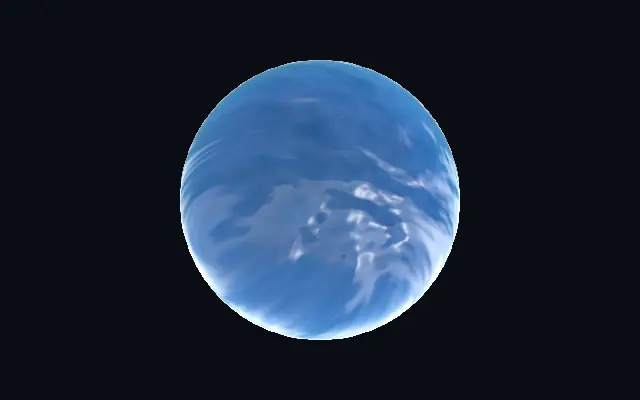
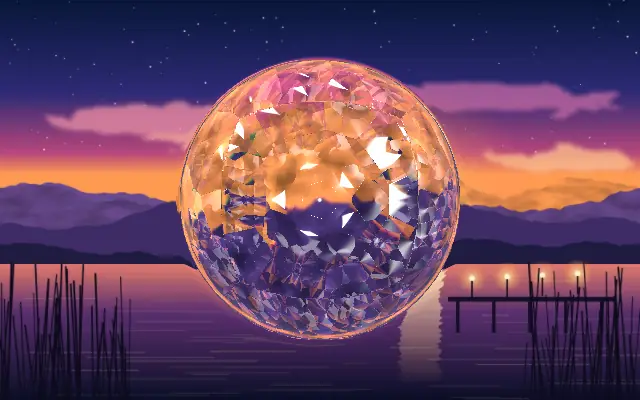
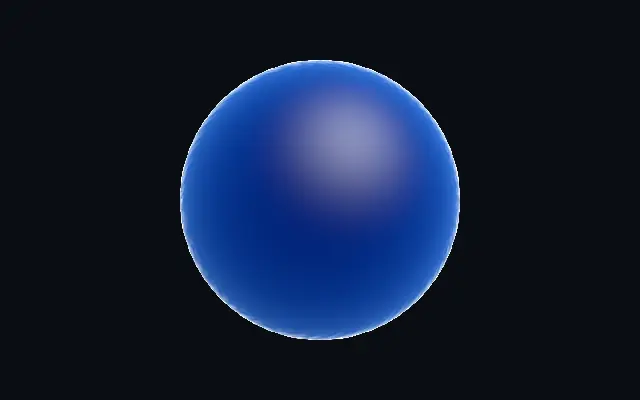
Thickness-driven frozen ice with fine frost crystals creeping inward from the edges.

Also known as: FrostFrosted iceFrozen glass

Moves in browsers that support WebGPU

This device could not render the demo — showing a still

React
// Renders only in browsers with WebGPU.
import { Shader, Frost } from 'shaders/react'

export default function ShaderEffect() {
  return (
    <Shader style={{ width: '100%', height: 320 }} disableTelemetry>
      <Frost />
    </Shader>
  )
}
Vue
<!-- Renders only in browsers with WebGPU. -->
<script setup lang="ts">
import { Shader, Frost } from 'shaders/vue'
</script>

<template>
  <Shader style="width: 100%; height: 320px" :disable-telemetry="true">
    <Frost/>
  </Shader>
</template>
Svelte
<!-- Renders only in browsers with WebGPU. -->
<script>
  import { Shader, Frost } from 'shaders/svelte'
</script>

<Shader style="width: 100%; height: 320px" disableTelemetry>
  <Frost />
</Shader>
Solid
// Renders only in browsers with WebGPU.
import { Shader, Frost } from 'shaders/solid'

export default function ShaderEffect() {
  return (
    <Shader style={{ width: '100%', height: '320px' }} disableTelemetry>
      <Frost />
    </Shader>
  )
}
JavaScript
// Renders only in browsers with WebGPU.
// expects <canvas id="canvas" style="width:100%;height:320px"></canvas> on the page
import { createShader } from 'shaders/js'

const shader = await createShader(document.getElementById("canvas"), {
  components: [
    {
      type: 'Frost',
    }
  ]
}, { disableTelemetry: true })

Props · Frost

Changes apply to the demo above and to the code tabs. Descriptions come from the library registry (MIT).

NameValueDefaultRange / optionsDescription
originOriginSet in codecenter—Reference edge the center position is measured from (center default). Lets you pin the shape relative to a corner or the canvas centre.
centerCenter
x0.5y0.5
{"x":0.5,"y":0.5}x, y: 0 – 1Center position of the ice shape
scaleScale10.1 – 3 (step 0.01)Scale of the ice shape (1 = default size)
rotationRotation00 – 360 (step 1)Rotation of the ice shape in degrees
iceColorIce Color#0597fc—Ice tint — the color deep ice saturates toward (thin edges stay near white)
ambientAmbient00 – 1 (step 0.01)Cool ambient fill so shadowed ice never goes black
edgeSoftnessEdge Softness0.050 – 1 (step 0.01)Softness of the shape boundary edge
densityDensity50 – 10 (step 0.01)Optical depth multiplier — how thick and deep the ice reads
absorptionAbsorption10 – 2 (step 0.01)Beer–Lambert absorption strength — higher drives a deeper blue-teal core
scatterScatter0.50 – 1 (step 0.01)Forward back-lit glow transmitted through thin ice
frostAmountFrost0.80 – 1 (step 0.01)Overall density of the rim frost crystals
frostDepthFrost Depth0.40 – 1 (step 0.01)How far the frost creeps inward from the rim
frostScaleFrost Scale10.3 – 4 (step 0.01)Crystal size — higher = finer, busier frost
frostRoughnessFrost Roughness31 – 5 (step 0.01)Feathery roughness of the frost crystal surface
sparkleSparkle0.50 – 1 (step 0.01)Tiny bright crystal glints catching the light at the rim
glossGloss0.60 – 1 (step 0.01)Surface sheen — the broad soft icy specular
fresnelFresnel0.020 – 1 (step 0.01)Cold rim glow on grazing surfaces
lightAngleLight Angle3000 – 360 (step 1)Key light direction in degrees
speedSpeed0.30 – 2 (step 0.01)Sparkle twinkle speed. 0 freezes the sparkle.
shapeShapeSet in code{"type":"sphere3D","radius":0.35}—Serialized shape configuration (JSON)
shapeSdfUrlshapeSdfUrlSet in code—URL to a pre-generated SDF .bin file
shapeTypeshapeTypeSet in code—Active SDF shape type

Every component also takes blendMode · opacity · visible · maskSource/maskType · boundingBox · id

It resembles a thick block of ice held up to the light: deeper areas look blue, while frost crystals gather around the edges.

Raise `density` for a thicker, deeper-looking block; `absorption` deepens the blue-teal core. `frostAmount` controls how many crystals gather at the rim, and `frostDepth` sets how far they creep inward.

The effect creates its own ice material, so it can sit alongside a backdrop or other shapes as a card or badge finish. Avoid placing small text over a heavily frosted surface, where the texture competes with the lettering.

When to use

Use it for winter-themed backgrounds, icy badges, or a cold accent on a logo. Avoid it on surfaces where crisp lettering or tiny icons need to lead.

Open as page ↗