Neon

네온관

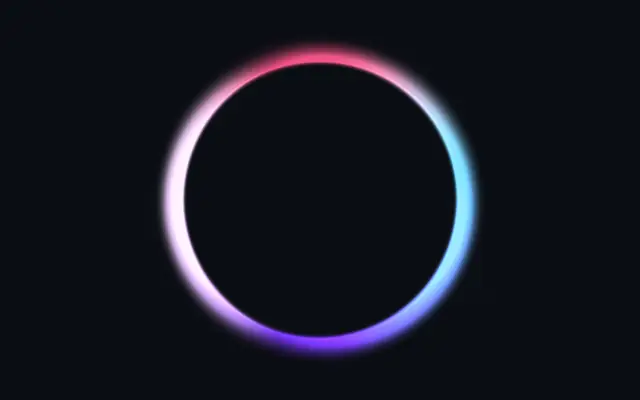
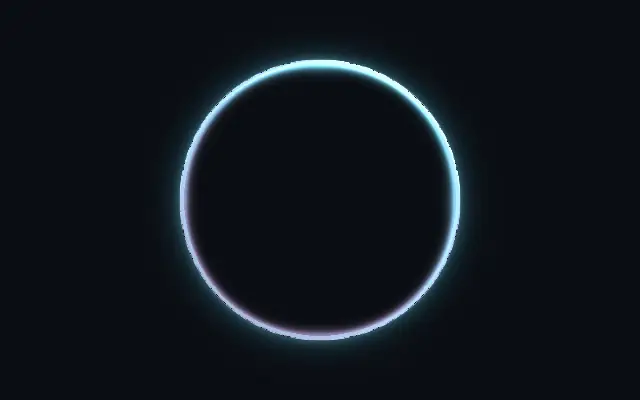
A luminous neon tube or 3D pipe effect shaped by a custom outline.

Also known as: NeonNeon tubeNeon sign

Moves in browsers that support WebGPU

This device could not render the demo — showing a still

React
// Renders only in browsers with WebGPU.
import { Shader, Neon } from 'shaders/react'

export default function ShaderEffect() {
  return (
    <Shader style={{ width: '100%', height: 320 }} disableTelemetry>
      <Neon />
    </Shader>
  )
}
Vue
<!-- Renders only in browsers with WebGPU. -->
<script setup lang="ts">
import { Shader, Neon } from 'shaders/vue'
</script>

<template>
  <Shader style="width: 100%; height: 320px" :disable-telemetry="true">
    <Neon/>
  </Shader>
</template>
Svelte
<!-- Renders only in browsers with WebGPU. -->
<script>
  import { Shader, Neon } from 'shaders/svelte'
</script>

<Shader style="width: 100%; height: 320px" disableTelemetry>
  <Neon />
</Shader>
Solid
// Renders only in browsers with WebGPU.
import { Shader, Neon } from 'shaders/solid'

export default function ShaderEffect() {
  return (
    <Shader style={{ width: '100%', height: '320px' }} disableTelemetry>
      <Neon />
    </Shader>
  )
}
JavaScript
// Renders only in browsers with WebGPU.
// expects <canvas id="canvas" style="width:100%;height:320px"></canvas> on the page
import { createShader } from 'shaders/js'

const shader = await createShader(document.getElementById("canvas"), {
  components: [
    {
      type: 'Neon',
    }
  ]
}, { disableTelemetry: true })

Props · Neon

Changes apply to the demo above and to the code tabs. Descriptions come from the library registry (MIT).

NameValueDefaultRange / optionsDescription
originOriginSet in codecenter—Reference edge the center position is measured from (center default). Lets you pin the shape relative to a corner or the canvas centre.
centerCenter
x0.5y0.5
{"x":0.5,"y":0.5}x, y: 0 – 1Center position of the neon shape
scaleScale10.1 – 3 (step 0.01)Scale of the neon shape (1 = default size)
rotationRotation00 – 360 (step 1)Rotation of the neon shape in degrees
colorTube Color#00ddff—Primary neon tube color
secondaryColorSecondary Color#ff00aa—Shadow-side color for a two-tone / dual-lit pipe look
secondaryBlendBlend0.50 – 1 (step 0.01)Blend between mono (0) and two-tone (1) tube coloring
glowColorGlow Color#00ddff—Color of the outer glow / bloom
tubeThicknessTube Thickness0.20 – 1 (step 0.01)How far inward from the boundary the tube extends. Low = thin neon outline, high = thick 3D pipe
intensityIntensity1.50.5 – 4 (step 0.01)Overall brightness multiplier
hotCoreIntensityHot Core0.60 – 1 (step 0.01)Bright white-hot center line — the gas discharge glow inside the tube
glowIntensityGlow Intensity0.60 – 2 (step 0.01)Outer glow / bloom strength
glowRadiusGlow Radius0.250.01 – 1 (step 0.01)How far the glow extends beyond the tube
lightAngleLight Angle3000 – 360 (step 1)Directional light angle in degrees — controls 3D shading on the tube
specularIntensitySpecular0.50 – 2 (step 0.01)Specular highlight brightness on the tube surface
specularSizeSpecular Size0.50 – 1 (step 0.01)Specular highlight size — 0 = tight pinpoint, 1 = broad sheen
cornerSmoothingCorner Smoothing0.150 – 1 (step 0.01)Rounds sharp corners to mimic how real glass tubes curve at bends
flickerSpeedSpeed00 – 5 (step 0.1)Flicker animation speed — 0 = off, higher = faster sporadic on/off
flickerAmountAmount0.20 – 1 (step 0.01)How often the neon flickers off — 0 = always on, 1 = frequent outages
flowSpeedSpeed00 – 5 (step 0.1)Flow animation speed — 0 = off, light rotates through the tube
flowAmountAmount0.30 – 1 (step 0.01)Strength of the flowing brightness variation — 0 = uniform, 1 = dramatic
shapeShapeSet in code{"type":"sphere3D","radius":0.35}—Serialized shape configuration (JSON)
shapeSdfUrlshapeSdfUrlSet in code—URL to a pre-generated SDF .bin file — when non-empty, activates SVG mode and triggers a shader recompile
shapeTypeshapeTypeSet in code—Active SDF shape type — triggers recompile when shape is switched. When empty, derived from shape JSON at mount time.

Every component also takes blendMode · opacity · visible · maskSource/maskType · boundingBox · id

Like neon tubing on a dark sign, a bright line follows the shape and spills light around it.

`color` sets the tube color. Raise `tubeThickness` to move from a thin outline toward a broad pipe. `intensity` controls overall brightness, while `glowIntensity` sets the outer glow. Higher `flickerAmount` makes the light go out more often.

The effect creates its own shape and reads clearly against a dark backdrop. Strong glow can cover nearby lettering or button edges, so keep it away from dense body copy.

When to use

Use it for neon signs, CTA outlines on dark screens, or a logo accent. Avoid it on bright backdrops or where strong light would surround small text.

Open as page ↗