Curl Noise

컬 노이즈

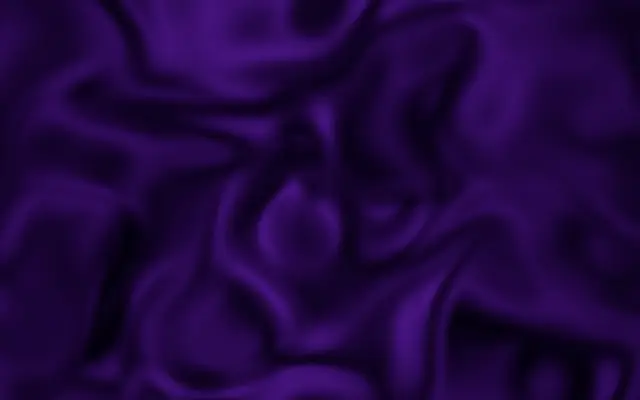
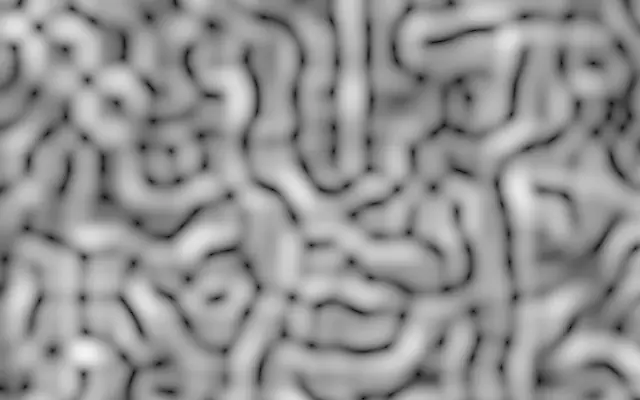
A swirling flow field that drifts over time, rendered as a moving noise pattern.

Also known as: CurlNoisecurl flow fieldswirling noise

Moves in browsers that support WebGPU

This device could not render the demo — showing a still

React
// Renders only in browsers with WebGPU.
import { Shader, CurlNoise } from 'shaders/react'

export default function ShaderEffect() {
  return (
    <Shader style={{ width: '100%', height: 320 }} disableTelemetry>
      <CurlNoise />
    </Shader>
  )
}
Vue
<!-- Renders only in browsers with WebGPU. -->
<script setup lang="ts">
import { Shader, CurlNoise } from 'shaders/vue'
</script>

<template>
  <Shader style="width: 100%; height: 320px" :disable-telemetry="true">
    <CurlNoise/>
  </Shader>
</template>
Svelte
<!-- Renders only in browsers with WebGPU. -->
<script>
  import { Shader, CurlNoise } from 'shaders/svelte'
</script>

<Shader style="width: 100%; height: 320px" disableTelemetry>
  <CurlNoise />
</Shader>
Solid
// Renders only in browsers with WebGPU.
import { Shader, CurlNoise } from 'shaders/solid'

export default function ShaderEffect() {
  return (
    <Shader style={{ width: '100%', height: '320px' }} disableTelemetry>
      <CurlNoise />
    </Shader>
  )
}
JavaScript
// Renders only in browsers with WebGPU.
// expects <canvas id="canvas" style="width:100%;height:320px"></canvas> on the page
import { createShader } from 'shaders/js'

const shader = await createShader(document.getElementById("canvas"), {
  components: [
    {
      type: 'CurlNoise',
    }
  ]
}, { disableTelemetry: true })

Props · CurlNoise

Changes apply to the demo above and to the code tabs. Descriptions come from the library registry (MIT).

NameValueDefaultRange / optionsDescription
colorAColor A#ffffff—First color
colorBColor B#000000—Second color
stopsColorsSet in codenull—Multi-stop gradient colors (overrides Color A / Color B when set)
colorSpaceColor Spacelinearlinear · oklch · oklab · hsl · hsv · lchColor space for color interpolation
scaleScale2-2 – 5 (step 0.1)Pattern scale (higher = larger patterns)
contrastContrast0-1 – 5 (step 0.1)Pattern contrast (higher = sharper transitions)
balanceBalance0-1 – 1 (step 0.05)Balance between colors (negative = more colorB, positive = more colorA)
seedSeed00 – 100 (step 1)Random seed for pattern variation
speedSpeed10 – 5 (step 0.1)Animation speed

Every component also takes blendMode · opacity · visible · maskSource/maskType · boundingBox · id

Its curved streaks resemble water curling around a bend, and the pattern drifts over time. The sense of direction and swirl is stronger than in a field of ordinary soft patches.

`scale` defaults to 2 and ranges from -2 to 5; higher values make the flow pattern larger. `contrast` defaults to 0 and ranges from -1 to 5; higher values make light-to-dark transitions sharper. `speed` defaults to 1 and ranges from 0 to 5; it controls how quickly the flow changes. `balance` defaults to 0 and ranges from -1 to 1, shifting the mix toward the second color below zero and the first above zero. `seed` defaults to 0 and ranges from 0 to 100, changing the arrangement of the flow pattern.

This is a generator that draws a visible flow pattern, not an effect applied to input. Layer it with line or particle forms such as `Strands` or `ParticleField` to reinforce the sense of motion. If the direction becomes hard to read, lower `scale` or color contrast.

When to use

Use it for swirling backgrounds, flowing abstract scenes, and compositions with lines or particles that suggest motion. Avoid it when you need straight lines or a still, orderly surface.

Open as page ↗