Brick Pattern

벽돌 패턴

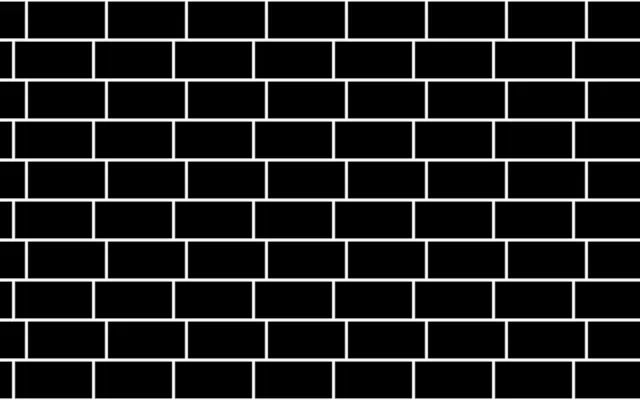
Offset rows of bricks repeat with visible mortar gaps between them.

Also known as: BrickPattern브릭 패턴

Moves in browsers that support WebGPU

This device could not render the demo — showing a still

React
// Renders only in browsers with WebGPU.
import { Shader, BrickPattern } from 'shaders/react'

export default function ShaderEffect() {
  return (
    <Shader style={{ width: '100%', height: 320 }} disableTelemetry>
      <BrickPattern
        speed={0.2} />
    </Shader>
  )
}
Vue
<!-- Renders only in browsers with WebGPU. -->
<script setup lang="ts">
import { Shader, BrickPattern } from 'shaders/vue'
</script>

<template>
  <Shader style="width: 100%; height: 320px" :disable-telemetry="true">
    <BrickPattern
      :speed="0.2"/>
  </Shader>
</template>
Svelte
<!-- Renders only in browsers with WebGPU. -->
<script>
  import { Shader, BrickPattern } from 'shaders/svelte'
</script>

<Shader style="width: 100%; height: 320px" disableTelemetry>
  <BrickPattern
    speed={0.2} />
</Shader>
Solid
// Renders only in browsers with WebGPU.
import { Shader, BrickPattern } from 'shaders/solid'

export default function ShaderEffect() {
  return (
    <Shader style={{ width: '100%', height: '320px' }} disableTelemetry>
      <BrickPattern
        speed={0.2} />
    </Shader>
  )
}
JavaScript
// Renders only in browsers with WebGPU.
// expects <canvas id="canvas" style="width:100%;height:320px"></canvas> on the page
import { createShader } from 'shaders/js'

const shader = await createShader(document.getElementById("canvas"), {
  components: [
    {
      type: 'BrickPattern',
      props: {
        speed: 0.2,
      },
    }
  ]
}, { disableTelemetry: true })

Props · BrickPattern

Changes apply to the demo above and to the code tabs. Descriptions come from the library registry (MIT).

NameValueDefaultRange / optionsDescription
colorBrickBrick Color#000000—Brick color
colorMortarMortar Color#ffffff—Mortar / gap color
cellsXBricks per Row81 – 30 (step 1)Number of bricks per row
cellsYRows101 – 30 (step 1)Number of brick rows
mortarMortar Gap0.050 – 1 (step 0.01)Width of mortar gaps — equal pixel thickness in both directions
softnessSoftness00 – 1 (step 0.01)Softness of the brick edges (0 = crisp, 1 = very soft)
variationVariation00 – 1 (step 0.01)Per-brick random lightening/darkening of the brick color
rotationRotation00 – 360 (step 1)Rotation of the pattern in degrees
speedSpeed0-2 – 2 (step 0.1)Animation speed
offsetOffset00 – 1 (step 0.01)Static horizontal offset — shifts the brick pattern without animating
speedVarianceSpeed Variance00 – 1 (step 0.01)How much each row's speed varies — at high values rows move at different speeds and directions
seedSeed00 – 100 (step 1)Random seed for per-row speed variation
colorSpaceColor Spacelinearlinear · oklch · oklab · hsl · hsv · lchColor space for interpolation

Every component also takes blendMode · opacity · visible · maskSource/maskType · boundingBox · id

Like a brick wall, long blocks stack in rows, with each row offset from the one above. The contrast between the brick and mortar colors separates the blocks from their joints.

Set the number of bricks across and rows down with `cellsX` and `cellsY`. Increase `mortar` to widen the gaps; `variation` changes brick brightness from one block to another. `speed` controls the movement of the pattern.

`speed` and `speedVariance` both default to 0, so the wall starts still. The pattern fills the canvas without an input layer. Strong mortar contrast can compete with lettering, so it works best as a material-like background or in a small area.

When to use

Use it for wall or floor-like backgrounds, architecture or game screens, and repeating block decoration. Avoid it where mortar lines would cross text or fine-grained data.

Open as page ↗